Configuring the Integrated BMC Web Console
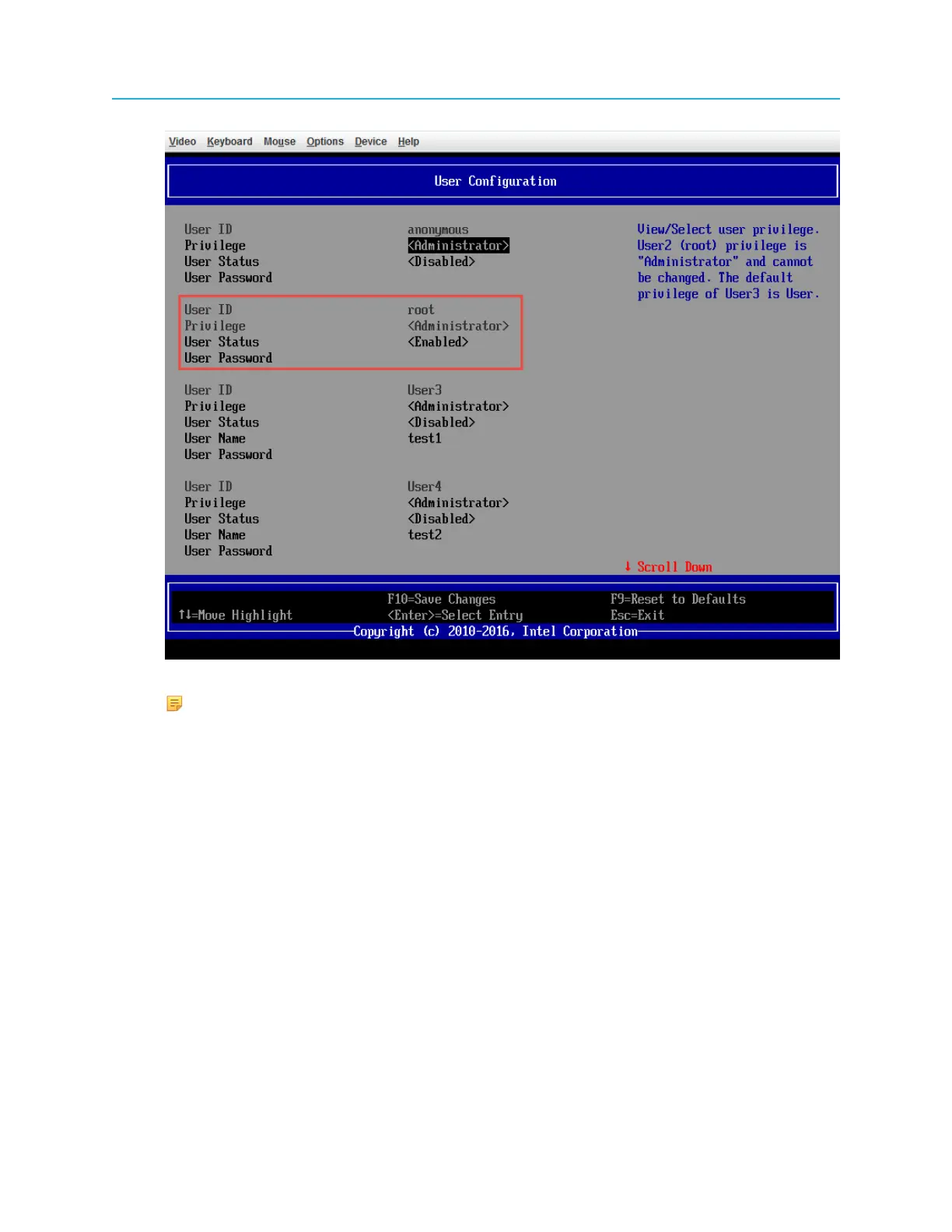
NOTE: Make sure User Status is <Enabled>.
g. Press F10. A pop-up window will be shown and select Yes to save configuration.
Result: The device server will reboot with the configured BMC IP address taking effect.
3. Connect to the Integrated BMC Web Console.
a. Open a browser and enter the BMC IP address of your device. For example, if your device has a
BMC IP address set to 10.21.85.142, point your browser to http://10.21.85.142
b. Enter the login Username/Password and click Login.
4. Set remote control to the device server.
a. Click Remote Control in the menu and select Console Redirection.
23 ProStream X 2.4.x Installation Guide


 To Next Page