61
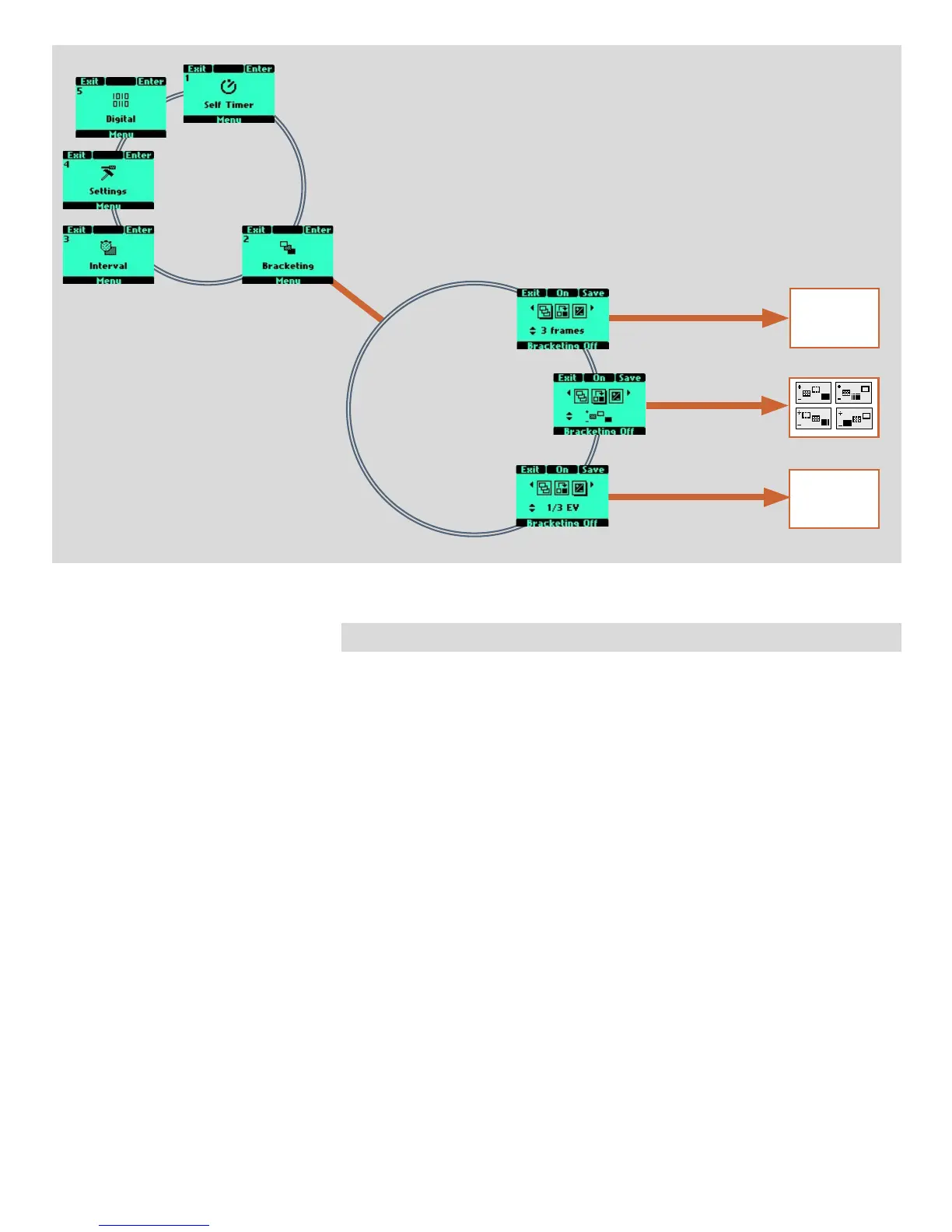
Bracketing
options available
options available
options available
2 frames
or
3 frames
or
5 frames
1/3 EV
or
1/2 EV
or
1 EV
2 Bracketing
e bracketing facility provides an automatic series of exposures; one at the standard
exposure setting (Manual or Auto) and the others with pre-determined deviations in EV
from the standard exposure. is is particularly useful when using transparency film
with images containing a very wide tonal range, for example.
Firstly you make an assessment concerning the number of extra frames required, the
order in which they should be taken, and by how much EV deviations there should be
and the setting made accordingly. e first metered exposure (Manual or Auto) is the
EV that determines the calculations for the bracketing sequence.
Note the difference in operation between Single and Continuous drive settings:
• In Single you must press the shutter release button separately for every separate ex-
posure until the sequence is finished.
• In Continuous you can either maintain the pressure on the button to take all frames
without stopping or you can release the pressure on the button and press again to continue
to the end of the sequence without losing any frames within the set sequence.



 To Next Page