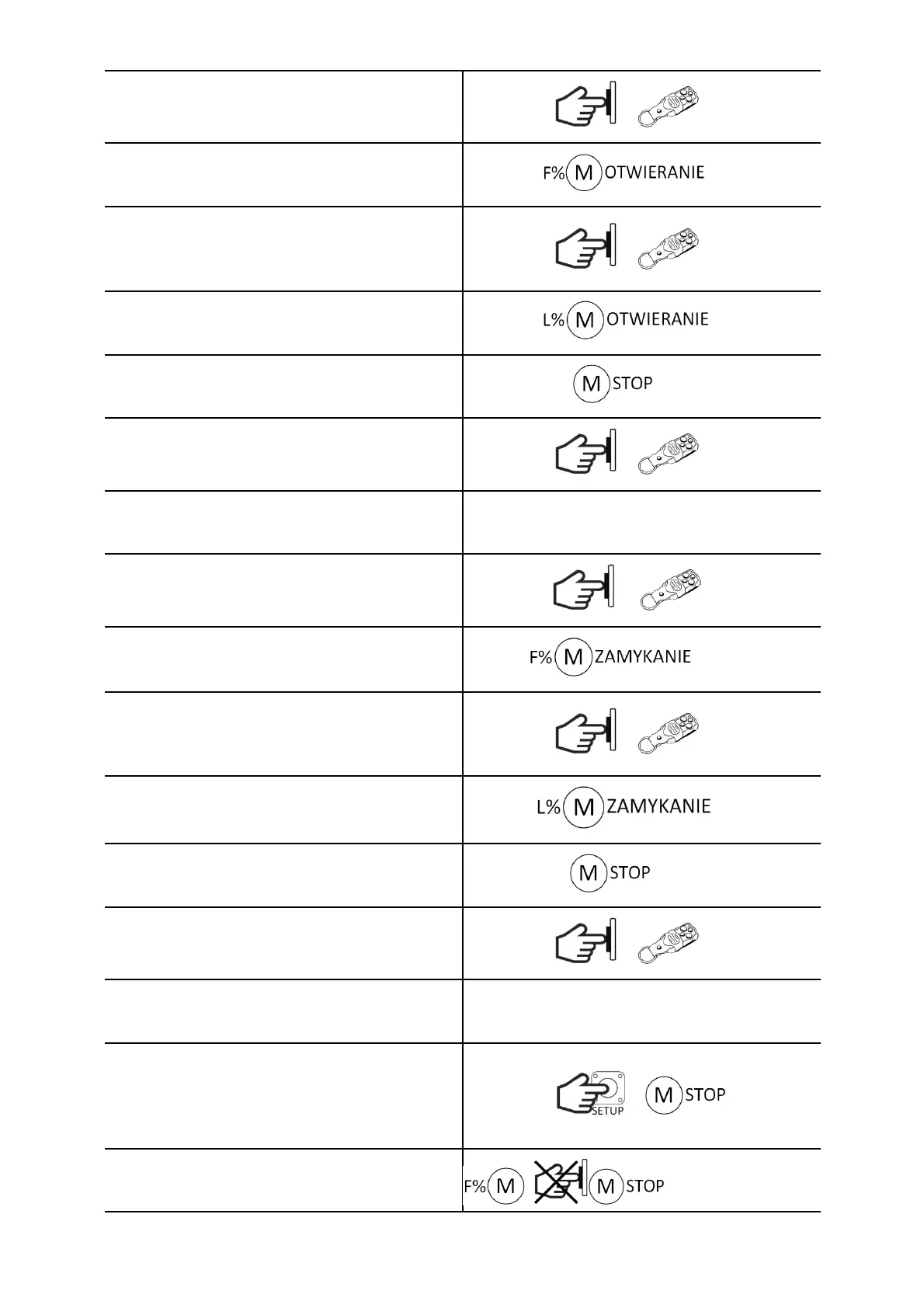
Press the SBS sequence control button for less
than 3s or the transmitter button assigned to the
SBS function.
or SBS
The gate will start to open (for work without an
encoder with the power set on the P
potentiometer). The LED will be on.
To define deceleration positions before full
opening, press the SBS sequential control button
for less than 3 seconds or the transmitter button
assigned to the SBS function.
or SBS
The gate will open at slow speed. The LED will be
on.
Gate stops in the fully open end position. The LED
will turn off.
OL
Press the SBS sequence control button for less
than 3s or the transmitter button assigned to the
SBS function.
or SBS
The LED will blink 3 times to indicate that the time
has been accepted, and then it will blink waiting
for the closing direction settings.
Press the SBS sequence control button for less
than 3s or the transmitter button assigned to the
SBS function.
or SBS
The gate will start to close (for work without an
encoder with the power set on the VR1
potentiometer). The LED will be on.
To determine deceleration positions before full
closure, press the SBS sequential control button for
less than 3s or the transmitter button assigned to
the SBS function.
or SBS
The gate will close at slow speed. The LED will be
on.
Gate stops in the fully closed end position. The LED
will turn off.
CL
Press the SBS sequence control button for less
than 3s or the transmitter button assigned to the
SBS function.
or SBS
The LED will blink 3 times to confirm that the
settings have been saved. The controller will return
to normal operation.
ATTENTION!
To return to the normal operation without saving
the settings, press the SETUP button for less than 3
seconds. The gate will stop and the LED will blink
once.
ATTENTION!
If you do not want to use the deceleration
function, during programming, when the motor is
OL/CL


 To Next Page