running in a given direction, do not press the SBS
button and wait until the gate reaches its end
position.
ATTENTION!
After each motor power adjustment on the VR1
potentiometer, the motor operation programming
procedure must be repeated.
ENGINE OPERATION PROGRAMMING
For work with encoder support, adjust the
overload with the potentiometer VR2, in
accordance with the applicable standards.
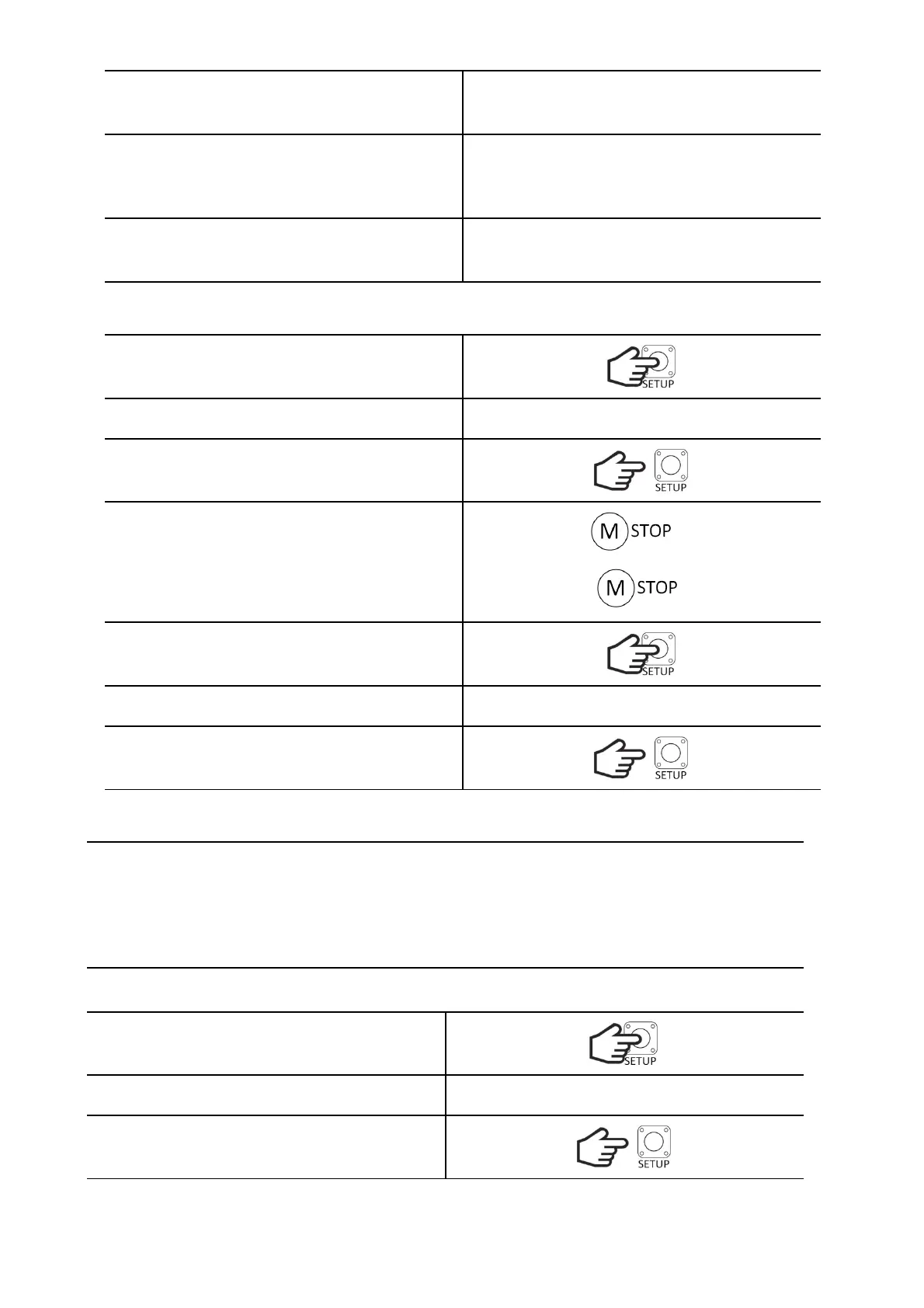
RESTORING DEFAULT SETTINGS - 60s operation without encoder and without
deceleration
Hold down the SETUP button.
The LED will turn on and then turn off.
Release the SETUP button.
If the gate is in the fully closed position, the LED
will flash quickly, and if it is in another position, it
will flash slowly.
CL
?
Hold down the SETUP button.
The LED will blink 3 times.
Release the SETUP button. The controller will
return to normal operation.
WICKET FUNCTION
It allows the door to be partially opened to the programmed width using the remote controls assigned
to this function. The opening width can be programmed. With the PHOTO CLOSE function active, when
an obstacle appears in the opening of the photocells, the gate will stop. It can be closed by pressing
the manual control button or the remote-control transmitter. In conjunction with the AUTO-CLOSE and
PHOTO CLOSE functions enabled during opening, when an object appears in the light of the photocells,
the gate will stop, and when the object is removed, it will automatically close after 5 seconds.
ADJUSTING THE WIDTH OF THE GATE OPENING
Hold down the SETUP button.
The LED will turn on and then turn off.
Release the SETUP button.


 To Next Page