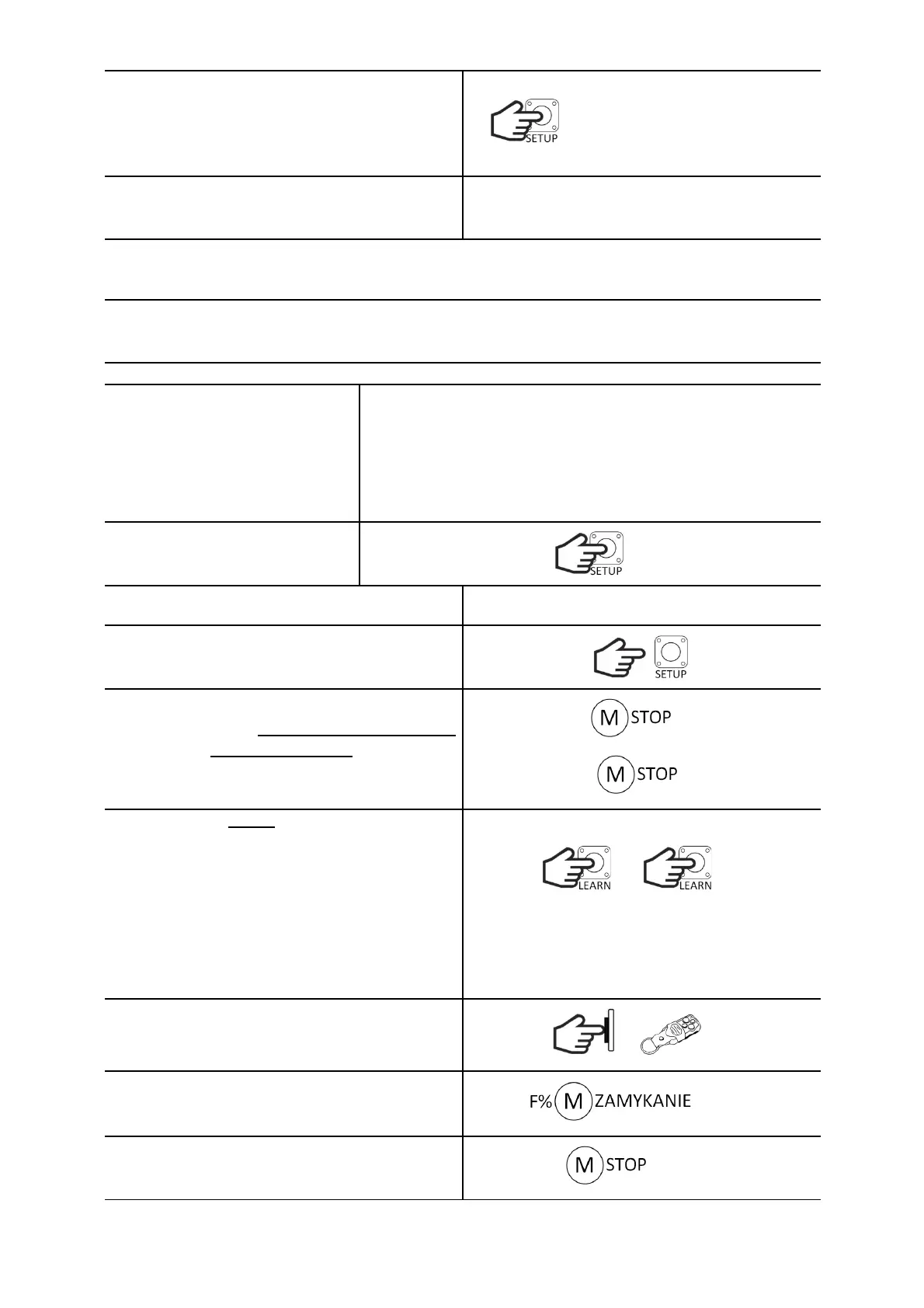
Within 5s, start setting the time.
Press SETUP x times. One press corresponds to
15s. Each pressing is signaled by the lighting of the
diode. If the button is not pressed within these 5
seconds, the controller will set the default time.
After 3s from the last press, the LED will flash 3
times. The controller will remember the settings
and return to normal operation.
ENGINE OPERATION PROGRAMMING
The maximum engine operation time is 2 minutes. The controller enables programming of the gate
slowing down - during this time the motor works at a reduced speed, reaching the end position. Adjust
the settings so that the motor slows down approx. 50 cm before the end position.
DEFAULT SETTINGS: 60s (without deceleration)
ATTENTION!
The photocell input is ignored
during the procedure.
Adjust the thrust on the VR1
potentiometer in accordance
with the applicable standards.
Hold down the SETUP button.
The LED will turn on and then turn off.
Release the SETUP button.
If the gate is in the fully closed position, the LED
will flash quickly and items marked with asterisks
* should be omitted.
If the gate is not fully closed, the LED will flash
slowly.
CL
?
Press shortly the LEARN button to set whether the
motor has a built-in pulse generator.
Pressing the button changes the state of the
function to the opposite. The lit ENCODER diode
means that the pulser service is on, and the
extinguished diode - it is off.
(For the driver version without encoder support,
skip this point.)
ENC ENC
ENCODER
ENCODER
* Press the SBS sequence control button for less
than 3s or the transmitter button assigned to the
SBS function.
or SBS
* The gate starts to close (for work without the
encoder with the power set on the potentiometer
P). The LED will be on.
* When the gate is fully closed, the LED will flash
rapidly.
CL


 To Next Page