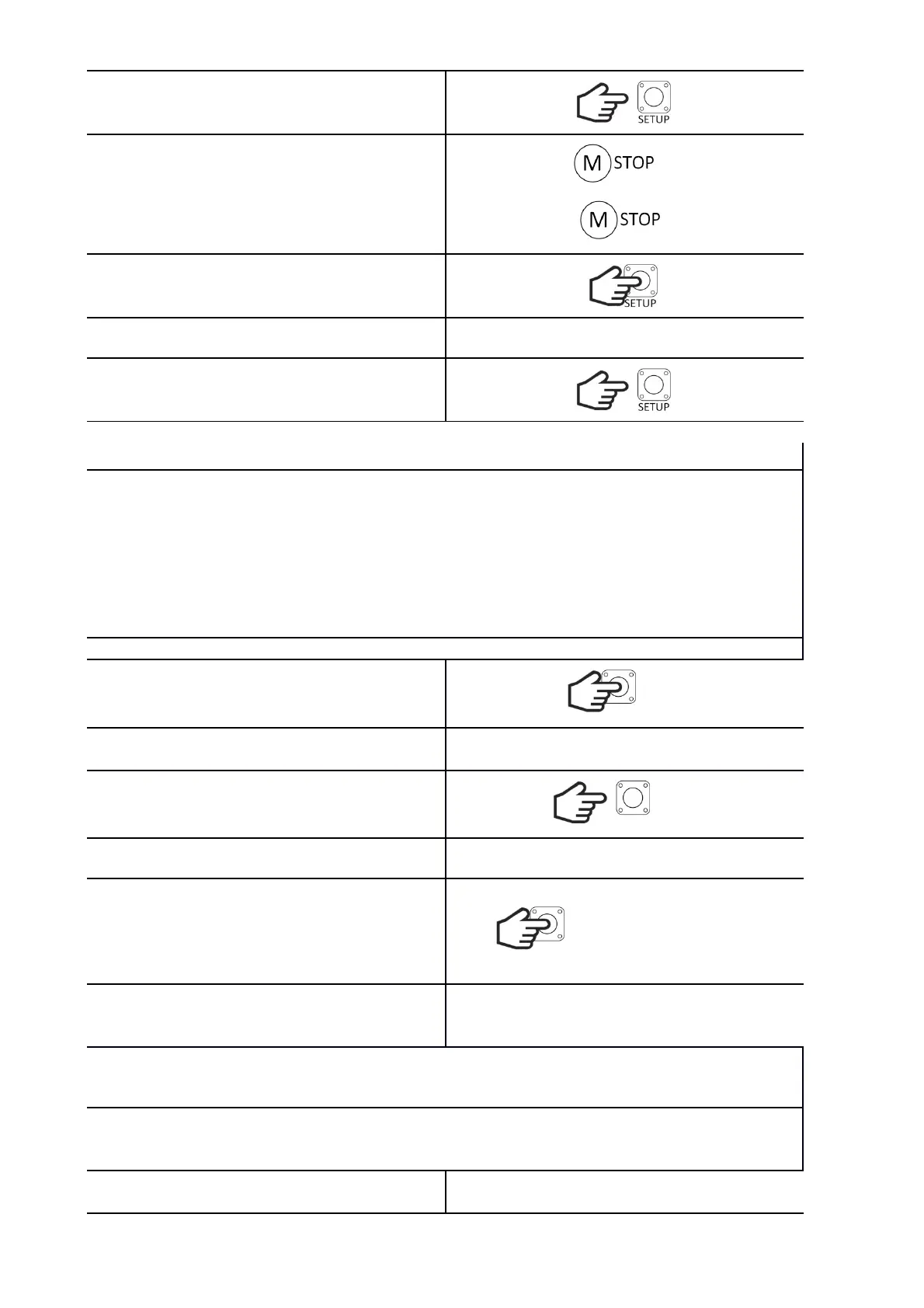
Release the SETUP button.
If the gate is in the fully closed position, the LED
will flash quickly, and if it is in another position, it
will flash slowly.
CL
?
Hold down the SETUP button.
The LED will blink 3 times.
Release the SETUP button. The controller will
return to normal operation.
RUN TIME
During normal operation, the gate moves at full speed and in the deceleration position, the motor
power is cut off for the programmed coast down time (to take into account the inertia), and then it
moves at a slow speed. If there is a jerk effect when changing the speed from full to slow, the coasting
time should be corrected.
ATTENTION!
The overrun time has an influence on the deceleration position and must be programmed before
programming the motor operation, or after changing a parameter, retry the learn procedure.
We set it in the range from 0.1s to 1s with 0.1s step. Default: 0.3s
Przytrzymaj przycisk SETUP.
SETUP
The LED will turn on, turn off, turn on and turn off
again.
Release the SETUP button.
SETUP
The LED will flash rapidly.
Within 5s, start setting the time.
Press SETUP x times. One press corresponds to
0.1s. Each pressing is signaled by the lighting of the
diode. If the button is not pressed within these 5s,
the controller will set the default time of 0.3s.
SETUP
After 3s from the last press, the LED will flash 3
times. The controller will remember the settings
and return to normal operation.
OPEN ONLY FUNCTION
It facilitates entry-exit communication by ensuring that the gate does not close when another person
activates the gate using a manual control button or a remote control. This function only works with
AUTO CLOSE enabled.
To enable the function, set the AUTO CL and ONLY
OP switches to the ON position.


 To Next Page