USE ONLY HAYWARD GENUINE REPLACEMENT PARTS
9
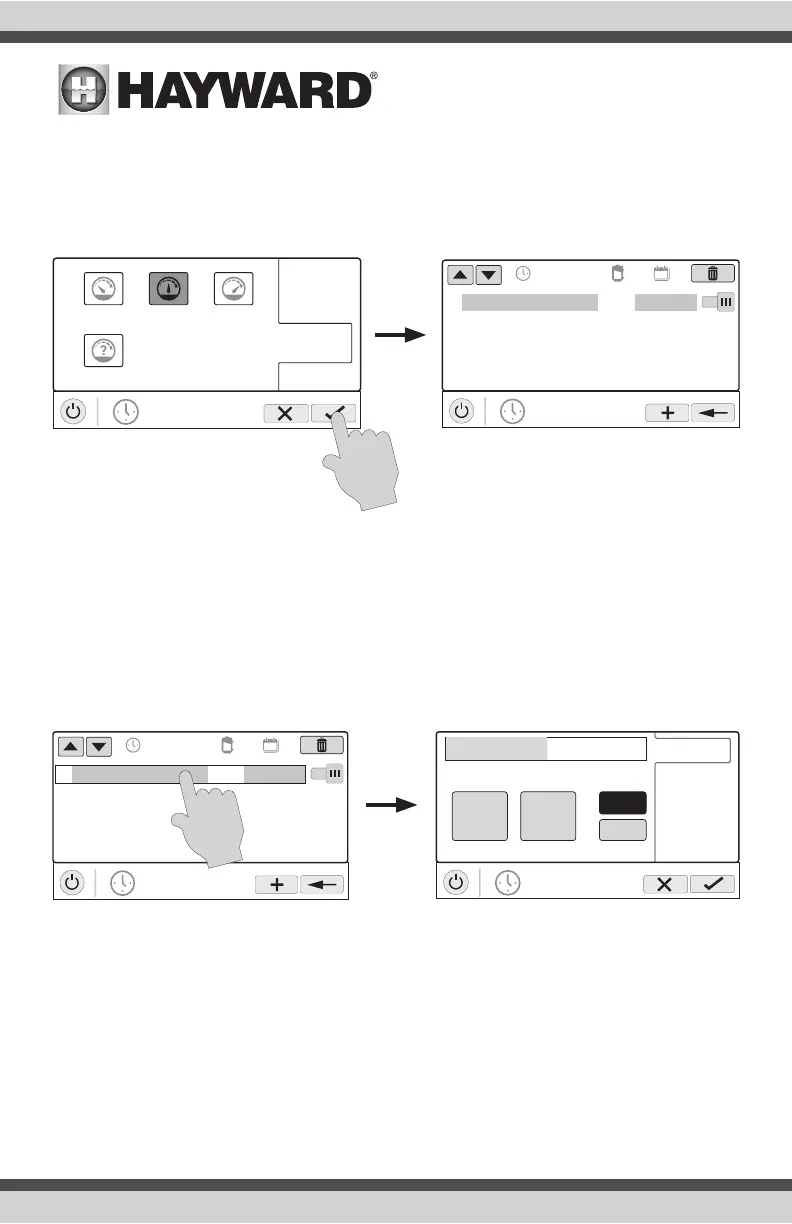
Set Pump Speed
Refer to the screen below to select the pump speed during the schedule. If custom is selected,
you’ll be asked to set the % pump speed or RPM depending on the setting. When finished, touch
the Save button to save the schedule. NOTE: the speed setting only appears if the pump is a vari-
able speed or a two speed pump.
NOTE: if you intend to run the pump at different speeds throughout the day, create additional
schedules. You can start a new schedule on the same minute that the previous one ends. If
schedules overlap, the newest schedule’s start time will take priority by ending the previous sched-
ule early. You can create up to 100 total schedules on the system.
Edit a Schedule
To edit a schedule, touch the schedule as shown below. You’ll be brought back to the screen which
will allow you to set times, speed and frequency.
POOL
vsp pump
start / end
repeat
speed
low highmed
custom
POOL
vsp pump
01
10:00 am / 7:00 pm
med
all week
ON
POOL
vsp pump
01
10:00 am / 7:00 pm
med
all week
ON
end 7:00 pm
POOL
vsp pump
start 10:00 am
10
start / end
repeat
speed
am
pm
00
:















 To Next Page