USE ONLY HAYWARD GENUINE REPLACEMENT PARTS
10
Turning a Schedule Off
There may be circumstances when you will want to turn off a schedule temporarily. To do this,
slide the On/Off button to “Off”. The schedule will remain off until you go back to this screen and
turn it off.
Deleting a Schedule
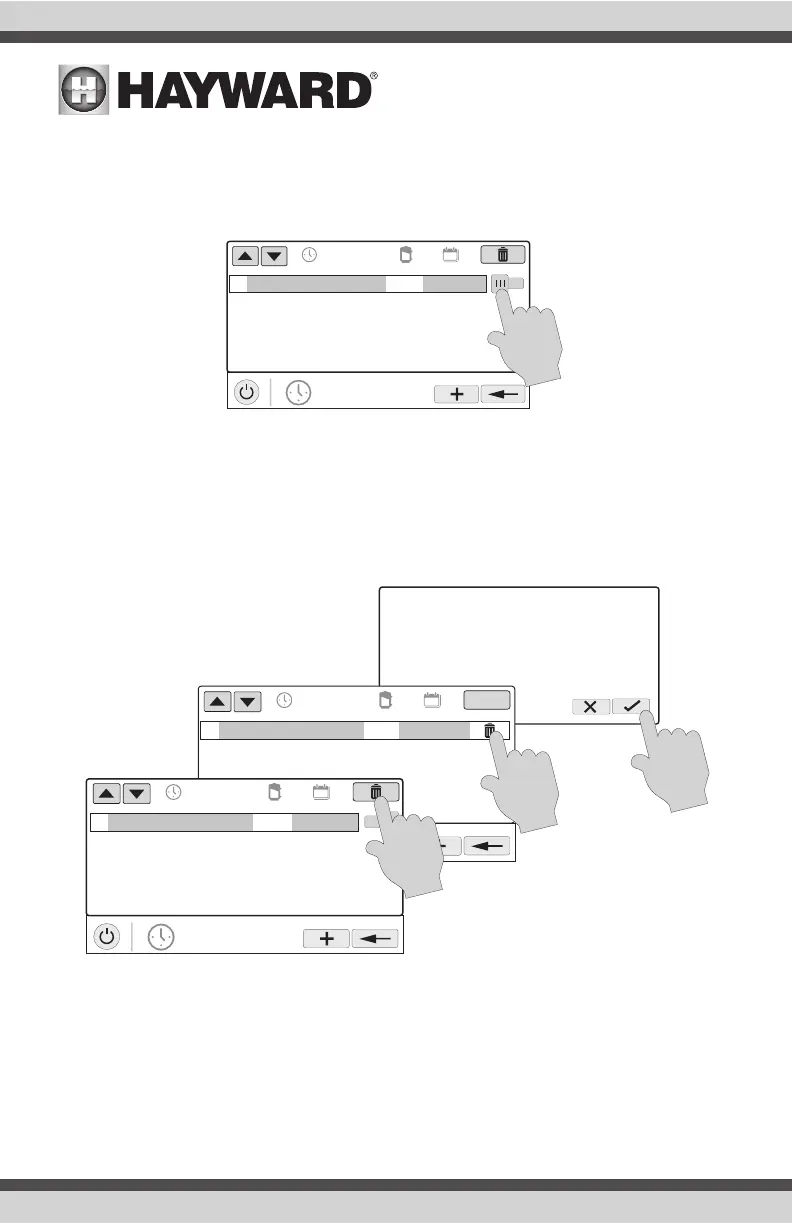
Schedules can be deleted when they are no longer necessary. To delete a schedule, select the
schedule and touch Delete as shown below. A Delete button should appear on the side of the
schedule. Touch this Delete button to remove the schedule.
POOL
vsp pump
01
10:00 am / 7:00 pm
med
all week
OFF
Are you sure you want to delete
the schedule?
POOL
vsp pump
ON/OFF
01
10:00 am / 7:00 pm
med
all week
POOL
vsp pump
01
10:00 am / 7:00 pm
med
all week
ON















 To Next Page