USE ONLY HAYWARD GENUINE REPLACEMENT PARTS
11
Countdown Timer
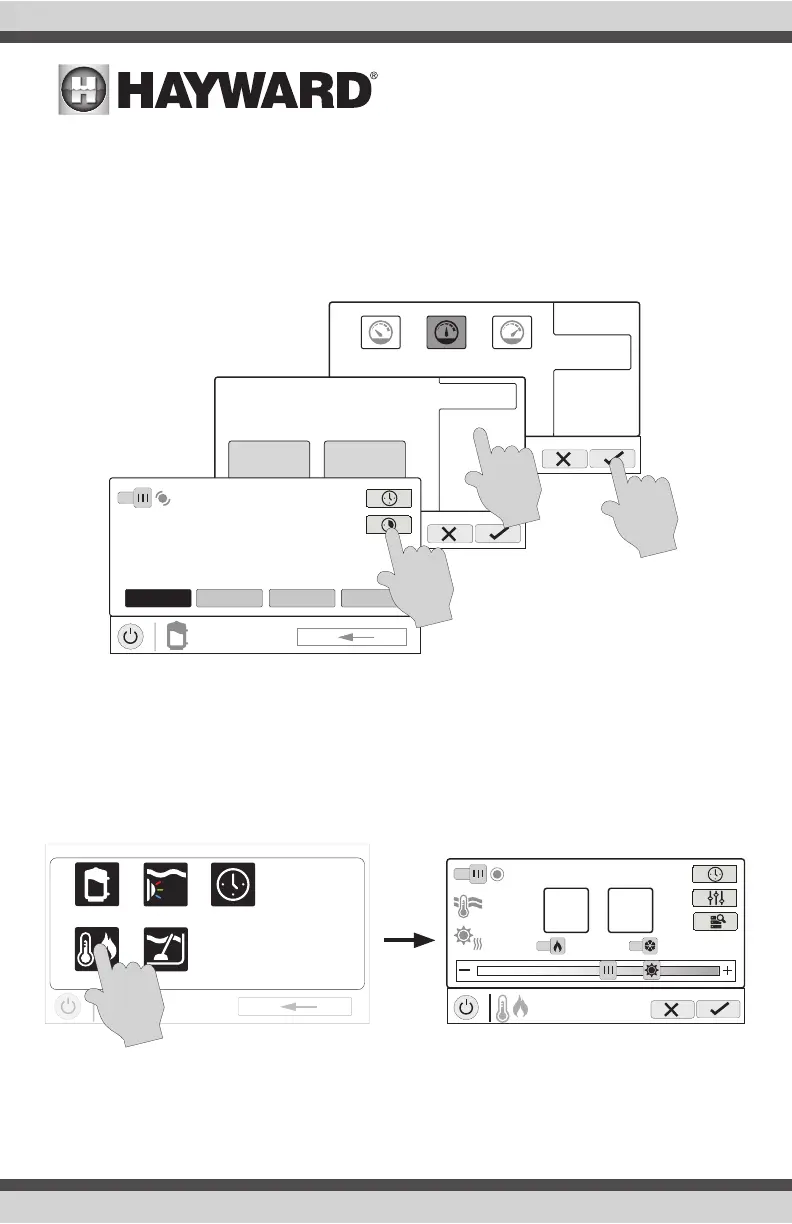
A countdown timer runs or enables equipment for the amount of time specified. You can initiate
the countdown timer at the equipment’s control screen. At the countdown screen, set the desired
countdown time. In this case, the timer will run the pump for the specified countdown time. If
the equipment is already running due to a schedule, the countdown timer setting will override the
schedule and turn off at the end of the countdown interval. If the equipment is off, the countdown
timer will turn it on for the duration/speed that has been set.
Heat/Cool
Touching the heat/cool button in the Features Screen will let you enable or disable heating/cooling,
set priority, set the heating/cooling mode, set temperature, set schedules and view the status of the
heaters/chillers for the selected Body of Water. An example of the heat/cool Control Screen is shown
below:
POOL
vsp pump
time
speed
low highmed
custom
POOL
vsp pump
time
speed
0000
:
hours minutes
countdown duration
ON
POOL
vsp pump
ON
MED HIGH CUSTOMLOW
uclights
vsp
heat/cool cleaner
POOL
features
schedule
ON
set temperature
80°
POOL
heat/cool
86°F
water
120°F
roof
90°
Main Solar
ON
ON
Auto Mode















 To Next Page