USE ONLY HAYWARD GENUINE REPLACEMENT PARTS
16
NOTE: If a conventional or solar heater is operating, it is likely that the temperature of the water at
the cell is higher than the pool/spa water temperature displayed on the OmniHub default display.
Restart Average Salt - The OmniHub monitors salt level while chlorinating. At any time, go to the
chlorinator diagnostic screen to view the average salt based on an ongoing calculated average. If
you restart average salt, the previous average is deleted and the OmniHub begins calculating the
new average from that moment. The OmniHub will start with the instant salt reading and calculate
an ongoing average.
Reverse Polarity - The OmniHub periodically reverses the polarity of the voltage applied to the
chlorinator cell in order to automatically clean off any calcium deposits. To check operation in both
polarities, touch this button. The chlorinator will turn off, wait for 15 seconds and then turn on in the
opposite polarity.
Reset Cell Maintenance Timer - To maintain maximum performance, it is recommended that you
open and visually inspect the chlorinator cell every 3 months or after cleaning your filter. The Om-
niHub will remind you to do this by displaying a message to clean and inspect the cell after approxi-
mately 500 hours of operation. You can restart the timer by touching this button.
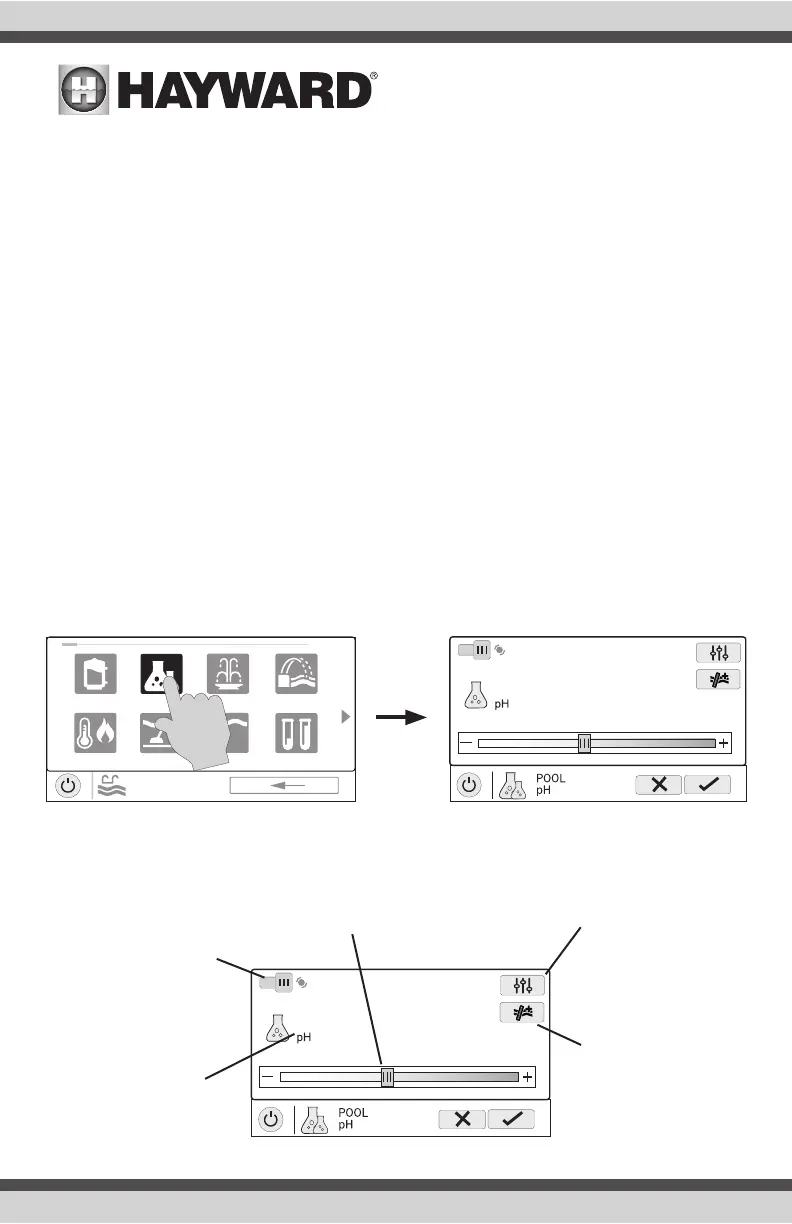
pH Dispense
If using an HL-CHEM: The Hayward HL-CHEM Sense and Dispense accessory continuously tests
the pool’s sanitization and pH levels allowing the OmniHub to automatically generate the correct
amount of chlorine and dispense the proper amount of pH reducer. Refer to the information below
as well as the HL-CHEM manual for configuration and operation instructions.
uclights chlorinator
alarmpH
POOL
features
1 / 2
vsp
heat/cool cleaner
light row
Set pH Level - Set the
desired pH level.
Calibrate - Calibrate
the pH reading if the
OmniHub doesn’t dis-
play the correct level.
Force 15 minute Run
Touching this button
will force the dispenser
to run for 15 minutes.
This is only available in
Service Mode.
Enable / Disable -
Slide this switch to
enable and disable the
pH dispenser and then
touch the Save button.
Current pH Level -
Shows the current pH
reading in the pool or
spa.
pH Dispense Control Screen















 To Next Page