Operation
20 A01681_03_X00_04 HBM: public K148
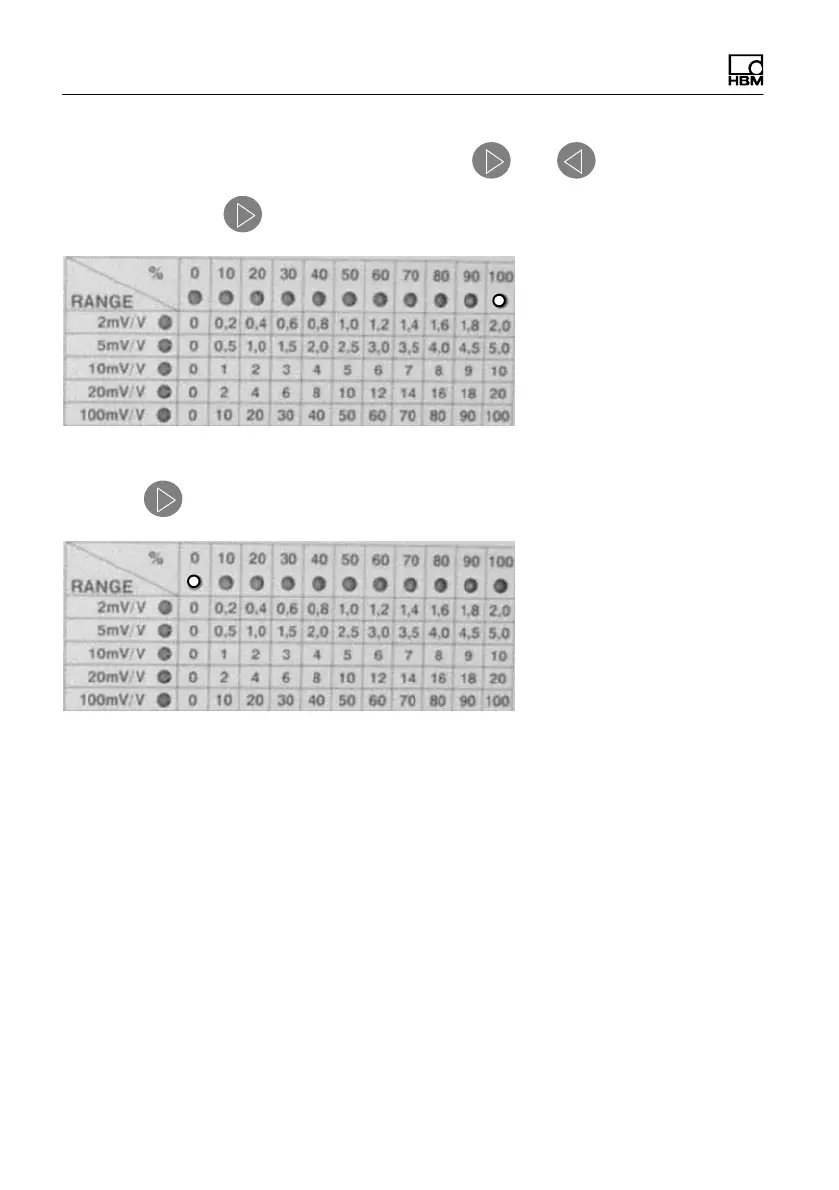
Auto‐Repeat of the % steps settings: keys
and
A: press and hold : the display runs through to 100%
B: Press again: The display jumps back to 0%.
5.3 Special key setting features
Each time a key is pressed, an audible signal tone is generated. This tests
whether the key input was correct or incorrect.
Short signal tone: key input OK
Long signal tone: incorrect key input (e.g. range
u100 mV/V) or Remote mode
Setting the volume for the signal tone:
Special key combinations are used to set the volume.
1. Set the required percentage step (= volume)



 To Next Page