Calibrating a measuring amplifier
24 A01681_03_X00_04 HBM: public K148
6 Calibrating a measuring amplifier
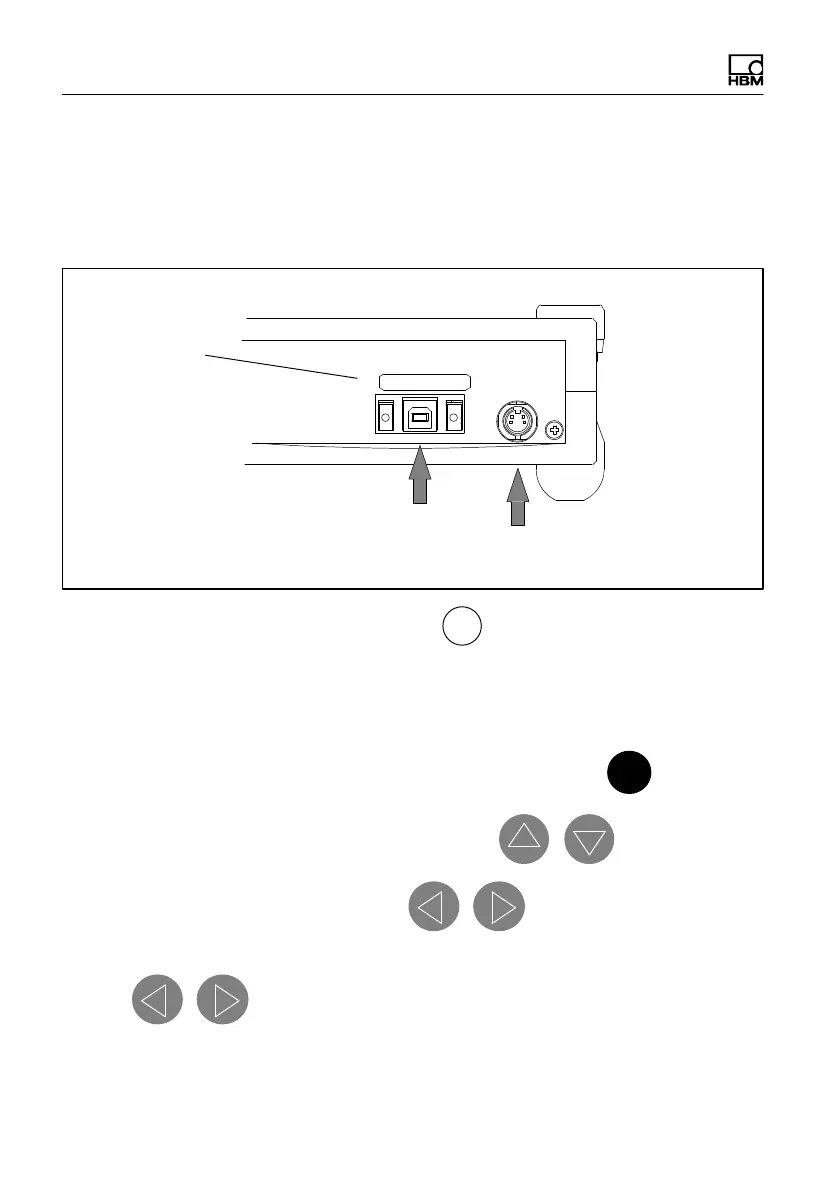
1. Connect the USB power supply (use enclosed USB connection cable), PC
or external power supply to the K148.
USB‐Nr.
USBHBM1264
USB port for power supply/computer
communication
Socket for external 12 V power supply (customer
side, not included in scope of supply)
The following LEDs will light up: POWER ,
+
, 2 mV/V and 0%.
2. Instead of the SG full bridge transducer, connect the K148 to the amplifier
with a 6-wire connection cable (1-Kab268-3) or for eight-channel mode, with
two 25-pin connection cables (1-Kab 263-3)
1)
.
3. Select the required polarity for the planned de-tuning with
+ / −
+ / -
4. Set the range step to the required range with
5. Set the calibration value to 0% with and check the amplifier
zero point.
6. Use to set the required calibration signals according to the
value table.



 To Next Page