24
PME-MP30DP
HBM A0737-4.0 de/en/fr
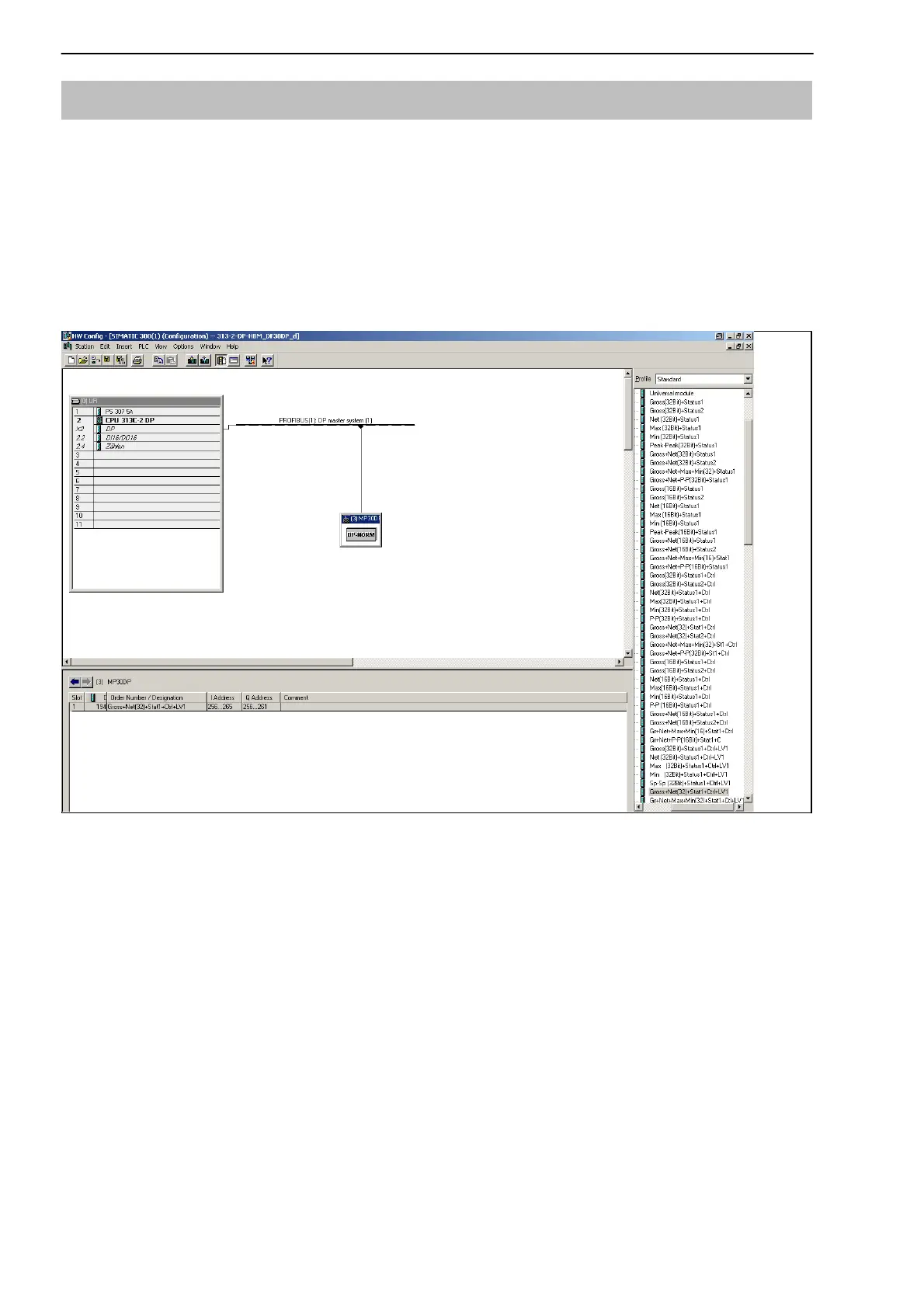
2.1 Configuring and assigning parameters
• Start your configuration program (e.g. Step7; if you have no configuration
program, proceed to chapter 6.2)
• Load the HBM GSD file (PME system CD incl. GSD/GSE files for PME)
• Add an HBM device (Hardware catalog)
• From the hardware catalog choose the configuration you want on the
Profibus.
Fig. 2.5: Hardware configuration


 To Next Page