29
PME-MP30DP
HBMA0737-4.0 de/en/fr
5.1 Expanded menus
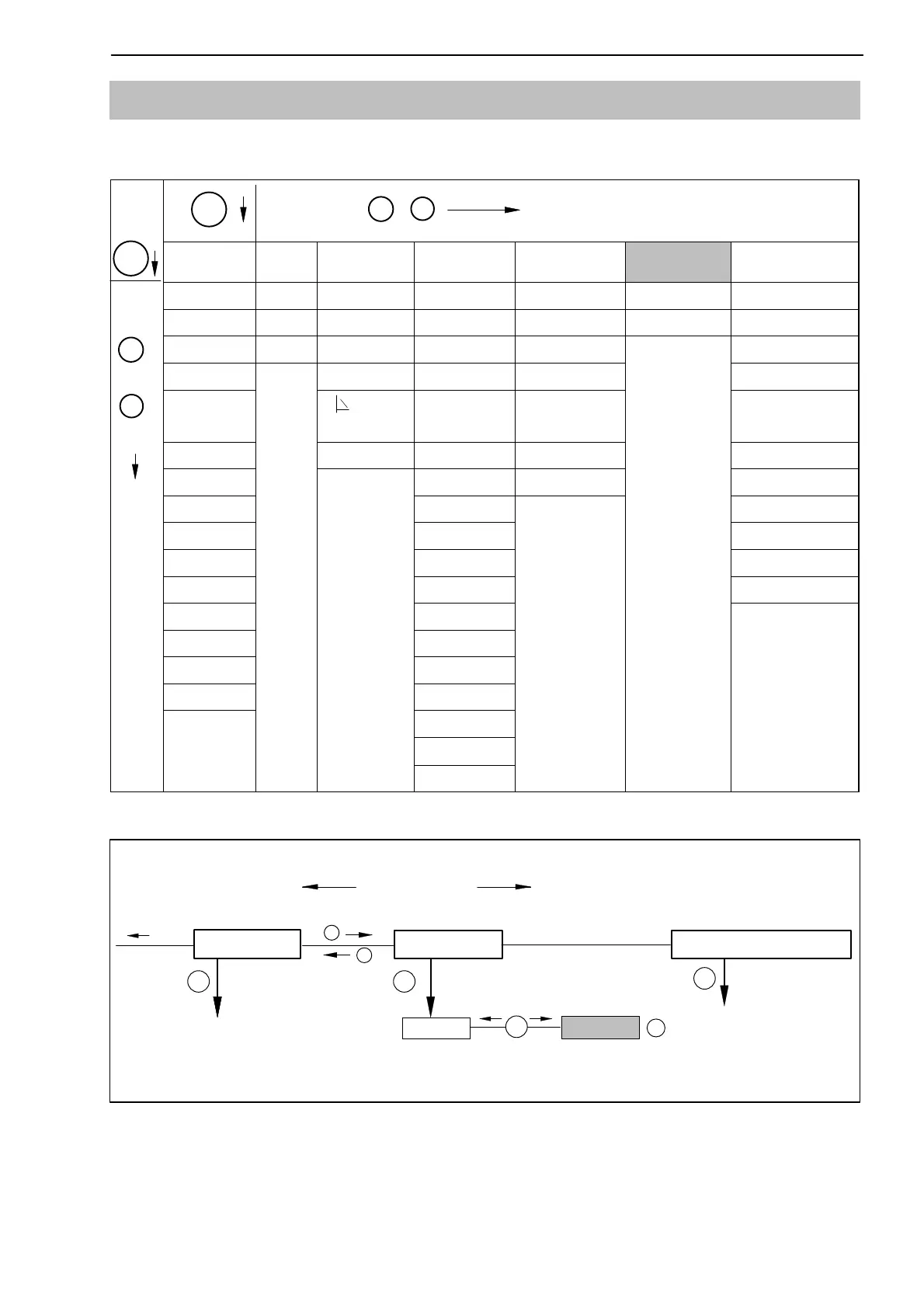
New “Profibus” group in set-up mode:
Groups
SET
+
−
DIALOGUE ... PEAK STORE IN/OUT CAN-BUS PROFIBUS
ADDITIONFUNCTI
ON
Password Operatn. Output1 Baud rate Address AmplType
PassStat InputMin ModeOut1 Address MAINGRP PrgVers
Language
Output2 Protocol >0<Rf kN
1)
I.DataS ClearPkV ModeOut2 Output MotionDsp
I.Displ.
kN/s
1
)
Output3 OutR. ms MTime ms
I.Transd MAINGRP ModeOut3 PDO-Frmt MAmp kN
1)
I.Calibr Output4
MAINGRP
HW syncr
I.Condit ModeOut4 Keyboard
I.Analog Zeroing SNo prior version
I.LimVal Tare
HW-Vers.
I.PStore PkMomMax MAINGRP
I.I/O PkHldMax
I.CAN PkMomMin
I.AddFnc PkHldMin
MAINGRP ParaCo1
ParaCo2
InpFunc
MAINGRP
1) Depending on the unit selected
CAN-Bus
ADDITIONFUNCTION
+
−
SET
SET
In/Out
SET
3 − 123
↓
↑
+/-
Groups
PROFIBUS
SET
Address
Fig. 5.2: Setting up the Profibus address
Overview of parameters
Up
+
Down
−
SET


 To Next Page