7
PME−MP60DP
HBMA0623-6.1 en/de/fr
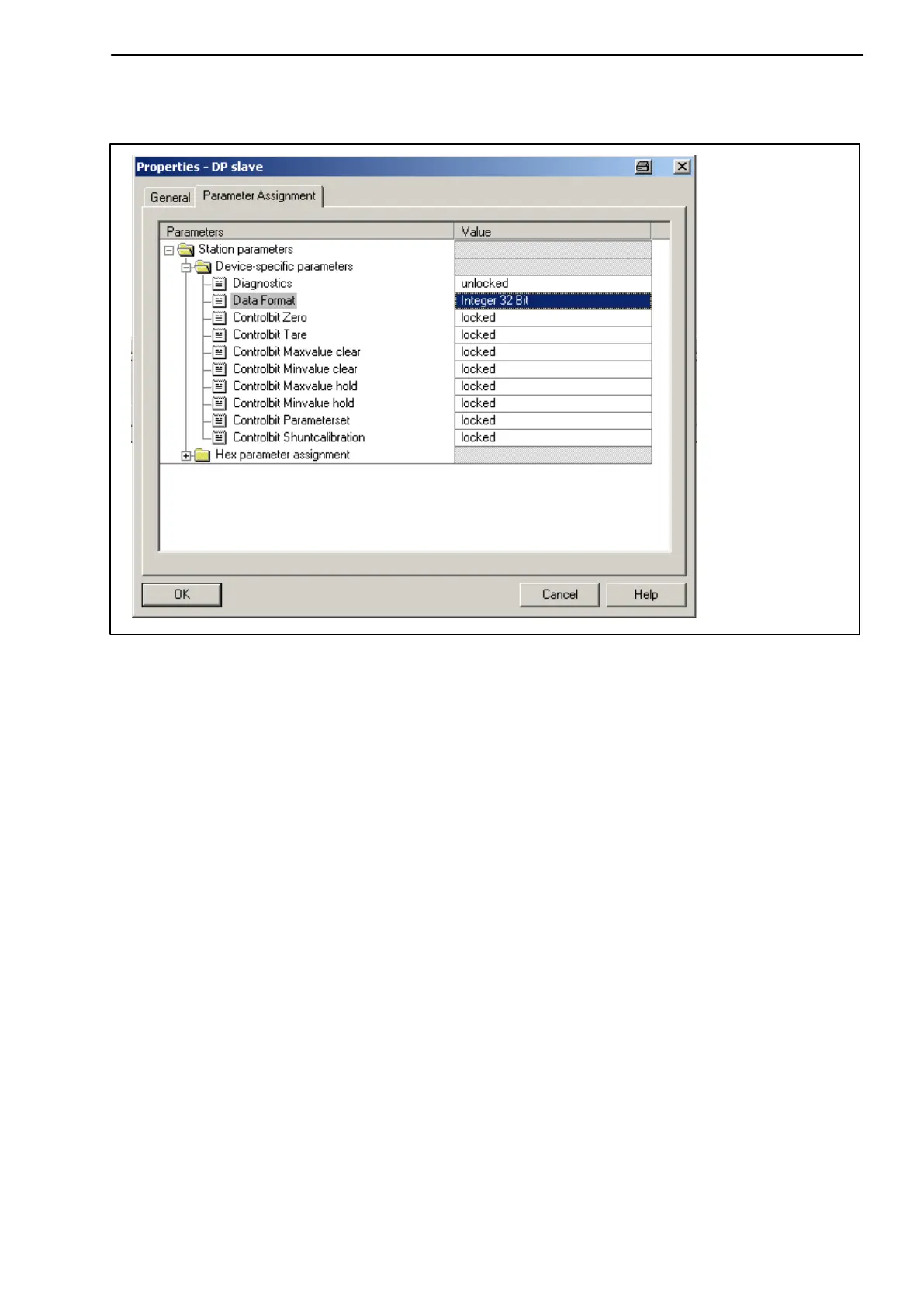
• Double-click on the configured entries to open the properties window and
select the required parameters.
Fig. 2.3: Setting parameters
Notes for users of the Simatic S7 PLC:
• To download consistent data of 3 bytes or over 4 bytes, use special
function modules SFC14 to read and SFC15 to write.
• In the case of the S7 3xx a maximum of 32 bytes of consistent data can be
downloaded.
To find out the meaning of the status bits and control word bits please refer to
the tables in chapter 6.3.



 To Next Page