Disclaimer: 3
rd
party and/or custom firmware providing extra features are not covered in this manual.
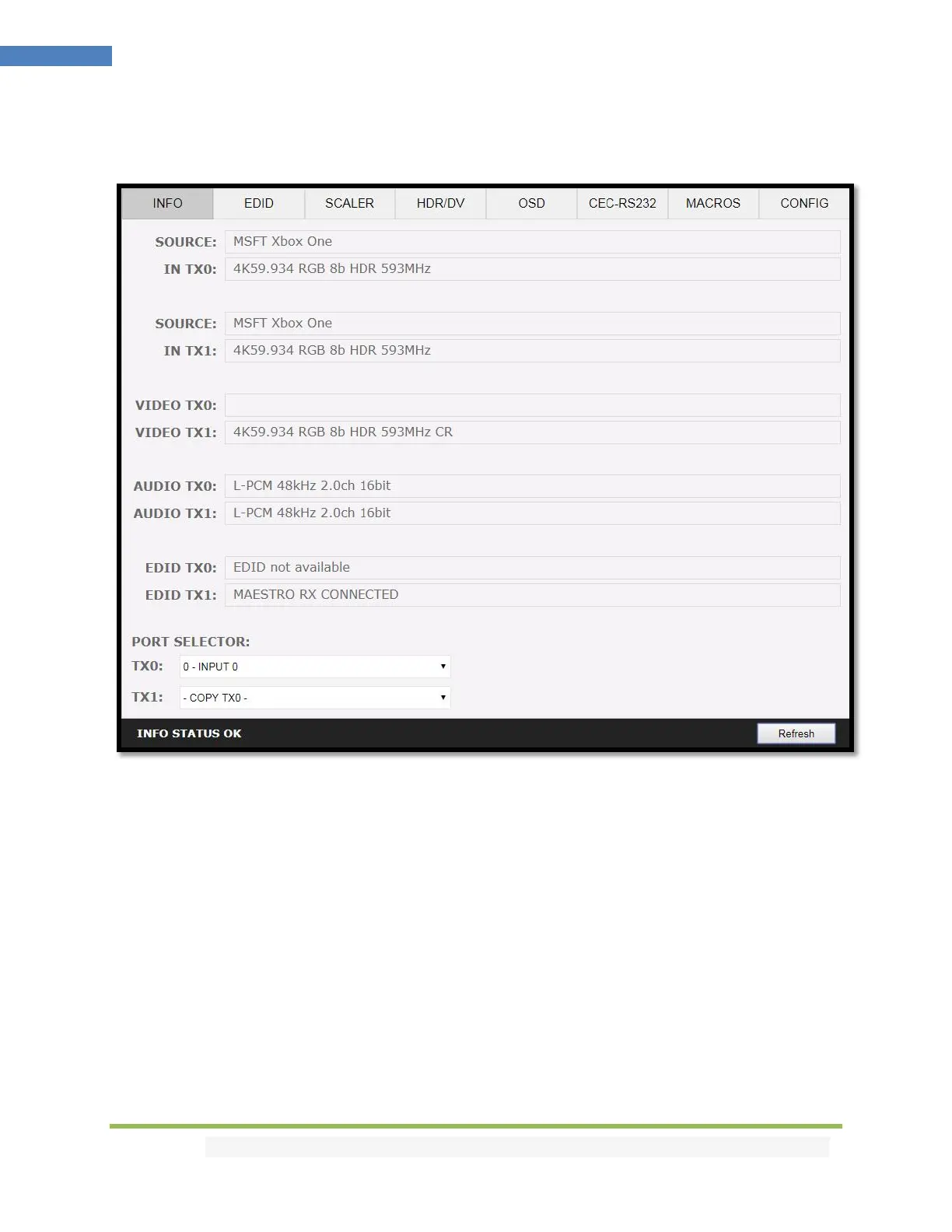
Vertex² Web Server INFO Section
SOURCE: When available, Display active source name currently outputting thru TX0 or TX1 output.
IN TX0/IN TX1: Display the source name original video signal going thru TX0 or TX1 output.
VIDEO TX0/TX1: Display the real video signal (if any operation on it) going out thru TX0 or TX1 output.
AUDIO TX0/TX1: Display the audio signal info going out thru TX0 or TX1 output.
EDID TX0/TX1: Display the EDID max capabilities of any connected sink at TX0 or TX1 output.
PORT SELECTOR: Allow you to select which input is routed to TX0 or TX1 output.
REFRESH: Refresh the current page.



 To Next Page