Disclaimer: 3
rd
party and/or custom firmware providing extra features are not covered in this manual.
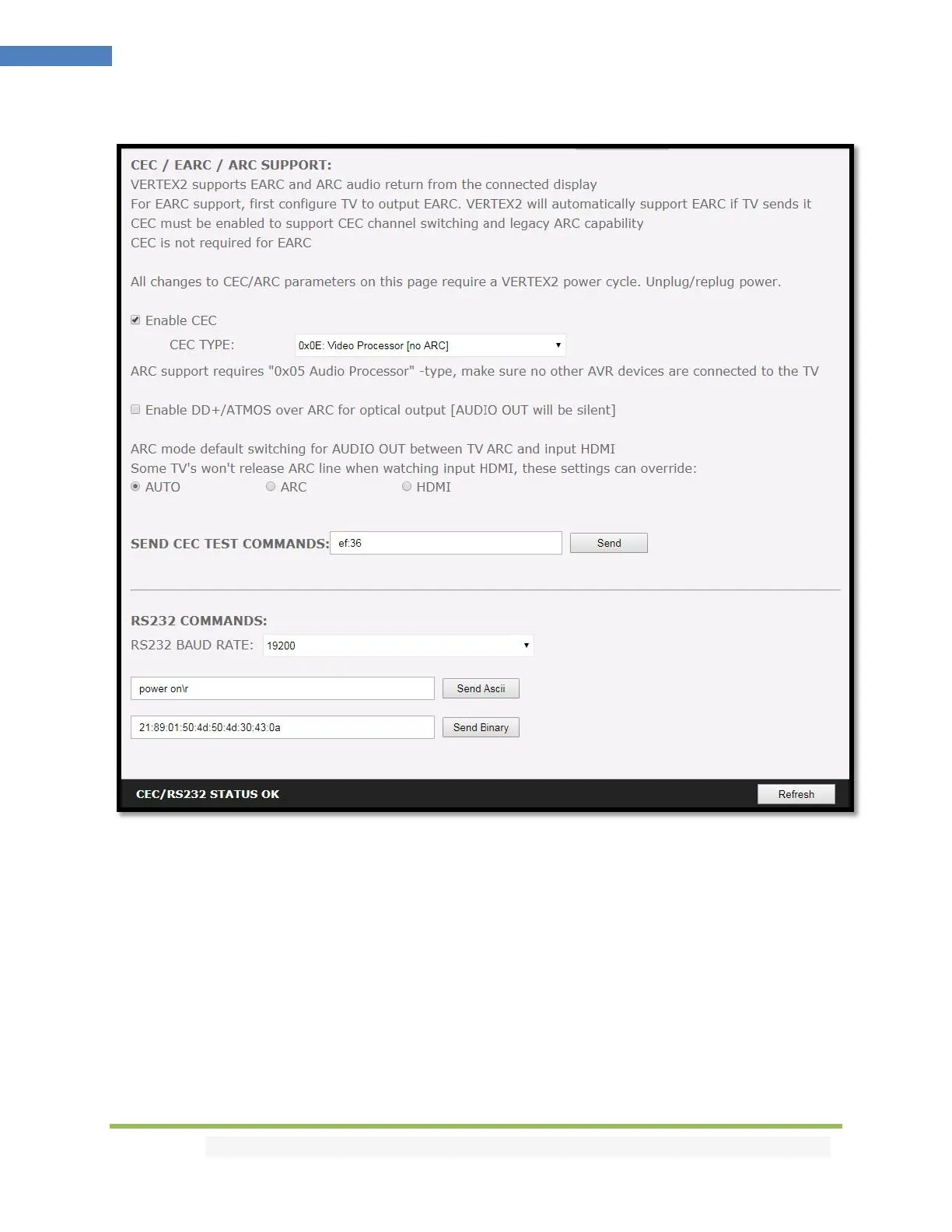
Vertex² Web Server CEC/RS232 Section
[ENABLE CEC] must be checked in order to apply the selected dropdown options to the Vertex² unit.
Once activated it allows Vertex² to answer and process CEC requests and commands and appear on the
TV CEC network map. Uncheck it if you do not want Vertex² to answer external CEC requests or process
Internal CEC commands. Unchecking will remove Vertex² from the Root(TV) network map but CEC
commands for connected sinks or sources will still pass-thru.
[CEC TYPE] Video Processor (Default) is the device type to choose if you have an AVR in your setup and
if you want to use that AVR for ARC or CEC.
[CEC TYPE] Audio Processor is the device type to choose if you want Vertex² ARC feature to be ON
(Sound from TV ARC to Vertex² HDMI audio out, 5.1 Optical Out or Jack Analog Stereo output.



 To Next Page