- 36 -
Service Call 0844 736 9138, Technical Help (Chargeable) Call 0906 802 0253
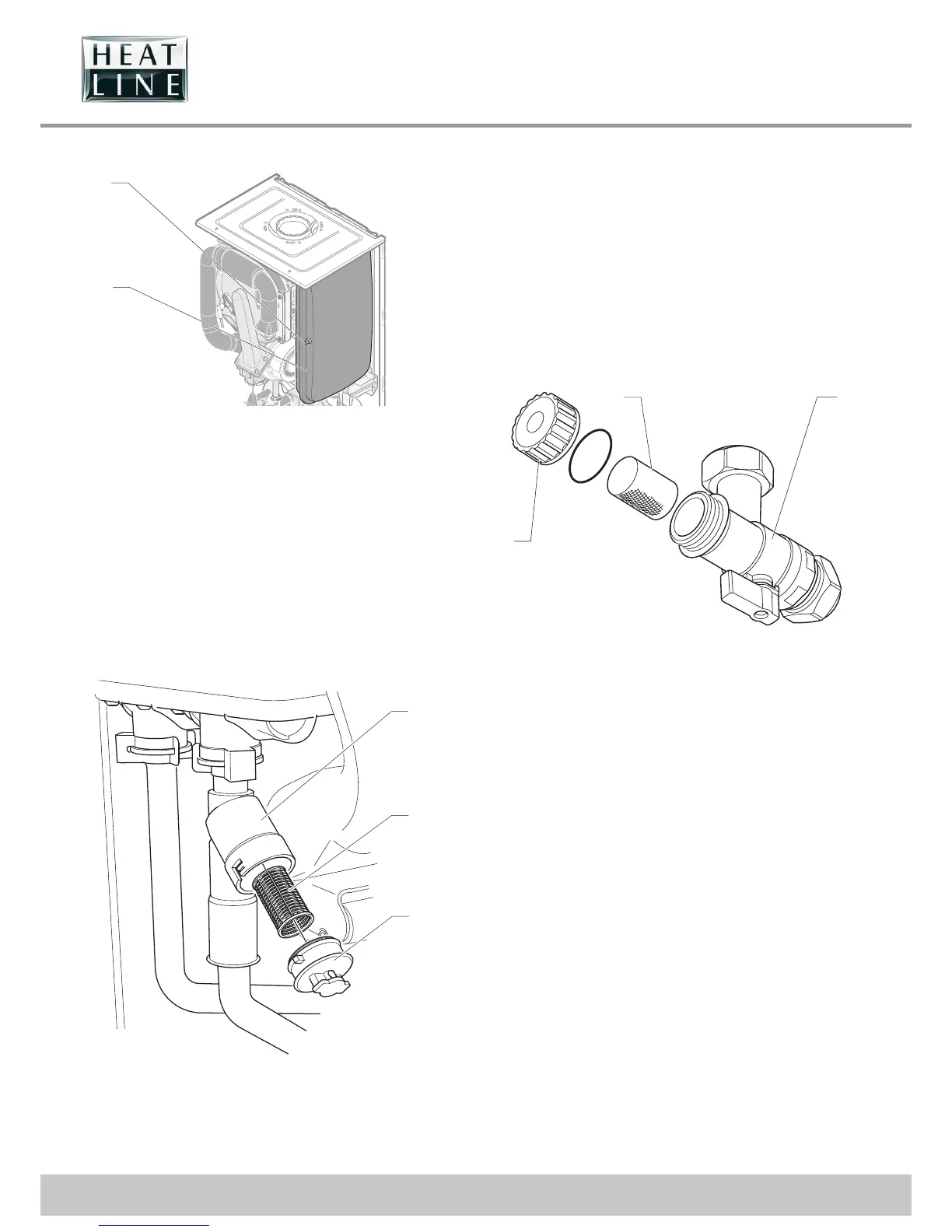
18.5 Expansion vessel
1
2
Key
1 Expansion vessel
2 Expansion vessel pressure inlet
• Check the expansion vessel's supply pressure (see «
Technical Data » chapter) by means of the pressure inlet
located on the expansion vessel. Adjust the pressure if
necessary.
• Following the installation of a new expansion vessel, ll and
purge the appliance or installation, if necessary.
18.6 Plate heat exchanger lter
2
3
1
Key
1 Filter housing
2 Filter
3 Filter cap
There is a lter tted that protects the plate heat exchanger from
blockage.
• After draining the boiler as previously described push and
turn the lter cap in an anti-clockwise direction to release it
from its housing.
• Pull the cap out with the lter attached.
• Clean and replace as necessary re lling and re-pressurising
the boiler as required.
18.7 Heating lter
1 2
BLUE
3
Key
1 Filter
2 Filter valve body
3 Cap
The lter valve located under the boiler at the right hand side
prevents debris from entering the boiler. Should this become
blocked
• shut off the Heating Flow and Return Filter Valve by turning
the levers clockwise.
• Drain the boiler from the drain cock behind the pump or by
removing the cap "3" from the lter valve.
• Remove and clean the lter and re t in reverse order, topping
up the water pressure via the lling loop as required.



 To Next Page