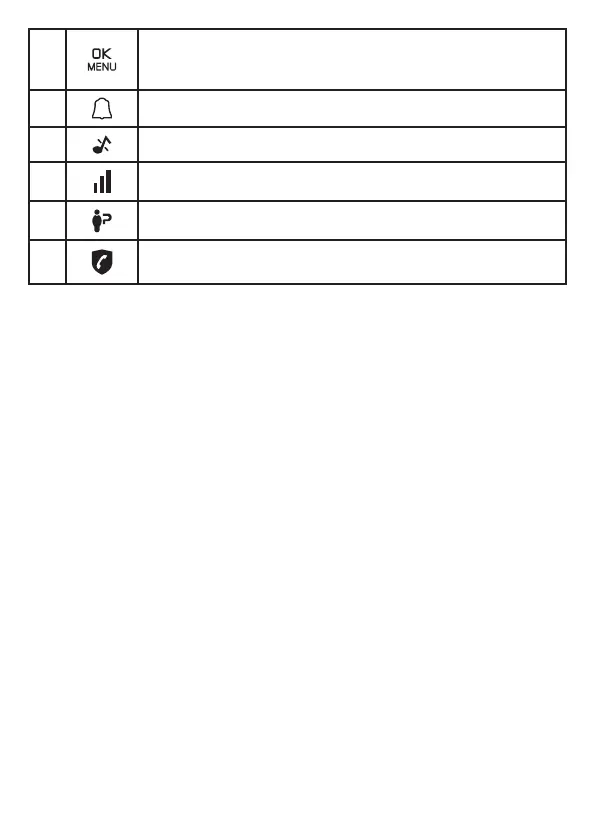
12
15
Enter the main menu.
While in a menu, press to select an item, or save an entry
or setting.
16 Displays when the alarm clock is activated.
17 Displays when ringer volume is turned o.
18 Indicates quality of reception’s signal.
19 There are new caller ID log entries*.
20
The Call Blocking function is activated.
(Refer to the Call Blocking part)
* Voicemail and Call ID Features available from most telephone service
providers. It may be included with your telephone service, or may be
optional. Fees may apply.
3. CONNECT
You can choose to connect the telephone base for desktop usage.
NOTES
• Use only the adapters provided.
• Make sure the electrical outlets are not controlled by wall switches.
• Theadaptersareintendedtobecorrectlyorientedinaverticaloroor
mount position. The prongs are not designed to hold the plug in place
if it is plugged into a ceiling, under-the-table or cabinet outlet.
TIP
• If you subscribe to digital subscriber line (DSL) high-speed Internet
service through your telephone line, make sure you install a DSL lter
(not included) between the telephone line cord and telephone wall
jack.ContactyourDSLserviceproviderformoreinformation.
1. Plugoneendofthetelephonelinecordintothetelephonejackon
base bottom. (Fig. A)
2. Plugthesmallendofpoweradapterintoapowerjackonbasebottom.
(Fig. B)
3. Plugtheotherendofthetelephonelinecordintothetelephonejack
orDSLlter.(Fig.C)
4. Plug the large end of power adapter into a wall power outlet. (Fig. D)


 To Next Page