Helmer Scientic i.Series
®
and Horizon Series
™
Pass-Thru Refrigerator Operation Manual
360378/C 10
3 i.Series
®
Operation
3.1 Initial Power-Up
1. Plugthepowercordintoagroundedoutletthatmeetstheelectricalrequirementsontheproductspecicationlabel.
2. Turn the AC power switch ON.
3. Turn the Back-up battery switch ON.
Note
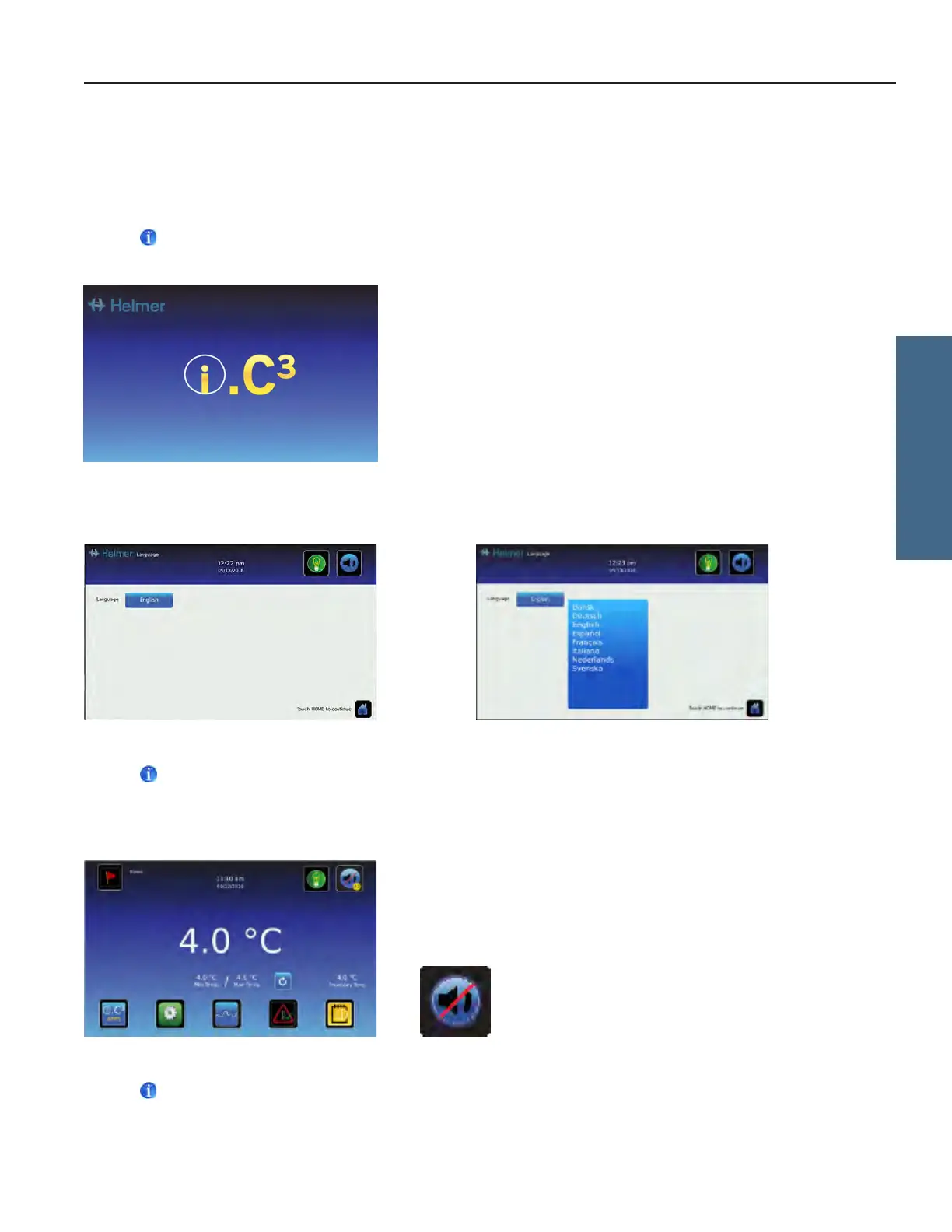
The Start screen is displayed when the i.C
3
is powered on. The i.C
3
will take approximately 2-5 minutes to boot up.
Start screen
The language screen is displayed when the i.C
3
is powered on. Use the Language screen to select the i.C
3
display language.
Language screens
Note
English is the default language.
If an alarm sounds, temporarily mute the alarm by touching the Mute button.
Home screen - alarm muted Mute icon
Note
Active alarms are displayed on the Home screen. If an alarm condition other than High Temperature occurs, refer to the
service manual for troubleshooting.
i.Series Operation








 To Next Page