Quick Start Guide REX 300 19
Procedure:
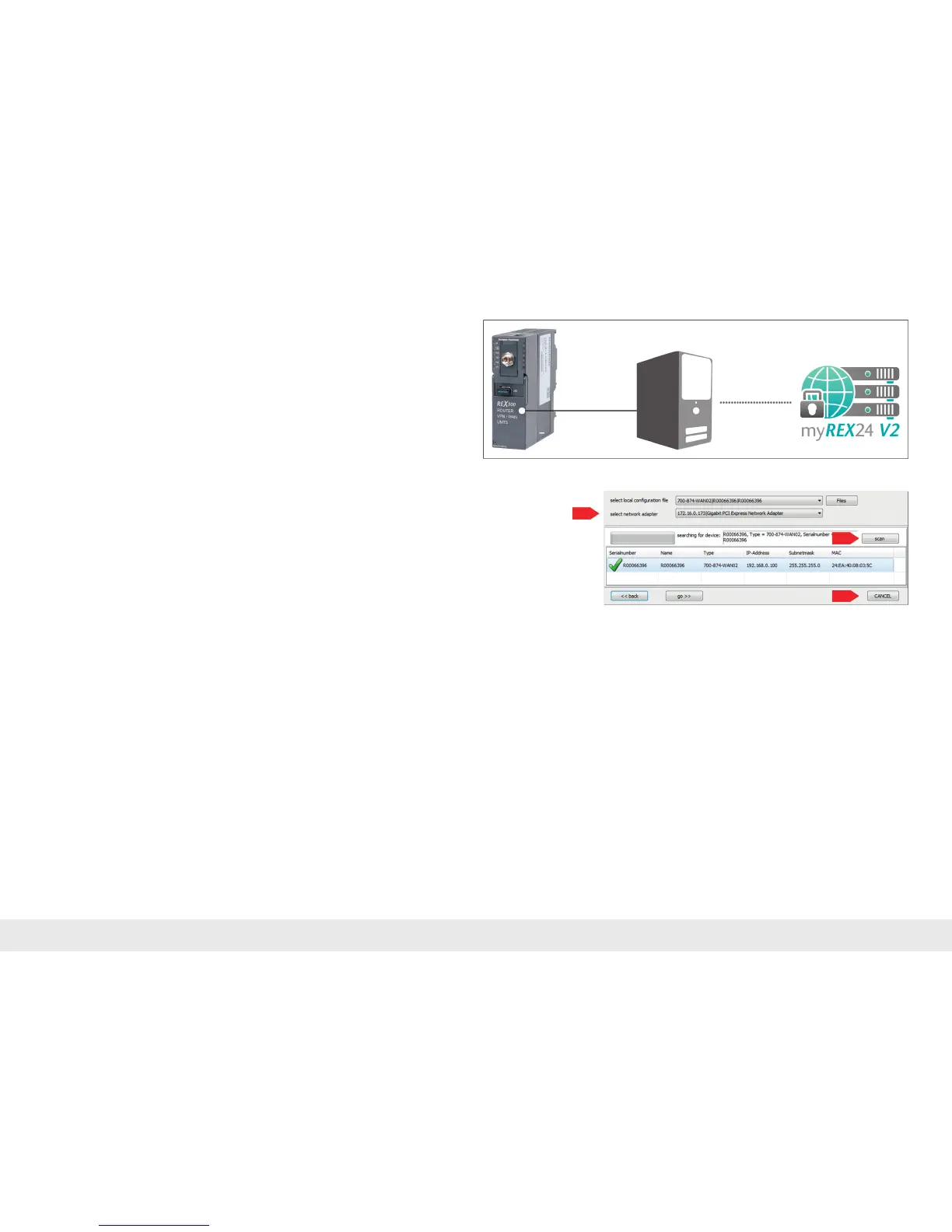
- Connect the free LAN port of your PC (LAN adapter) to the REX 300 unit's LAN
port with a standard CAT-5 patch cable.
- Selecttheoption"SubmittoDevice"intheREX300devicesettingsinthemy-
REX24-V2 portal (shDIALUP) (see page 8, chapter 5).
The menu for the transfer function opens (the Windows
2
rewallappearsattherst
start; allow access to the corresponding network).
Selecttheappropriatenetworkadapterinthe"selectnetworkadapter"selection
menu.
Thesearchstartswithabroadcastwith"scan".WhentheREX300withtheappropri-
ateserialnumberisfound,thetransfercanbestartedwith"go>>".
Afterthecongurationhasbeensuccessfullytransferred,theREX300automatically
carriesoutarestartandusesthenewsettings.Inordertoleavethemenu,click
"CANCEL"



 To Next Page