Quick Start Guide REX 30012
4.2.2 Establishing an Internet connection on a REX 300 with an internal modem
via "First Start".
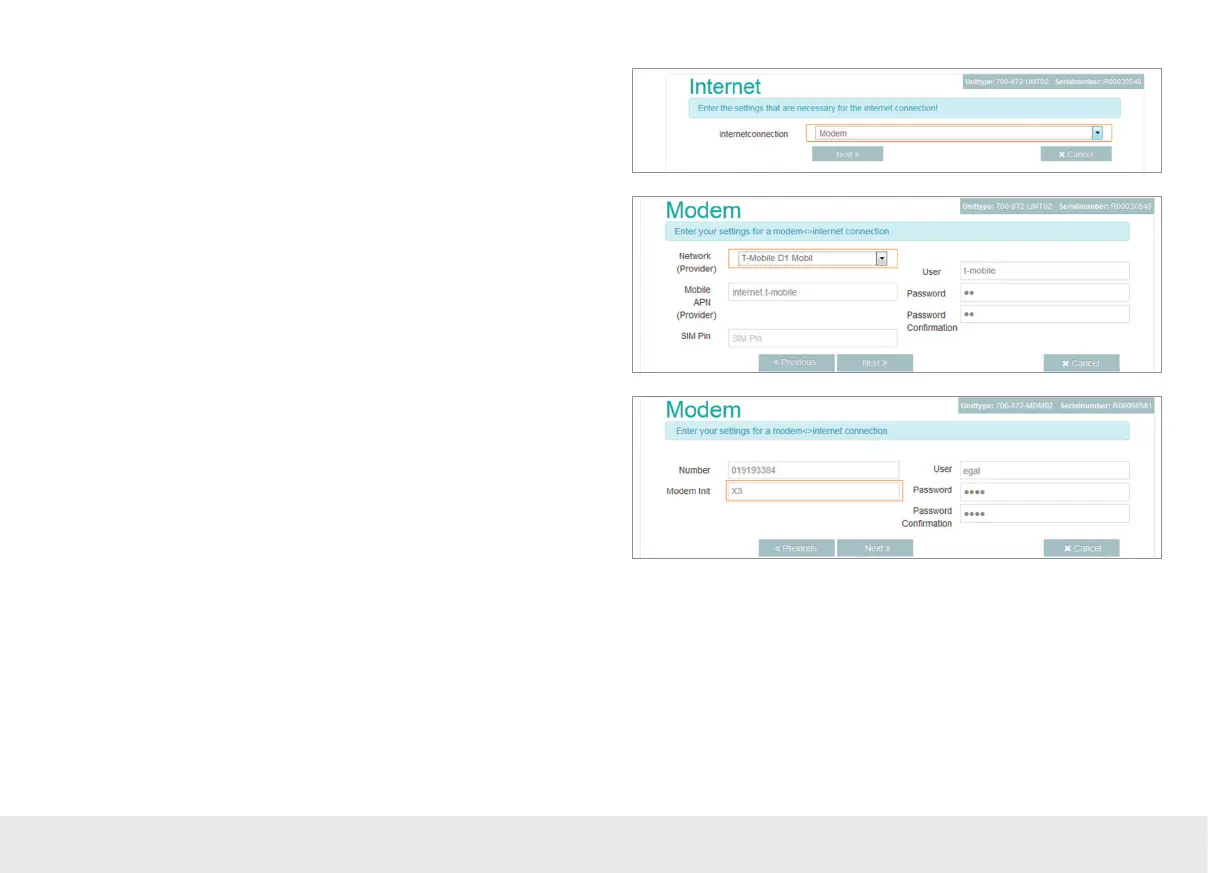
If you are using a REX 300 UMTS model, you will now need to provide the following
for the modem:
The login information for the carrier (APN) and the SIM card ID number (SIM PIN).
If you are using a REX router with an internal analog modem, you will need to store
the login information for a dial-up ISP on the device. The device will provide sugge-
sted login information for Internet access by default. It is, however, recommended
that you enter a provider of your choice here, as using this type of connection will
entail additional fees and the suggested provider is only guaranteed to be available
in Germany.
The default X3 AT command will initialize the internal modem in such a way that
when a number is dialed, the router will not wait for a dial tone (private branch
exchange mode). In most cases, this setting does not need to be changed or supple-
mented.



 To Next Page