Quick Start Guide REX 300 15
4.2.7 Change con guration with CTM (Con guration Transfer Manager)
If the REX 300 router has already been con gured, you will be able to transfer any
new con guration to the router using the CTM.
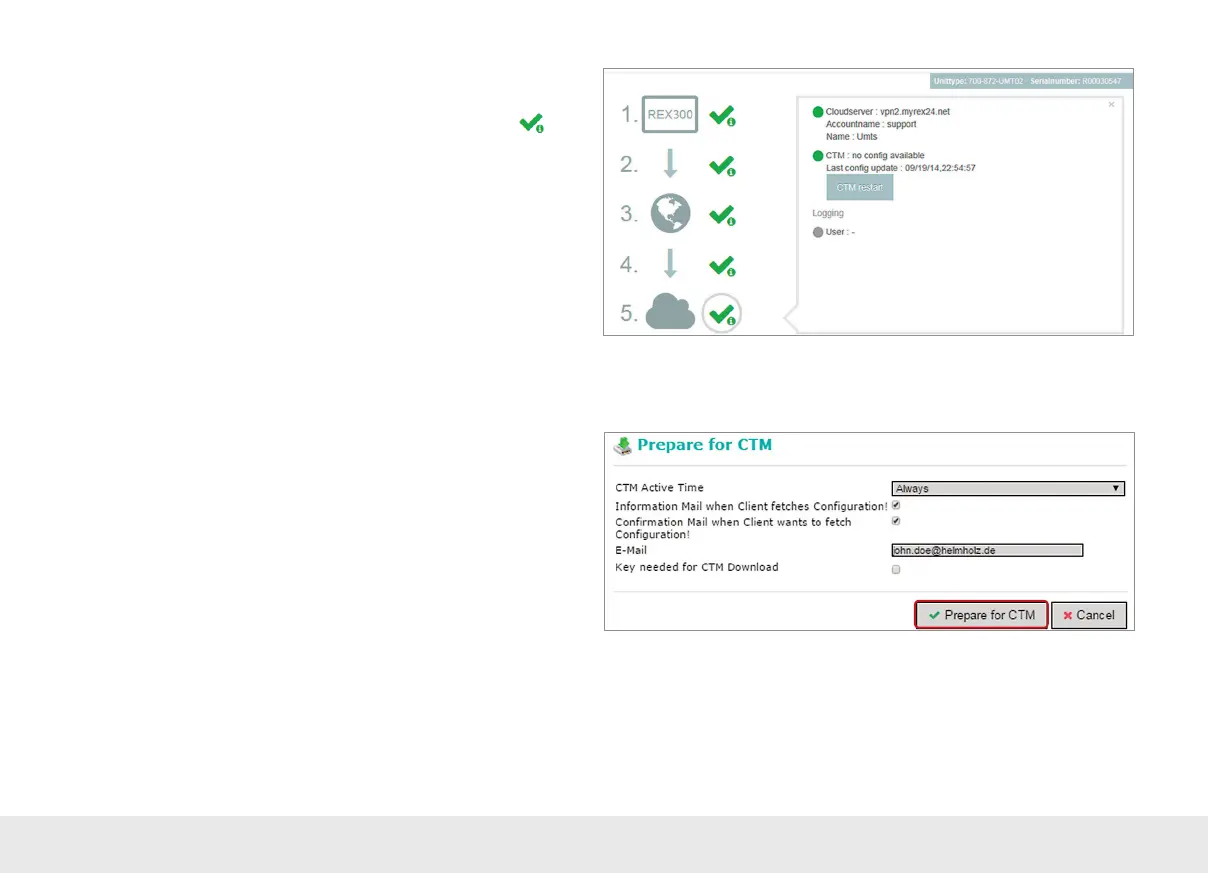
Following the rst parameterization through the CTM, the dialogue "Prepare for
CTM" appears for each change to a con guration in the Device Administration when
"Save" is clicked.
Alternatively, the transfer of the con guration to the Device Administration of the
myREX24 portal can also be triggered manually via the oppy disk icon.
4.2.6 REX 300 Quick Start status page
The status page on the REX 300 router's web interface will show the router's con-
nection status and active con guration data.
To get more information on each step of the router connection, click on the
Info
icon in the various status elds.
You can use the status page to trigger test functions or to manually make the router
obtain its con guration using the CTM.



 To Next Page