Model EEE-182
6-23
6-18. DRAIN PAN SWITCH
This switch closes when the drain pan is pushed properly in
place under the fryer. If the drain pan is not properly in place,
or the drain switch is faulty, display prompts such as, “CHECK
PAN”; “FILTER PAN MISSING”; “CHANGE FILTER PAD”
shows in the display.
To avoid electrical shock or property damage, move
the power switch to OFF and disconnect main circuit
breaker, or unplug cord at wall receptacle.
1. Remove control panel and hinge it down.
2. Locate the 8-pin connector on the Express Filter PC board
and pull the connector from the board.
3. Check for normally open circuit between the pins with
wires labeled D1 & D2. If the circuit shows closed, con-
tinue with the replacement instructions below.
Replacement:
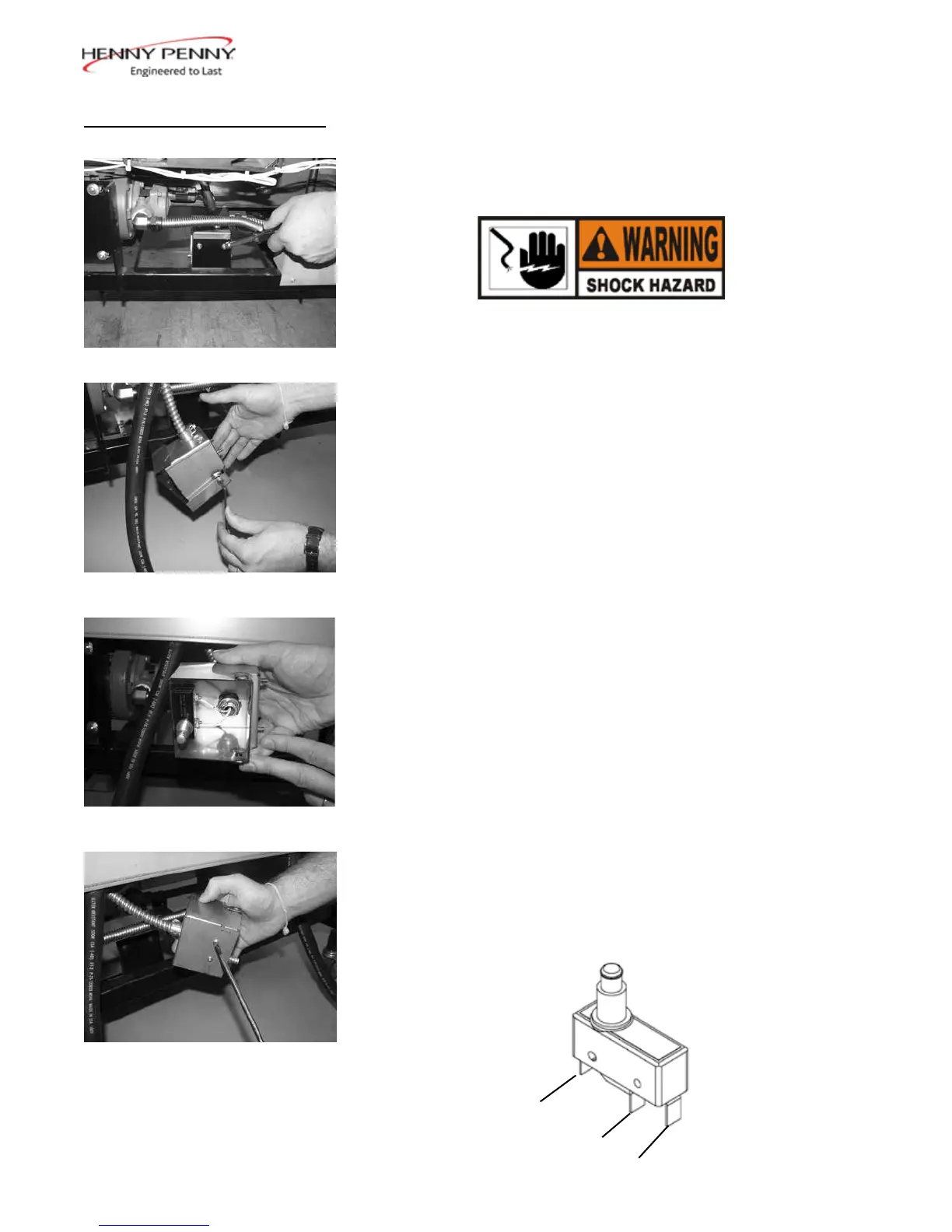
1. Drain pan switch is located on the rear of the fryer. Using
a 3/8” socket or nut driver, remove the nuts securing the
drain switch bracket to the fryer.
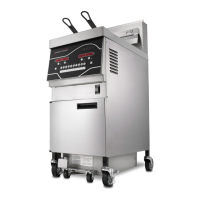
2. Using a 1/8” Allen wrench, remove the shoulder bolt
securing the cover and remove cover.
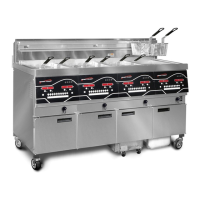
3. Using a Phillips-Head screwdriver, remove the screws
securing the switch to the bracket and remove switch from
bracket.
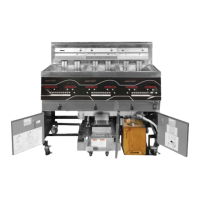
4. Label and remove wires from switch
5. Replace faulty switch, placing wires on new switch on the
normally open and common terminals.
Normally
Closed
Normally
Open
Common
July 2016



 To Next Page