Model EEE-182
6-2
Should the control panel become inoperative, or the menu card
needs changed, follow these instructions:
1. Remove electrical power supplied to the vat.
To avoid electrical shock or property damage, move the
power switch to OFF and disconnect main circuit
breaker, or unplug cord at wall receptacle.
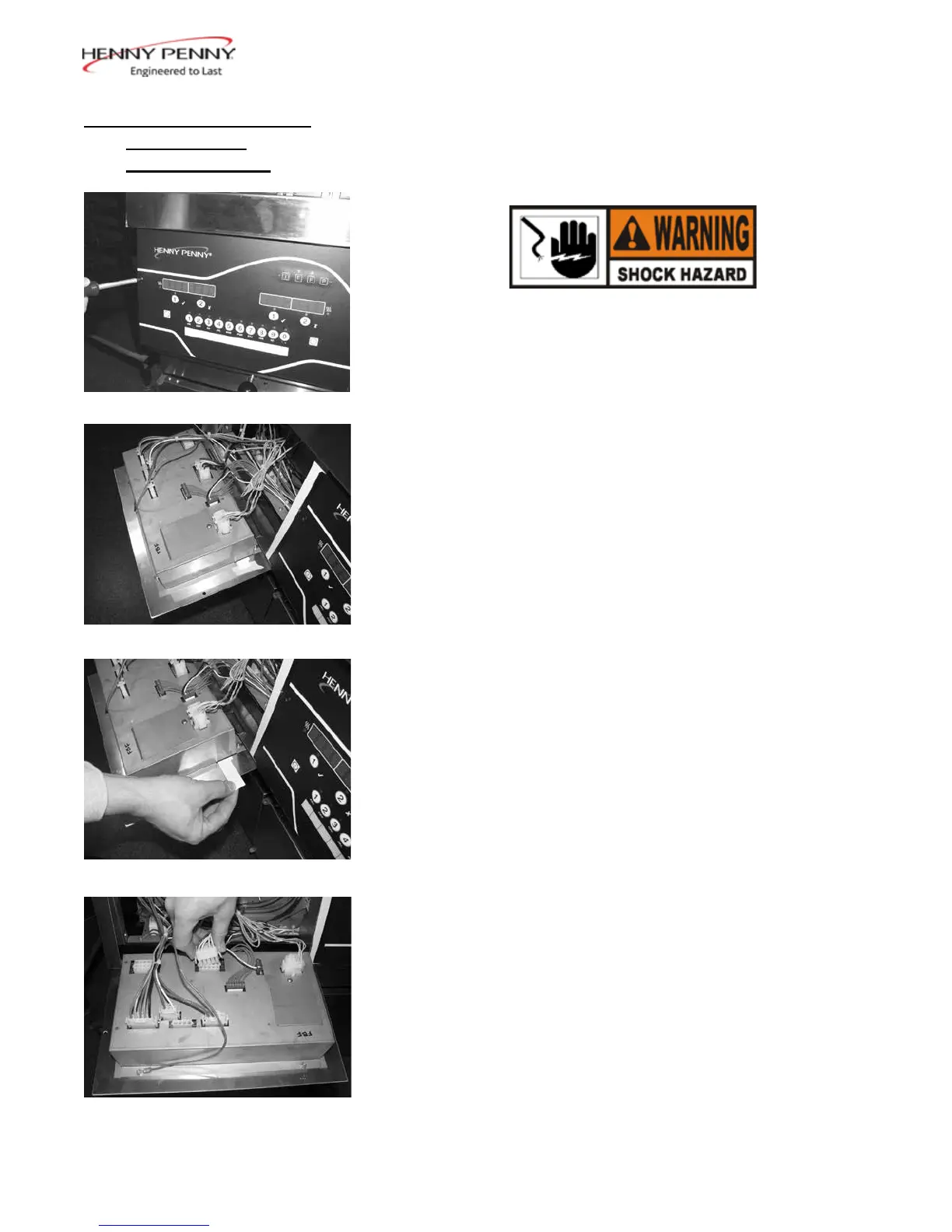
2. Remove the two screws securing the control panel.
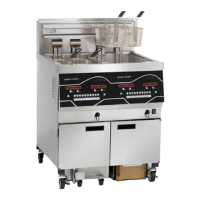
3. Pull the top of the panel down, allowing the panel to be
supported by the 2 brackets in the slots in the control
shroud. (If changing control panel, continue onto step 5.)
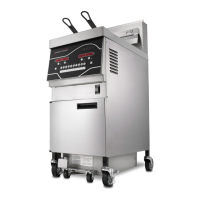
4. If changing the menu card, loosen the tape securing the
menu card at the bottom, side of the control panel and pull
menu card from panel. Carefully, slide changed menu card
back into slot in panel and secure with tape.
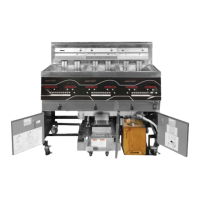
5. Unplug the connectors going to the control board.
6. Install a new control panel in reverse order.
6-4. CONTROL PANEL &
MENU CARD
REPLACEMENT
July 2016



 To Next Page