Accessories 7-5
If desired, output the page to a paper printer for proofreading. Printing out a positive image to a
printer is easier to read and uses less toner or ink than a negative print.
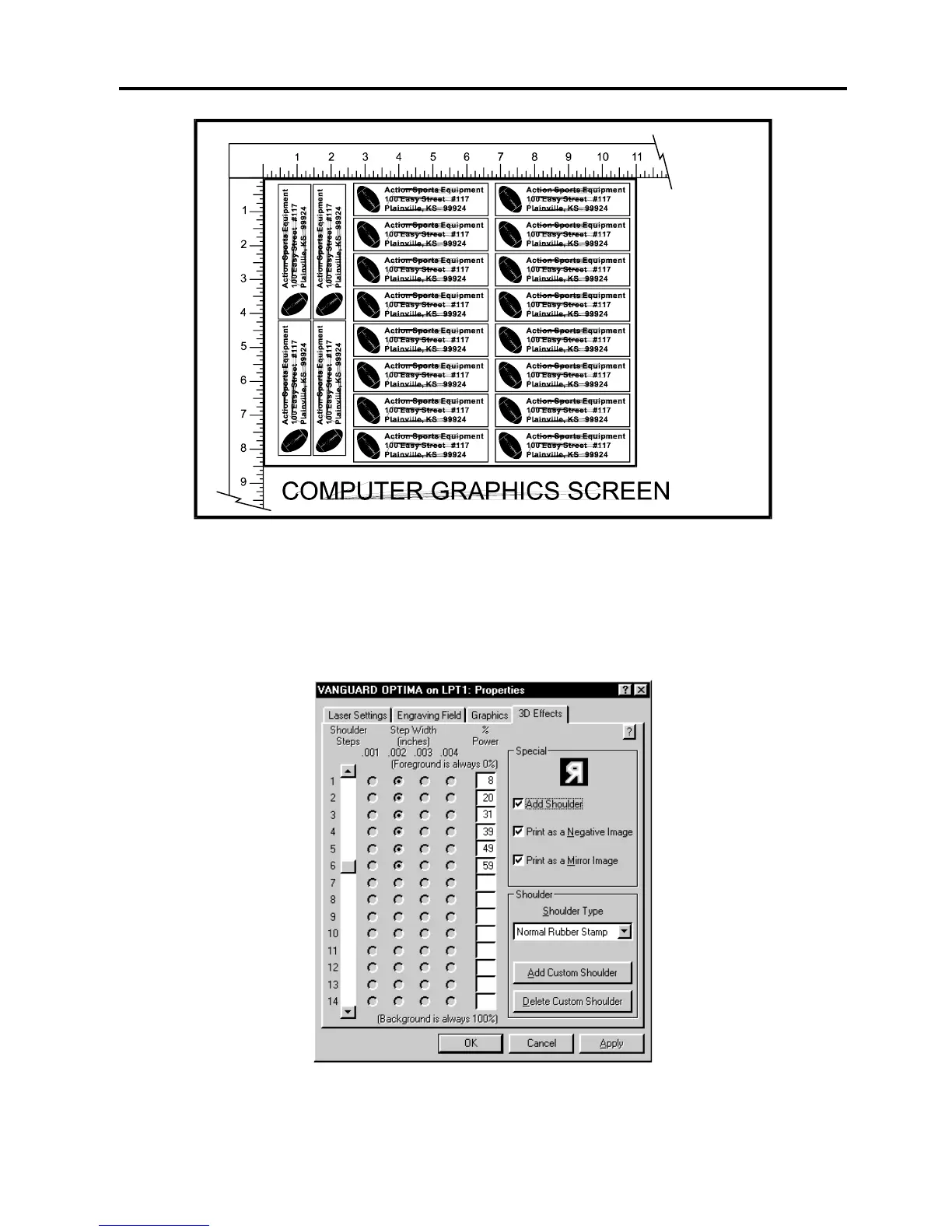
In the laser systems printer driver, use the same settings as the previous example but with only
one modification. In the “3D EFFECTS” tab, select the “PRINT AS A NEGATIVE IMAGE”
option as the diagram below illustrates.
Print to the laser system. Position the full sheet of rubber stamp material in the same upper left
location on the engraving table and begin engraving. The driver automatically adds the
shoulder, mirrors the entire page, and creates a negative image for engraving, and cuts out
the stamps.



 To Next Page