Description of the menu navigation and adjustment values
18 Betriebsanleitung_firestar_18-40_Lambda_Englisch_V1.6
9 DESCRIPTION OF THE MENU NAVIGATION AND ADJUSTMENT
VALUES
9.1 Main menu
9.1.1 Structure
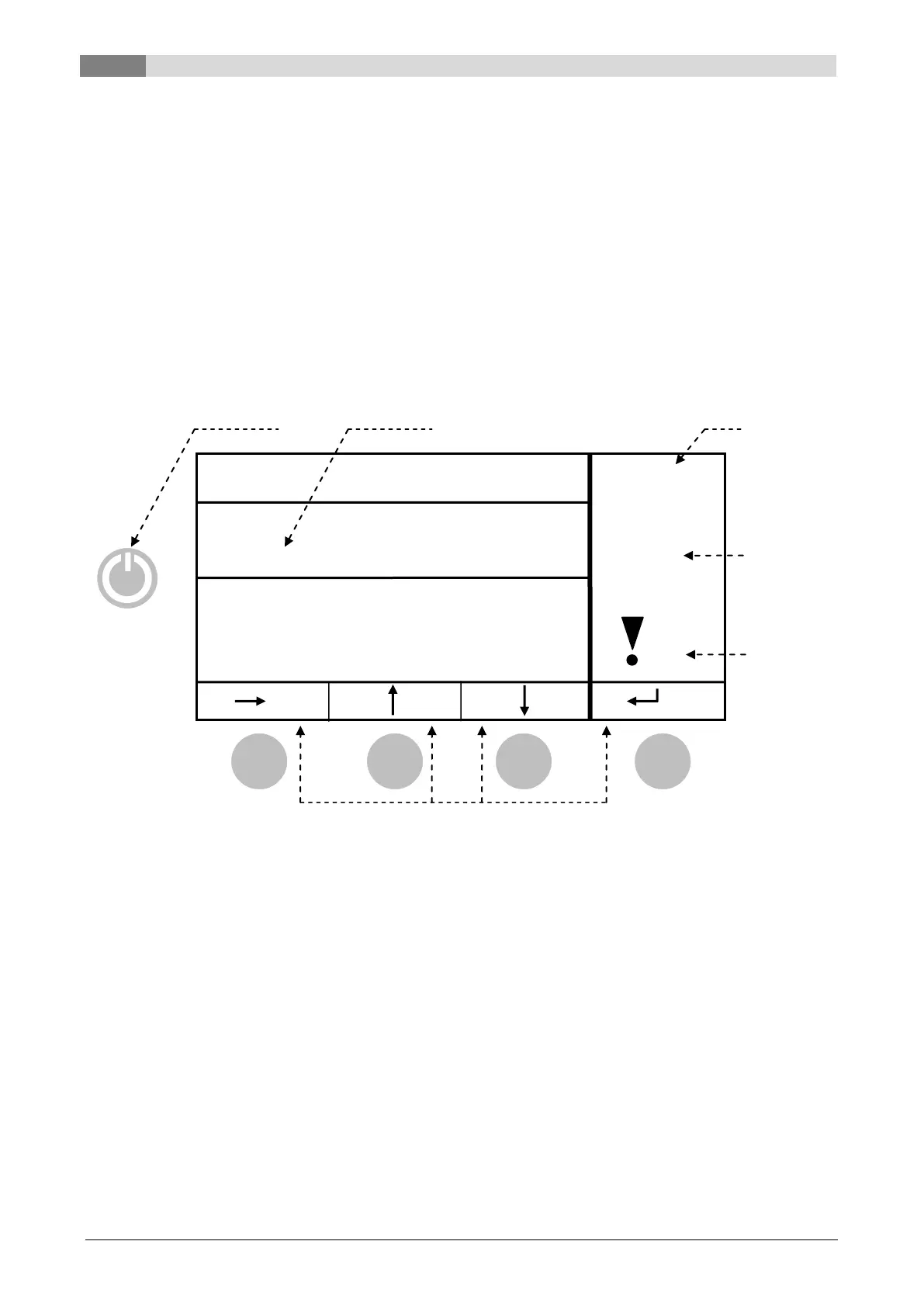
The Structure of the displays consists of the menu (Parameter, Status, Aggregate-Test-Input, Aggregate-
Test-Output), the boiler status and the fault reporting.
This page loads automatically once you have switched on the equipment using the main switch (at the back
side of the boiler). From here you can navigate quite simply through the settings.
9.1.2 Display
Boiler status:
By pressing the button:
long: the equipment is switched on/off
brief: starts up the FAILURE CHECK
Changes to the displayed menu / Confirmation of modification
The bar is pushed up / increase value
The bar is pushed down / decrease value
„ENTER“ – button / aborts the modification
9.1.3 Modify value
The modification of values is ONLY possible in the menus “PARAMETER” (P01-P99) and „AGGREGATE-
TEST OUTPUT” (A01-A99). By pressing the “ENTER-Button” in those menus a „“-symbol appears next to
the active menu item. This means that the parameter can be modified. By pressing F2 or F3 the value can
then be increased or decreased respectively.
Function of the F - buttons


 To Next Page