12
4.3.5 Stop through Heta Premium Display
For turning OFF the heating device tap on
to enter the Main menu and hold for
3 seconds.
4.3.6 Manually through IR remote control
unit
4.3.7 Automatically by using the ”delayed
start/stop” option
The Heta Premium Display allows you to set up
the time delay for starting/stopping the heating
device. It offers a possibility of selecting the
delays of 30 minutes, 1h, 2h, 3h and 8h.
For enabling the Delayed start/stop option:
- Tap on to enter the Delayed start/stop
menu, select the desired time delay and con-
firm it by tapping
.
When Delayed start/stop option is selected,
the indication appears in the upper row of the
display. In addition, the remaining time count
down appears when the display enters to idle
mode.
For disabling the Delayed start/stop option:
- Tap on to enter the Delayed start/stop
menu and tap on ”DISABLE”.
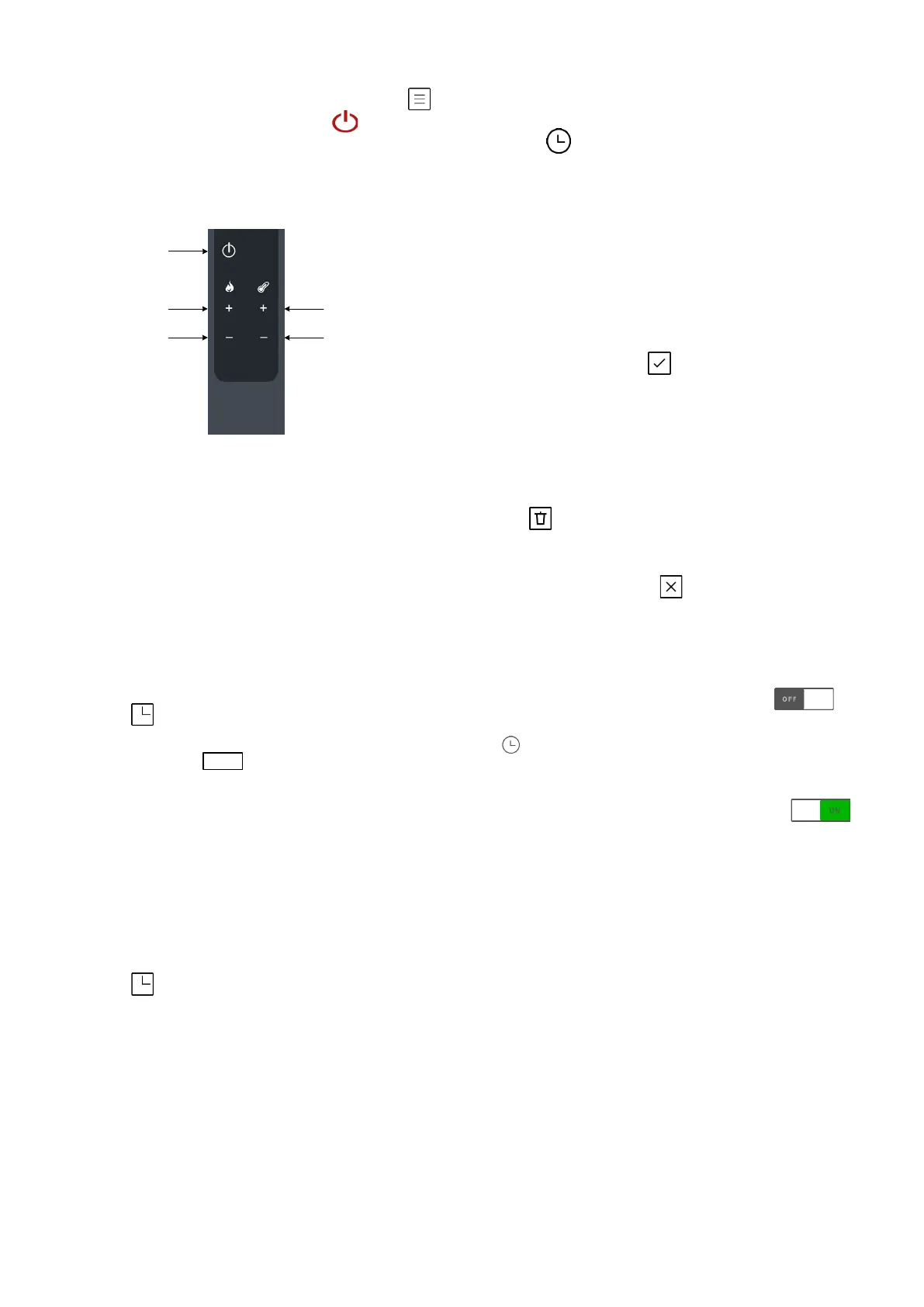
ON/OFF
Power UP
Power DOWN
Desired temperature UP
Desired temperature DOWN
4.3.8 Automatically by weekly timers
The Heta Premium Display allows you to set up
to 6 different time intervals (Time Interval = Ti).
Maximum 3 of them can be used per day.
4.3.9 Setting the weekly timers
For setting the Weekly timers:
- Tap on to enter the Timers menu and tap
on ’’Add new timer’’.
- Set the time interval (Time start, Time Finish
and Temperature)
- Set the days you want the time interval to be
used, by tapping on:
M, T, W, T, F, S, S.
- Confirm by tapping
- If you need another timer, tap on ’’Add new
timer’’ and repeat the procedure.
- If you want to delete a timer, select the timer
you want to delete (by tapping on it) and then
tap on . The display will ask you ‘’Do you
really want to delete this timer?’’, confirm with
‘’YES’’, or in case you change your mind, can-
cel with ‘’NO’’, or with .
- After setting all the timers, the timer mode has
to be enabled, if you want that the heating de-
vice operates according to your timers settings.
For enabling the timer mode, tap on in
the timers menu. When timer mode is selected,
the indication appears in the upper row of
the display.
- For disabling the timer mode, tap on
in the Timers menu.
(Buttons description)
On/Off
Power Up
Power down
Higher Temperature
Lower temperature


 To Next Page