18
4.5.6 Language
The Heta Premium Display allows you to choose
between different languages.
To set the desired language, follow the steps
below:
- Tap on and then on ”Language” to enter the
Language menu.
- Tap on the desired language and the display
will ask you ”Do you really want to change
language?’’, confirm with ”YES” or in case you
change your mind, cancel with ”NO”, or with .
Note:
After changing the language, the display will re-
start automatically. This may take a few minutes.
4.5.7
Info
To check some technical information about the
display, follow the steps below:
- Tap on and then on ’’Info’’ to enter the Info
menu.
4.5.8 Tips
For easier usage of the Heta Premium display
you can make use of the tips.
- Tap on to enter the Tips menu.
- Tap on the Tip you would like to read. After
reading the tip, tap on to navigate back.
Note:
All the texts in this menu are read only (cannot be
modified).
If the text of the tip is too long for being dis-
played on a single screen, there is a possibility to
scroll down by swiping the finger in UP/DOWN
direction.
5.1 Filling wood pellets
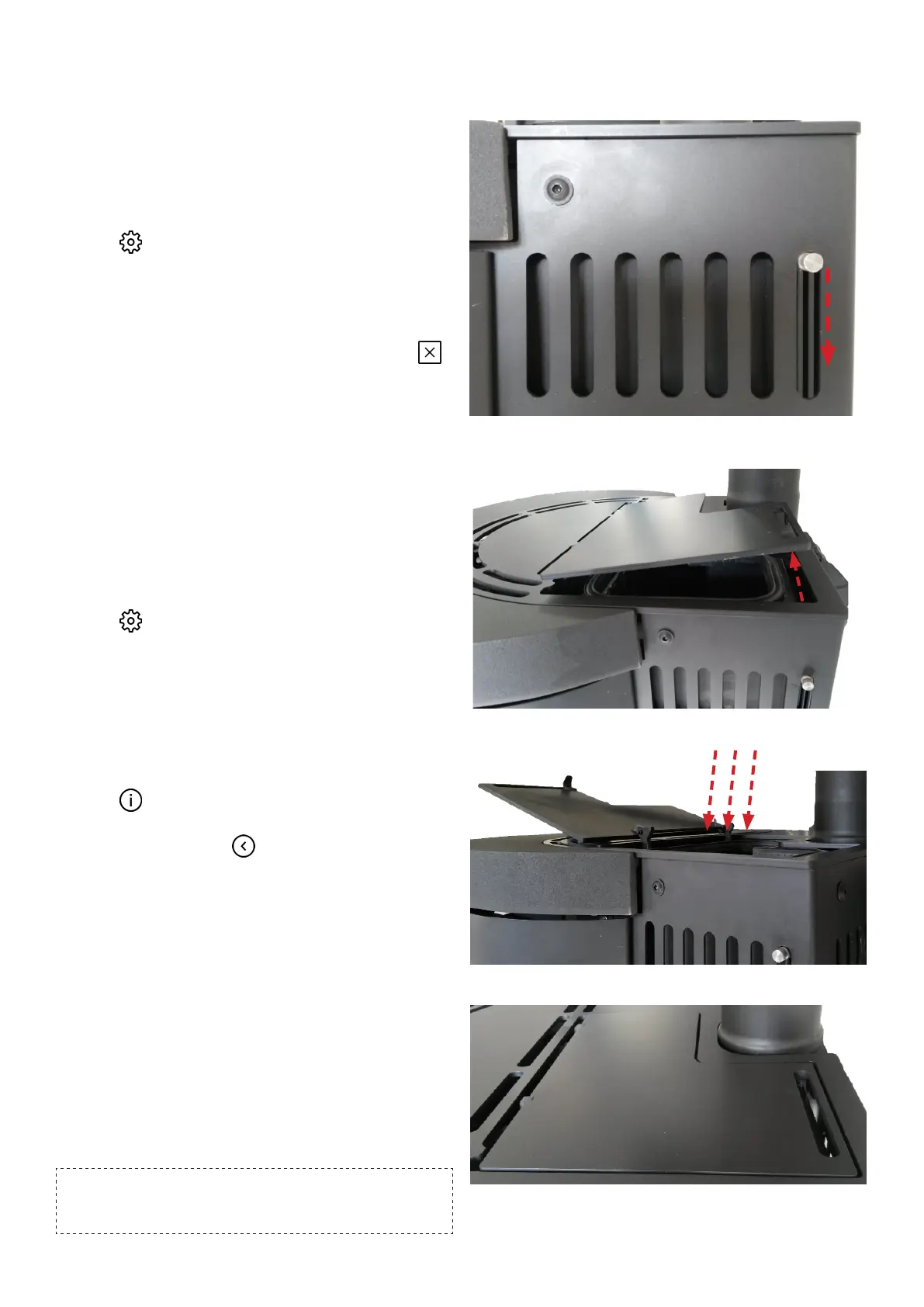
A. Push the button downwards as shown.
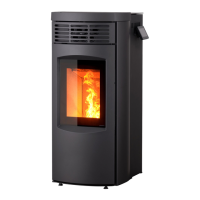
B. The pellet lid now opens.
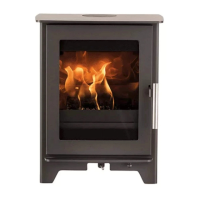
C. Open the lid full and fill in pellets.
D. ATTENTION !
5 Wood pellets
Be sure to advance the pellets manually using
the display until pellets appear in the burn pot.
This ensures the correct start-up sequence.
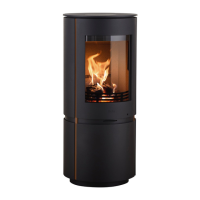
Remember to close the lid again !


 To Next Page