14
4.4 Heta Premium Display functions
4.4.1 Icons description
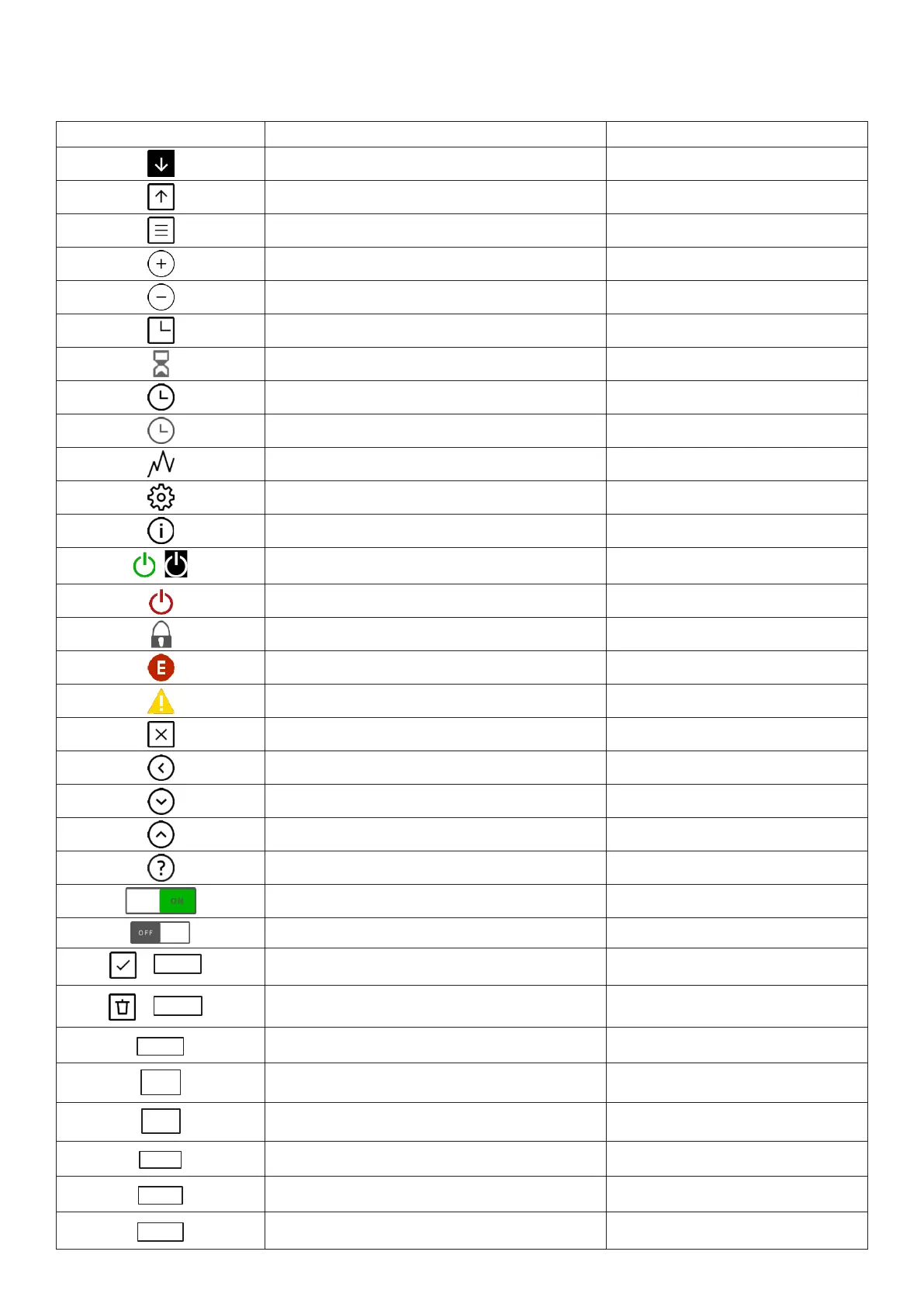
ICON DESCRIPTION ACTION
Enter to temperature menu
Touch
Actual state
Touch
Main menu
Touch
Increase
Touch / hold
Decrease
Touch / hold
Delayed Start/Stop menu Touch
Delayed Start/Stop active
Read only
Timer menu
Touch
Timer active
Read only
Statistics menu
Touch
Settings
Touch
TIPS menu
Touch
;
ON
Hold
OFF
Hold
Screen Lock Active
Read only
Error present
Touch
Alarm present Touch
Close Touch
Back
Touch
Down Touch
Up
Touch
Details
Touch
ON – Active Touch
OFF - Inactive
Touch
;
OK
Confirm / Save Touch
;
DELETE
Delete Touch
DISABLE
Disable Touch
Feed
Manually feeder use Hold (max. 30sec)
START
Display cleaning function – Start
Touch
OFF
Screen Lock OFF
Touch
LOW
Screen Lock active (LOW)
Touch
HI
Screen Lock active (HIGH)
Touch


 To Next Page