USER MANUAL | NOVA OCUs
23
7.9 Pairing OCU to MCU
Standard NOVA C, L, XL and XXL OCUs can be paired to a different MCU, other than the one they were delivered with from the
factory using either a tethered-cable approach or through a secure wireless method.
Nova S and M models require the exchange of the ADMO memory key installed on the logic controller inside the OCU with new
a ADMO memory pre-programmed with addresses that match those configured on the MCUs to which the OCU will be paired.
1.1.1
Address Learn via Cable
Installing the control cable as described in section 7.8.1, it is possible to put the OCU in address learn mode for pairing with a
new MCU as follows.
1. Press the STOP button on the OCU. Powered ON the OCU with whilst keeping the START button pressed. During this stage
the red status LED withsymbol ) starts blinking, confirming that the OCU logic controller is in address learn mode.
2. Release the start button and press it again. At this stage the OCU waits for the MCU to transfer its address information to the
OCU. During this process the green LED on the OCU turns solidly ON. Once the logic controller on the OCU validates the
received information, the new is saved to the ADMO memory of the OCU. The green LED turns OFF. However, if the
received address received is not valid or the process is disrupted, the green LED remains solidly ON. If the event of an
error, the OCU must be turned OFF. The pairing procedure outlined above must then be performed again.
1.1.2
Wireless Pairing
For your convenience and safety, wireless pairing involves a systematic and secure procedure.
1. Ensure that both the OCU) and MCU are powered ON.
2. Initiate the pairing mode on the OCU by following the manufacturer's instructions, typically involving holding down specific
buttons.
Once in pairing mode, the OCU awaits communication from the MCU to transfer its address information. This process is indicated
by a visual cue, often a blinking LED. Upon successful reception and validation of the address information by the OCU's logic
controller, the pairing is completed. The OCU's memory is updated with the new address, ensuring seamless communication with
the MCU. Any disruption or invalid address reception prompts an error indication, necessitating a restart of the pairing procedure.
Finally, the paired OCU and MCU are ready for operation, enabling remote control functionality in the industrial environment.
7.10 Cabled Battery Back-Up
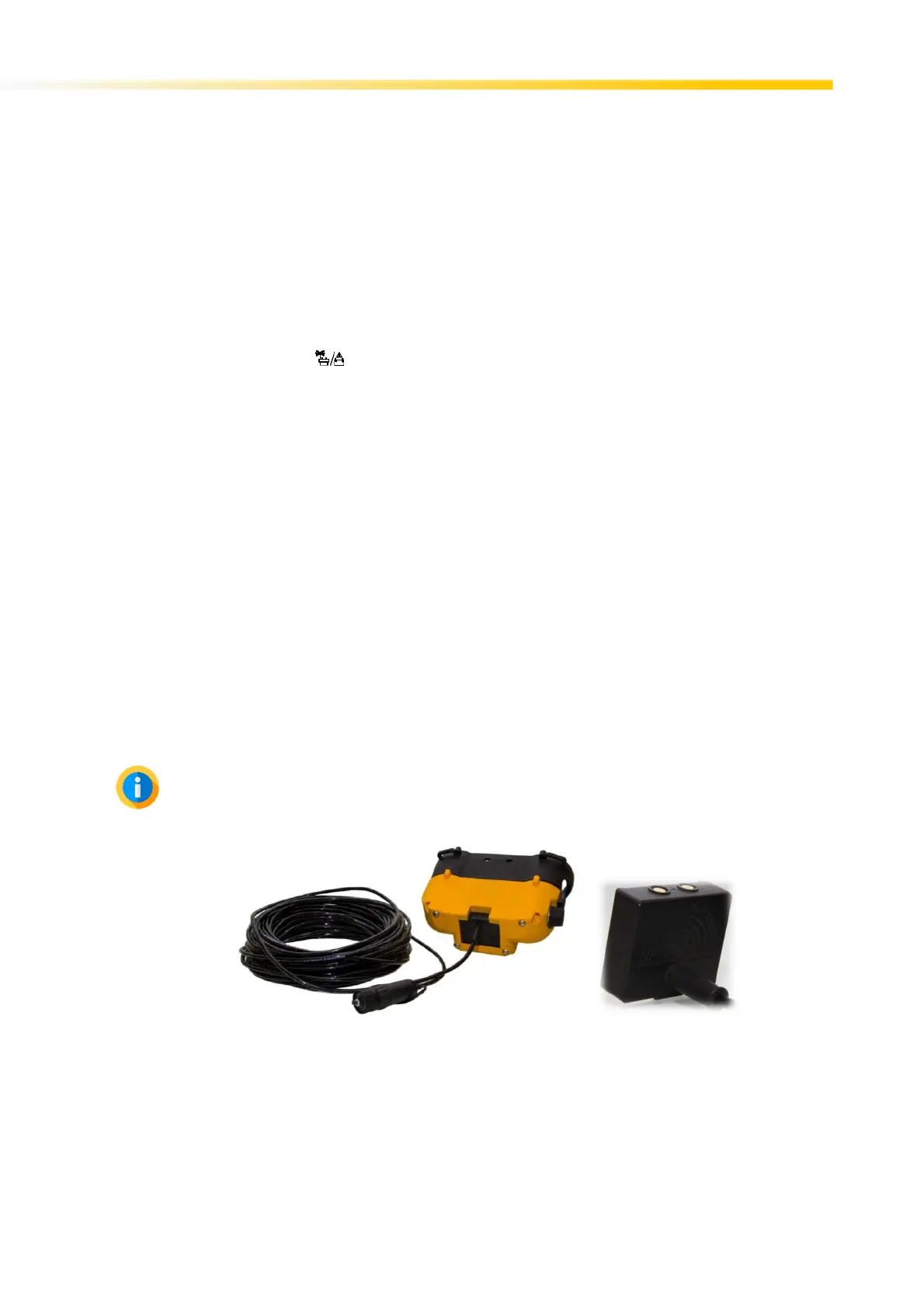
NOVA OCUs can also be powered up via cable through the battery compartment. This approach requires the corresponding
battery cable back-up optional accessory for your NOVA OCU. This can be purchased from your nearest Hetronic dealer.
Cabled battery back-up option is not to be mixed with cable control option. The two options use distinct and non-
exchangeable cables. In cabled battery back-up mode, the OCU is powered from the machine MCU. Unlike in
tethered/cable control mode, the OCU and MCU still communicate wirelessly in the case of Nova C, L, XL and XXL.
Cabled Battery Backup



 To Next Page