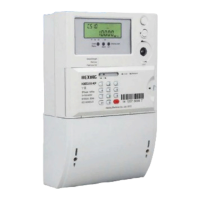
User manual for poly-phase meter
IV
13.1 Event classification ...................................................................................................... 26
13.2 Event list ...................................................................................................................... 26
14 Back-up power ........................................................................................................................... 29
14.1 Battery ......................................................................................................................... 29
14.1.1 Low battery detection .......................................................................................... 29
14.1.2 Battery working lifetime ....................................................................................... 29
14.1.3 External battery replacement .............................................................................. 29
15 RTC ............................................................................................................................................ 31
15.1 DST ............................................................................................................................. 31
15.1.1 DST configurable ................................................................................................... 31
15.2 TOU ............................................................................................................................. 32
15.2.1 Active and passive tariff ....................................................................................... 33
16 LED Indication ........................................................................................................................... 34
16.1 Active LED indication ................................................................................................. 34
16.2 Reactive LED indication ............................................................................................. 34
16.3 Alarm LED indication ................................................................................................. 34
17 Communication interface ........................................................................................................... 35
17.1 Optical communication ............................................................................................... 35
17.2 RS485 interface(optional) ........................................................................................... 35
17.3 P1 port interface(optional) ........................................................................................... 36
17.4 GPRS communication ................................................................................................. 36
18 Client management .................................................................................................................... 37
19 Overall dimensions and installation ........................................................................................... 38
19.1 Meter Connection ........................................................................................................ 38
19.2 Meter Dimension ......................................................................................................... 39
20 Installation and un-installation ................................................................................................... 42
20.1 Installation tools .......................................................................................................... 42
20.2 Preparation before installation ..................................................................................... 43
20.3 Installation procedure .................................................................................................. 43
20.4 Testing after installation .............................................................................................. 45
20.5 Remove ........................................................................................................................ 46
21 Service........................................................................................................................................ 47



 To Next Page