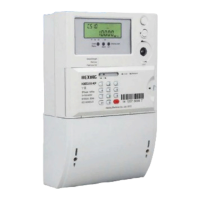
User manual for poly-phase meter
45
circuit of 80A will result in 6.4 W power losses.
8、The cables should be connected correctly according to the definition of the
auxiliary terminal (such as pulse output, signal input or RS485 communication).
Please be careful and donnot connect the auxiliary terminal with the
voltage or current line by mistake to avoid damage to meter.
9、Check connecting wire carefully and avoid any error (such as the reverse wiring
for the incoming and outgoing lines, the wrong connection of live and neutral, the
bad fixing of screws).
To ensure the correct wiring, it is recommended to use the appropriate
testing tools (such as multi-meters) for input/output test.
10、 Close the terminal cover, and sealed it.
Please make sure that the terminal cover is closed tightly, otherwise it
will cause the meter relay cut off due to terminal cover open.
20.4 Testing after installation
◼ Switch on the breaker
◼ Check the meter display, if there is any malfunction indication, phase inverse, cover
open, or strong magnetic field, no current indictor.
◼ Press button to display voltage value, check the voltage twice.
◼ Check the relay is on the right position (if the symbol ‘ ’ is shown on the
LCD).



 To Next Page