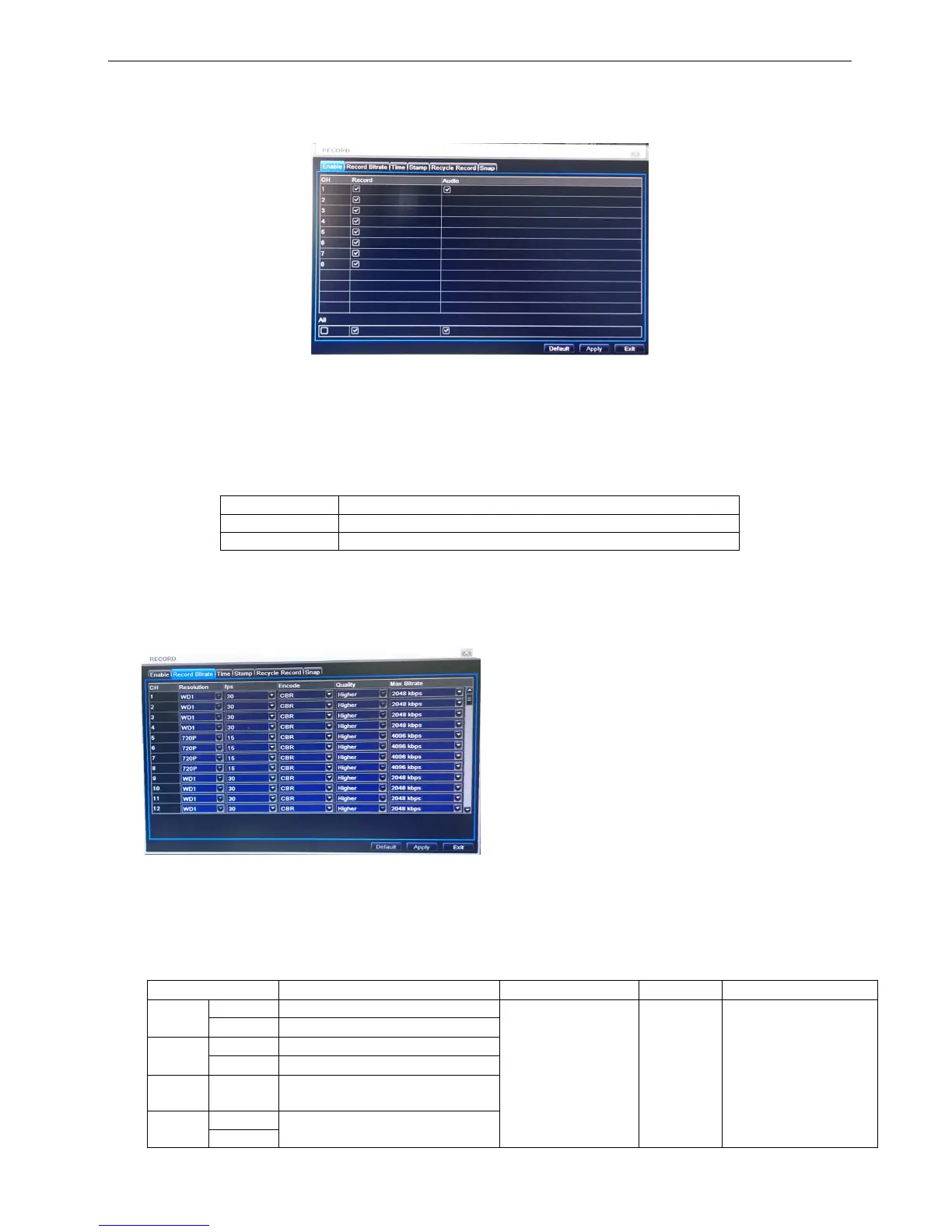
3.3 Record configuration
Record configuration includes five sub menus: enable, record bit rate, time, recycle record and stamp.
3.3.1 Enable
Step1: enter into system configurationrecord configurationenable; refer to Fig 3-10:
Fig. 3-10 record configuration-enable
Step2: tick off record, audio and record time
Step3: user can setup all channels with same parameters, tick off “all”, then to do relevant setup.
Step4: click “default” button to resort default setting; click “apply” button to save the setting; click “exit” button
to exit current interface.
Definitions and descriptions of Record:
Parameter Meaning
Record Record switch of every channels
Audio Enable live record audio
3.3.2 Record stream
Step1: enter into system configurationrecord configurationrecord bit rate
When DVR receives the signals from camera, it will distinguish the signals (1080P/720P/WD1(960H)) and set
the resolution automatically.
Note: if the rate value set is over high the maximum resources of the device, the value will be
adjusted automatically.
You can setup record frame rate and quality for each channel and change record resolution.
Adjustable parameter as following,
1080P
Step2: Set up rate, resolution, quality, encode and max
bitrate
Step3.: Select “All” to set the same settings for all channels.
Click “Apply” button to save the setting.



 To Next Page