a. user can control the dome rotates up, up left, down, right down, left, left down, right and up right and stop
rotating; adjust the rotate speed and the value of zoom, focus and iris of the dome; click Start Record
button to record the move track of PTZ, click this button again can stop record; click Start track button to
play recorded track, click this button again can stop play.;
b. click icon to hide the tool bar, right-key can remerge it; click icon to exit the current interface.
Step5: in the Advance interface, click “default” button to resort default setting; click “apply” button to save
the setting; click “exit” button to exit current interface.
COC (control over coaxial) function
:
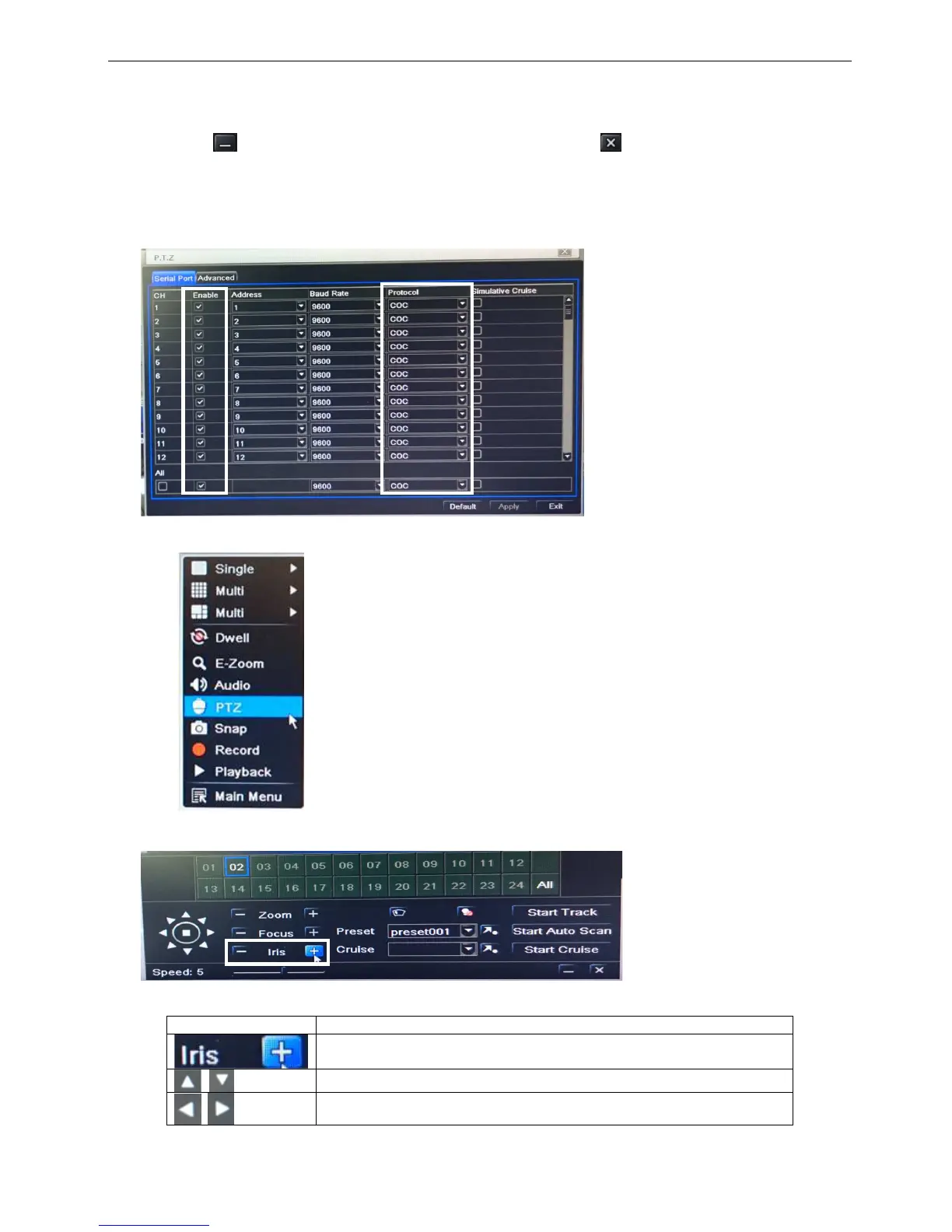
a. Under serial port setting page,and choose COC (control over coaxial) function。
b. Open the channel which you want to config, click the right button of the mouse then choose PTZ.
c. Click the Iris next to ” + “,then user can open the OSD menu of camera.
Icon Description



 To Next Page