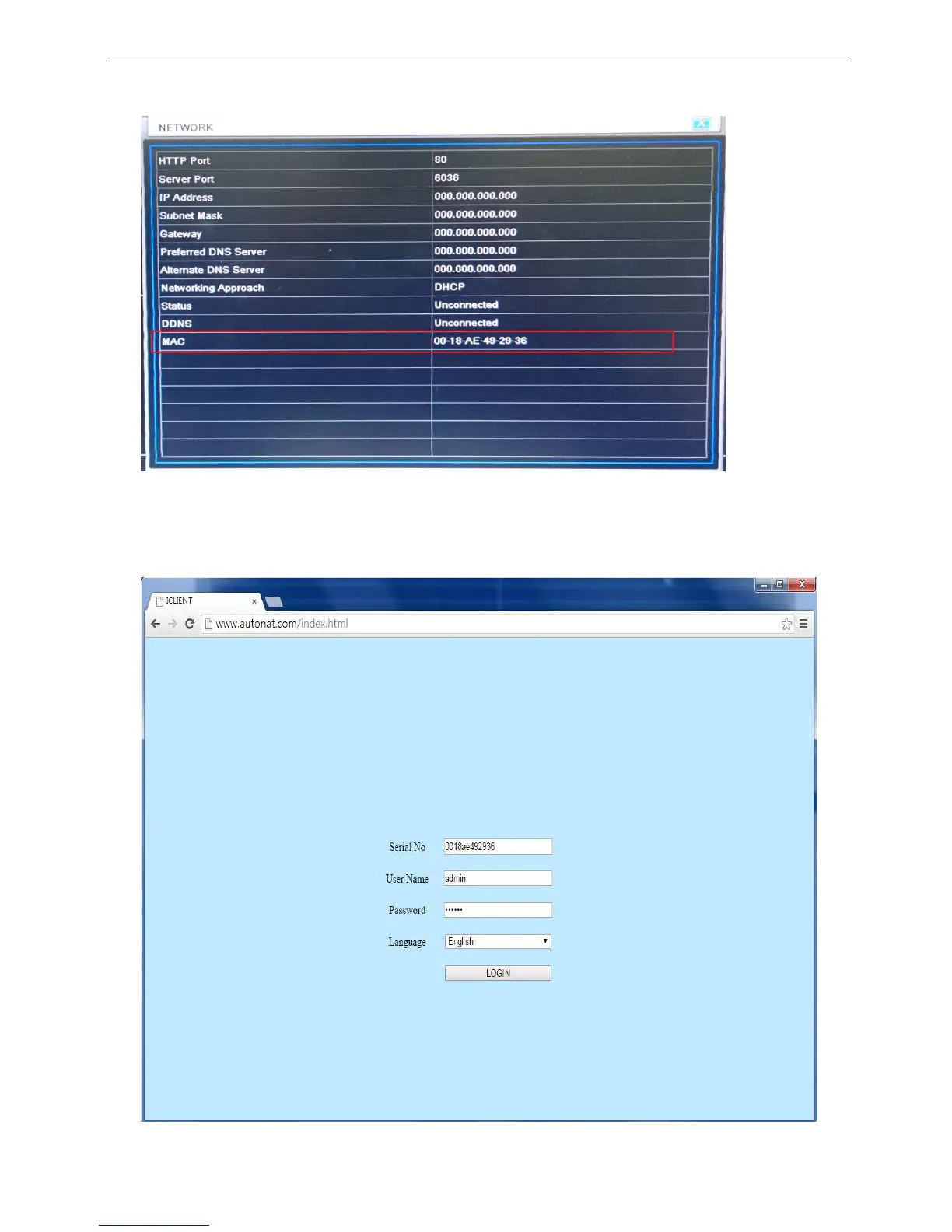
b) Enable NAT function, the operation step of using browser to do remote control
Step1. Enter into Menu→Information→Network→Confirm the MAC number of the DVR.
Step2. Open the browser (Support browser type include: IE、Chrome、Firefox), here is taking IE for operation
description. Insert the http://www.autonat.com, and it will lead you visit the login website. Under Serial No field,
you have to key-in the MAC number of DVR ( follow the step1 to confirm how to find the MAC number), and
then follow the step to login.



 To Next Page