APPENDIX A_NAT setup description
a) Here is describe how to connect the device to mobile phone:
i. Take Android mobile system as example
1.
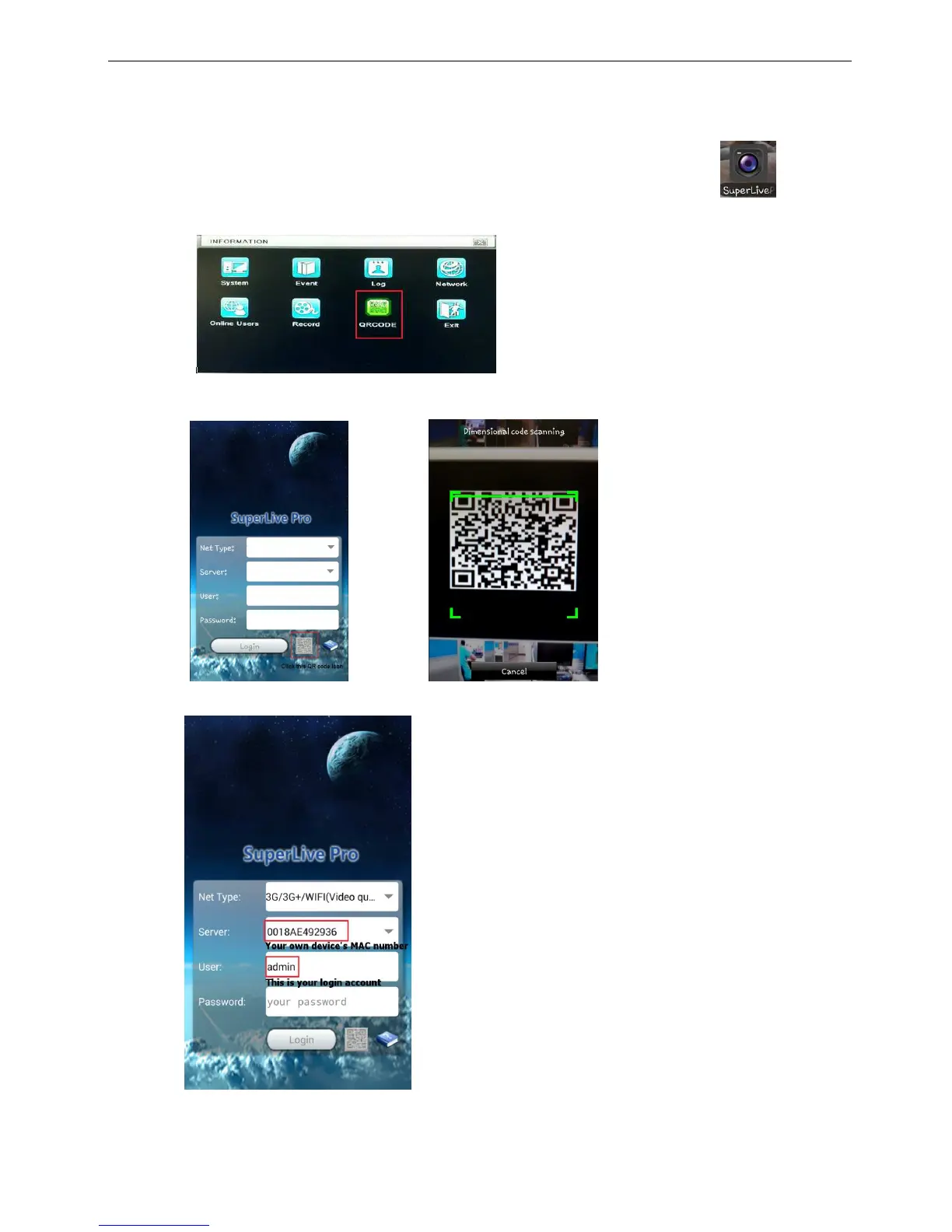
When NAT function is already enabled, and all the network setting is done. Click the
( Superlive pro) icon on your mobile phone and go to information (Menu→Information→QRCODE) enable
the ORCODE function.
2.
When Superlive pro program is enabled, at the bottom of image you will see the QR code function icon.
Click the icon, and it will pop-up the scanner image. Target it to the Screen QRCODE image.
3. After finished the scanning procedure, it will automatically bring out the device MAC number and user
account, user just need to key-in the password.
※ In order to avoid the security risk, user (himself or herself) need to key-in the password yourself.



 To Next Page