EasyManua.ls Logo

Hi-Target iRTK5 - Information View

Hi-Target iRTK5
69 pages
Print Icon
To Next Page IconTo Next Page
To Previous Page IconTo Previous Page
Loading...
iRTK5 Smart GNSS System User Manual
19
Firmware
Upgrade
Select and upgrade the firmware.
Restore
Restore the system.
System
Constellation
Switches of the satellite tracking.
5-pin port
Output settings of the 5-pin port.
Radio
Radio frequency settings.
Registration
Device registration and information.
Reset
Reset the motherboard
Others
Switch of the static RINEX and voice changes.
2.4.2 Information view
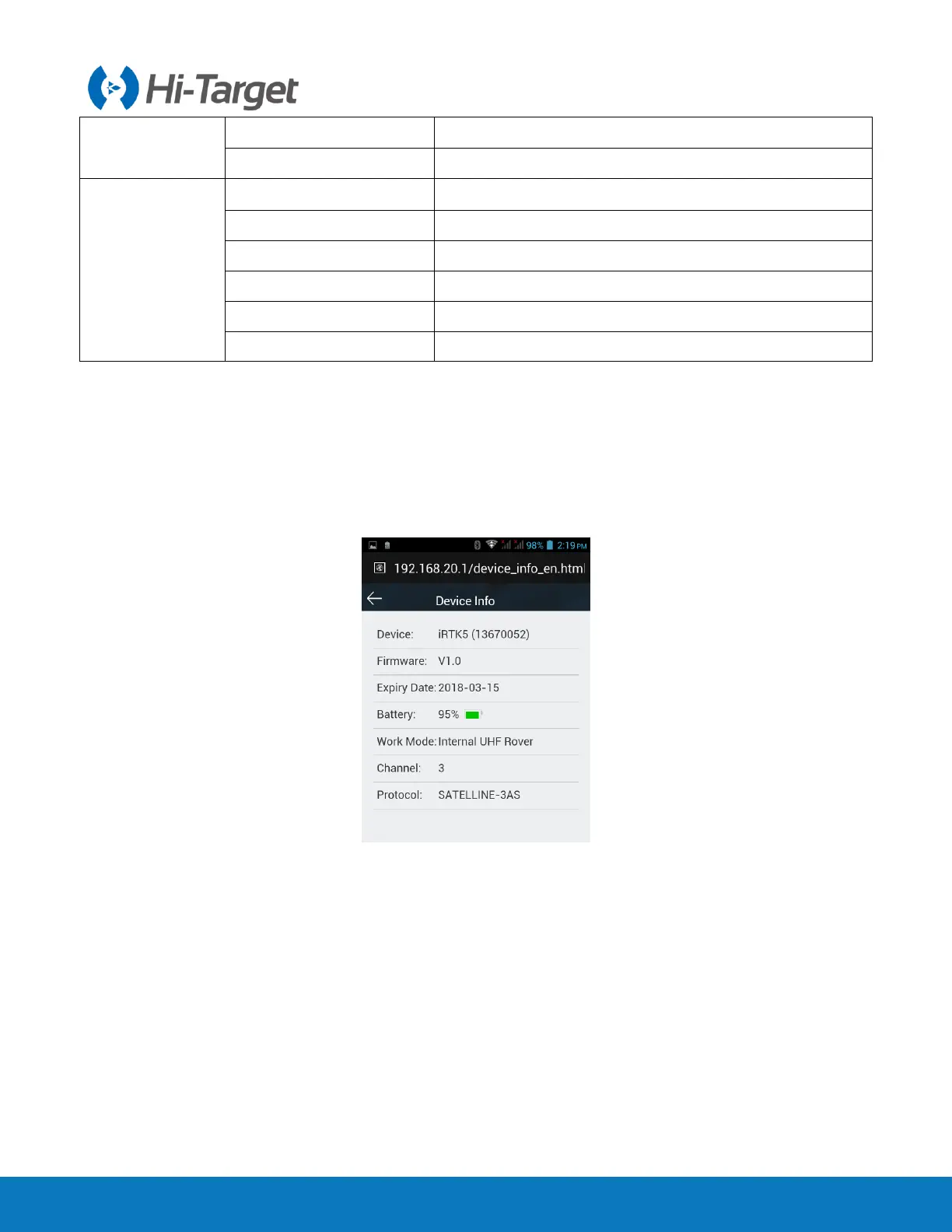
1. Device information
Includes the main device information: device model, S/N, firmware version, battery power, work mode,
configuration parameters, etc.
Figure 2-4-8 Device info
2. Position information
Includes the device position, satellites, solution state, latency, PDOP and time.


Table of Contents

Related product manuals