16
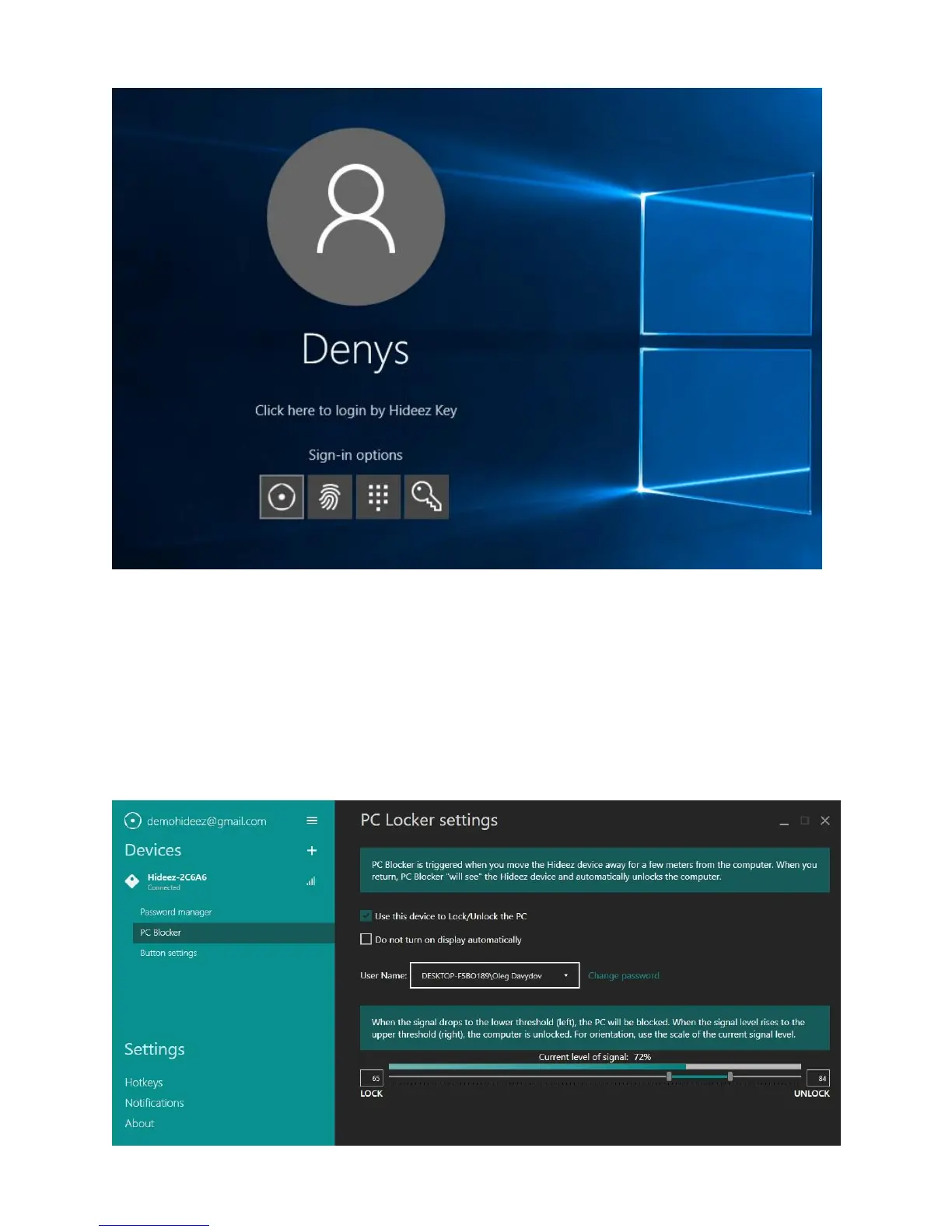
On the picture above there are four ways to enter: Hideez Key, fingerprint reader, PIN code and password.
When choosing Hideez Key, the computer will automatically be unlocked if your key fob is placed close
enough.
You will need to adjust the input options of the program Hideez Safe ("PC Llocker" tab):
• Set the checkbox ‘Use this device to Lock/Unlock the PC’.
• Type in your local / domain user name. Use the dropdown to pick one of the local PC users.
• Type in the appropriate password. This password is stored in the Hideez Key, not on the PC
• Save the changes.



 To Next Page