9
Notice: if you don’t want to change the battery by yourself, you can contact any electronic service center
which replaces watch batteries.
8.3. Are my devices compatible with Hideez Key?
Before purchasing Hideez Key, you need to check whether your smartphone, PC or tablet can work with it.
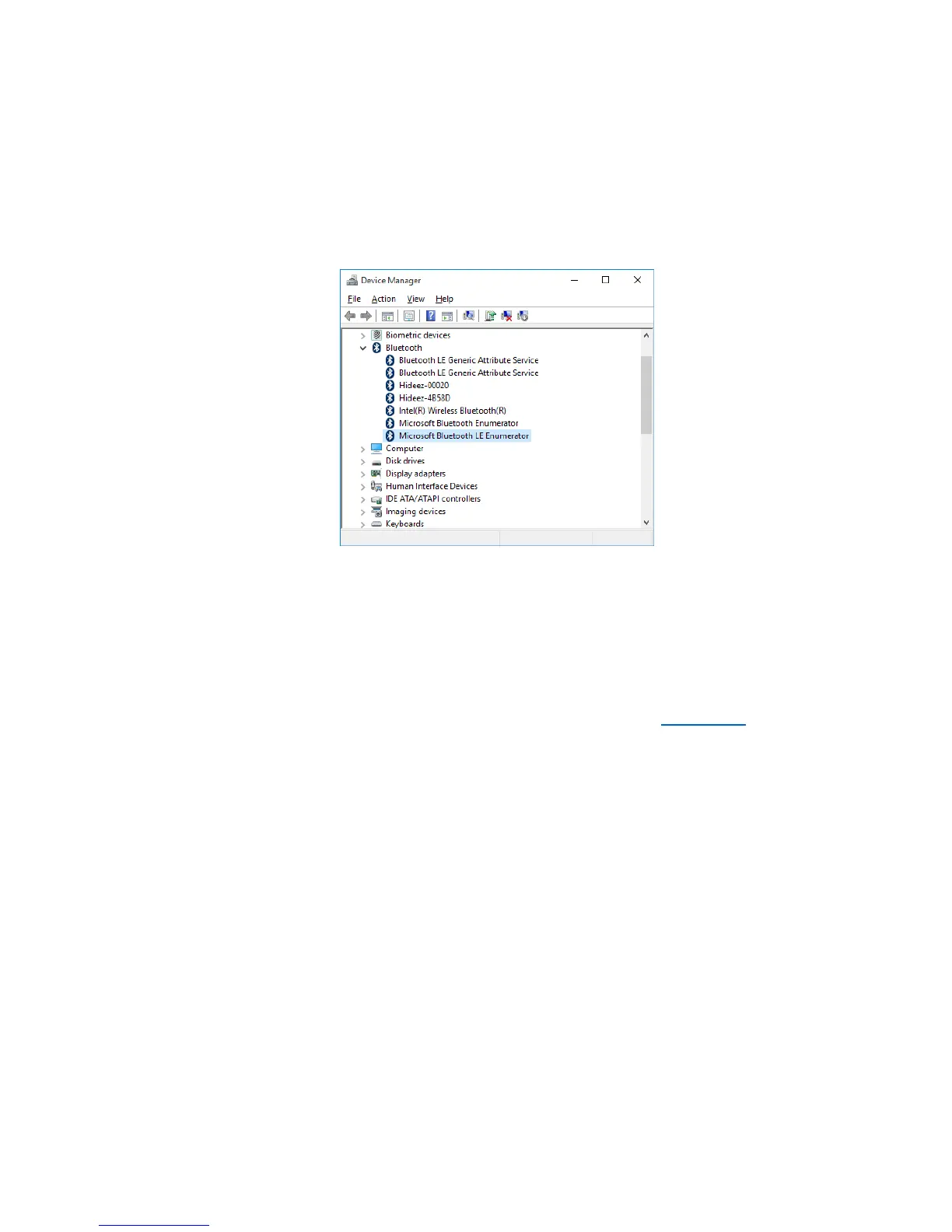
On Windows PC, go to the Device Manager, find Bluetooth section and make sure that there is an element
called Microsoft Bluetooth LE Enumerator
If there is no Microsoft Bluetooth LE Enumerator in your system, it means it does not support Low Energy
mode. If there is no Bluetooth section, it means the Bluetooth adapter has not been installed yet. You can
purchase an external USB Bluetooth adapter in either case. (Hideez Smart Bluetooth dongle is recommended).
Note, that some Bluetooth adapters declare Low Energy mode supporting, but in fact, they only work with
their own software. Windows does not recognize these devices as Bluetooth Low Energy adapters (Bluetooth
LE Enumerator is not appearing in the device list). Hideez Safe doesn’t work in these cases.
For Android-based systems, you can download Bluetooth testing software e.g. BLE Checker from Google Play.
Your system is supported if you see the “BLE Supported”.
8.4. Hideez Key states and control menu
There are three modes of the Hideez Key
Mode 1 (connected)
Hideez Key is connected to a host device (Windows, Android) via Bluetooth.
A green LED is flashing every 4 seconds.
Red LED flashing every 4 seconds means the battery should be changed.
Mode 2 (not connected)
There are two options:
a) The device is advertising for previously paired devices, inviting to connect.
b) The device is advertising for any Bluetooth devices. This option shows that Hideez Key can be
visible and paired by each of them.
Mode 3 (power off)



 To Next Page