24
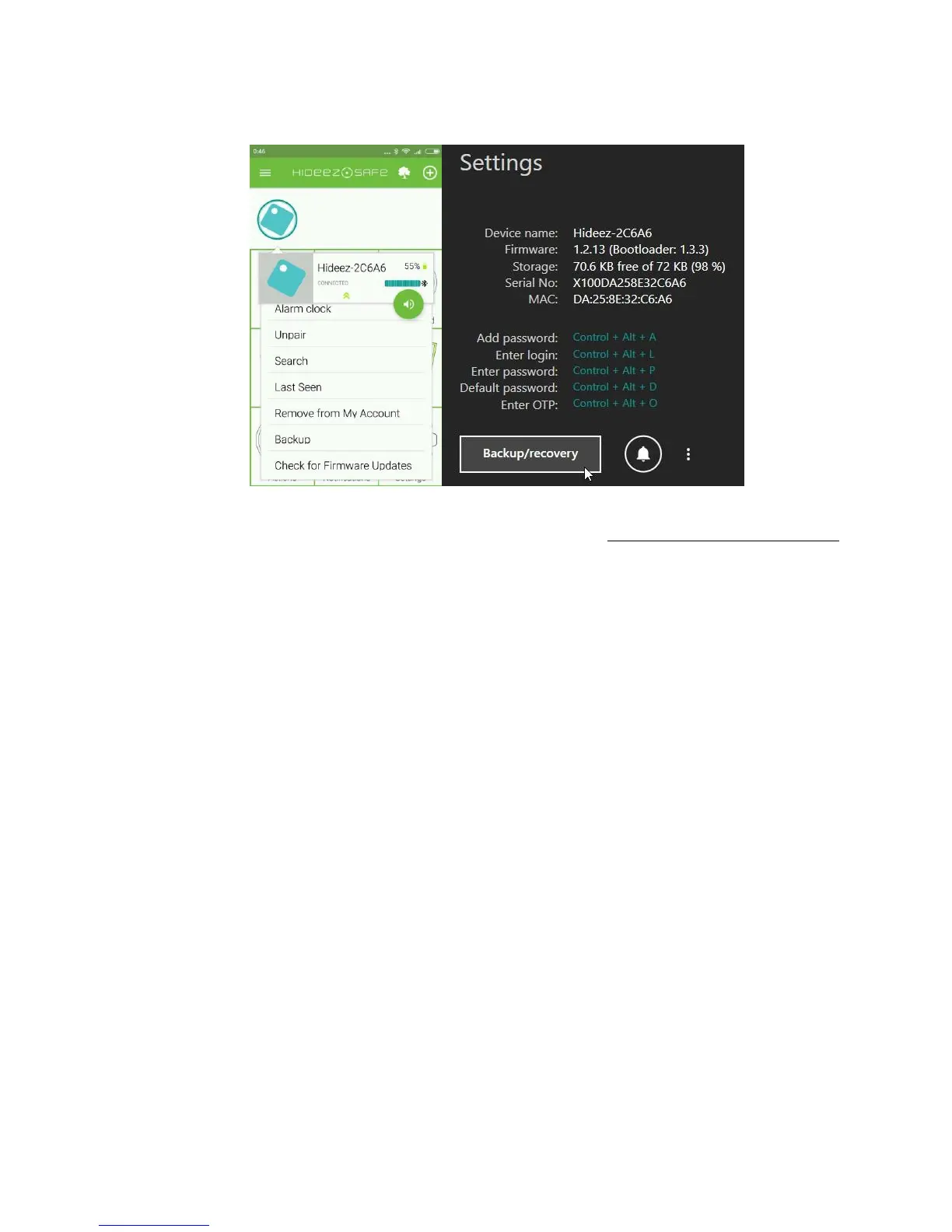
In Hideez Key for Android, the “backup and recovery” menu can be found in the context menu of the key fob.
For the Windows version, it is in the Hideez Key properties section.
Although the backup file is encrypted, it is recommended to store it in a safe place. If lost, any local file can
potentially be cracked through brute force decryption. For details, see. Recommendations for safe usage.
Note: The Hideez Key should be registered and initialized to perform backup / recovery operations.
Tip: The backup / restore procedure can be used to transfer data between Hideez Key devices of one user as
well as to transfer data between devices of different users. (the password that was used to backup will be
required).
9.7. Protection and Search of Hideez Key
Thanks to the constant Bluetooth connection, Hideez Key helps prevent its own loss, as well as the loss of
other devices that are associated with it.
The key fob is considered forgotten if the phone switches from “Home” / “Office” profile to “Street” profile
and Hideez Key device is not connected.
The key fob is considered lost if it had been connected and suddenly the level dropped below the threshold.
When your phone switches to the “Street” profile, it verifies whether all the key fobs are connected. If any of
them are absent, both the warning sound and notice log recording are activated. Each key fob has a separate
log recording. The audio warning is played once for each forgotten tag.
A device protection mode is available in Hideez Safe for Android only. You can enable and configure it in the
"Theft Alarm" section:
• Turn on the "Watch for the loss of connection" switch
• Set a ringtone that will notify you about the loss.
• Select the option to turn the sound on for the key fob. If it is turned off, the sound will only be
activated on the phone.
• Specify the profiles that you want to use this feature. By default, it is turned on for “Office” and
“Street” modes, while it is turned off for “Home” profile.



 To Next Page