8
The RFID antenna with the control unit can be found under the top cover. This module is not connected to the
main board.
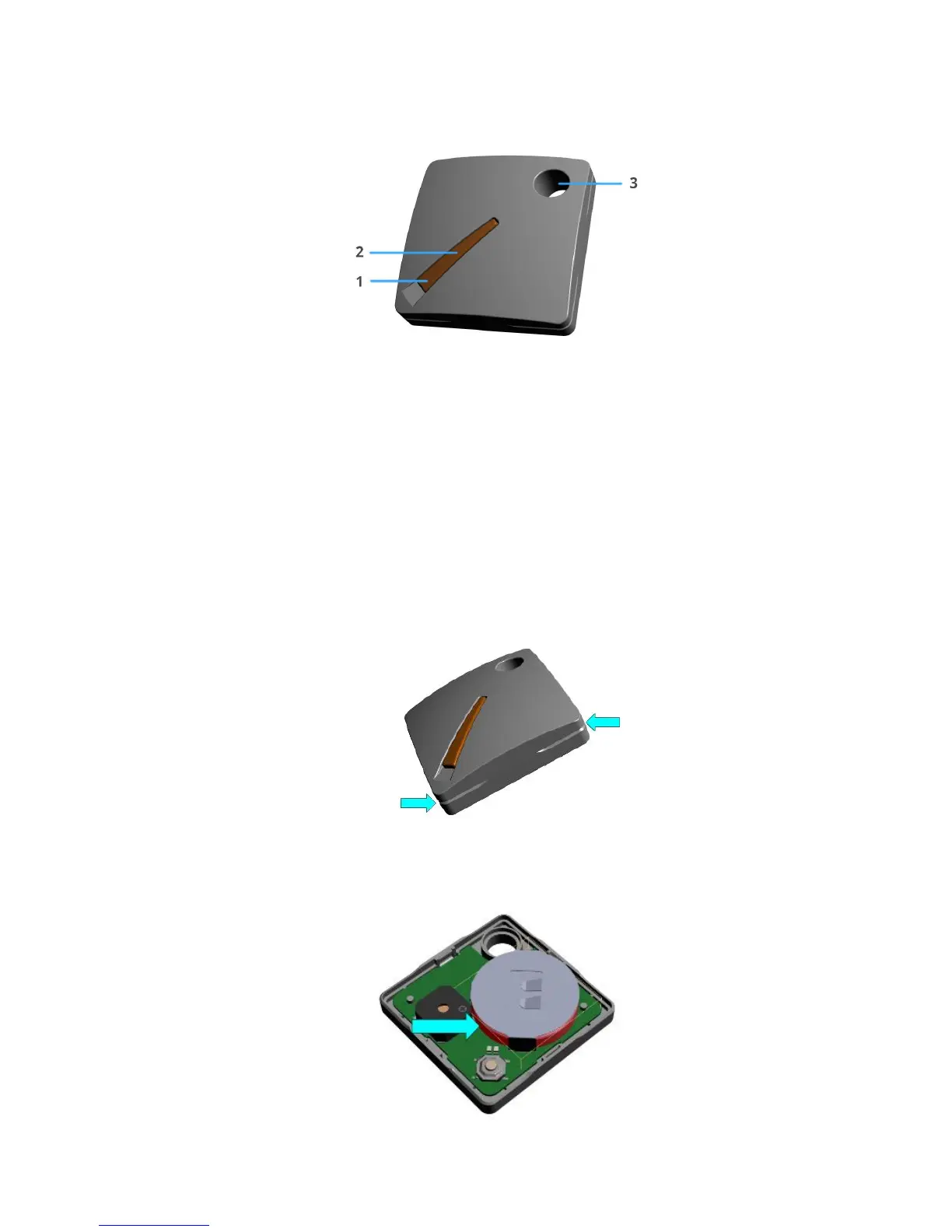
Exterior
1. Multifunctional button
2. Green and red LED indicators
3. Keychain hole
8.2. Battery changing
Hideez Key comes with a pre-installed battery. The case is made of two halves latched together. To replace the
battery, open the case and lift the gap between the halves with a fingernail or a plastic card. Do not use metal
objects. Remove the old battery by pushing it from the inside using a narrow plastic object. Install the new
CR2032 battery on the narrow side (minus contact) of the board. Hideez key will beep and start to work.
Opening the case
Change the battery



 To Next Page