15
Uninstalling the Drivers
1. Open Windows Device Manager
Click Start
Click Control Panel
Click Hardware and sound
Under Devices and Printers, Click Device Manager
Note: Alternatively, you can search Device Manager in your start menu search
bar.
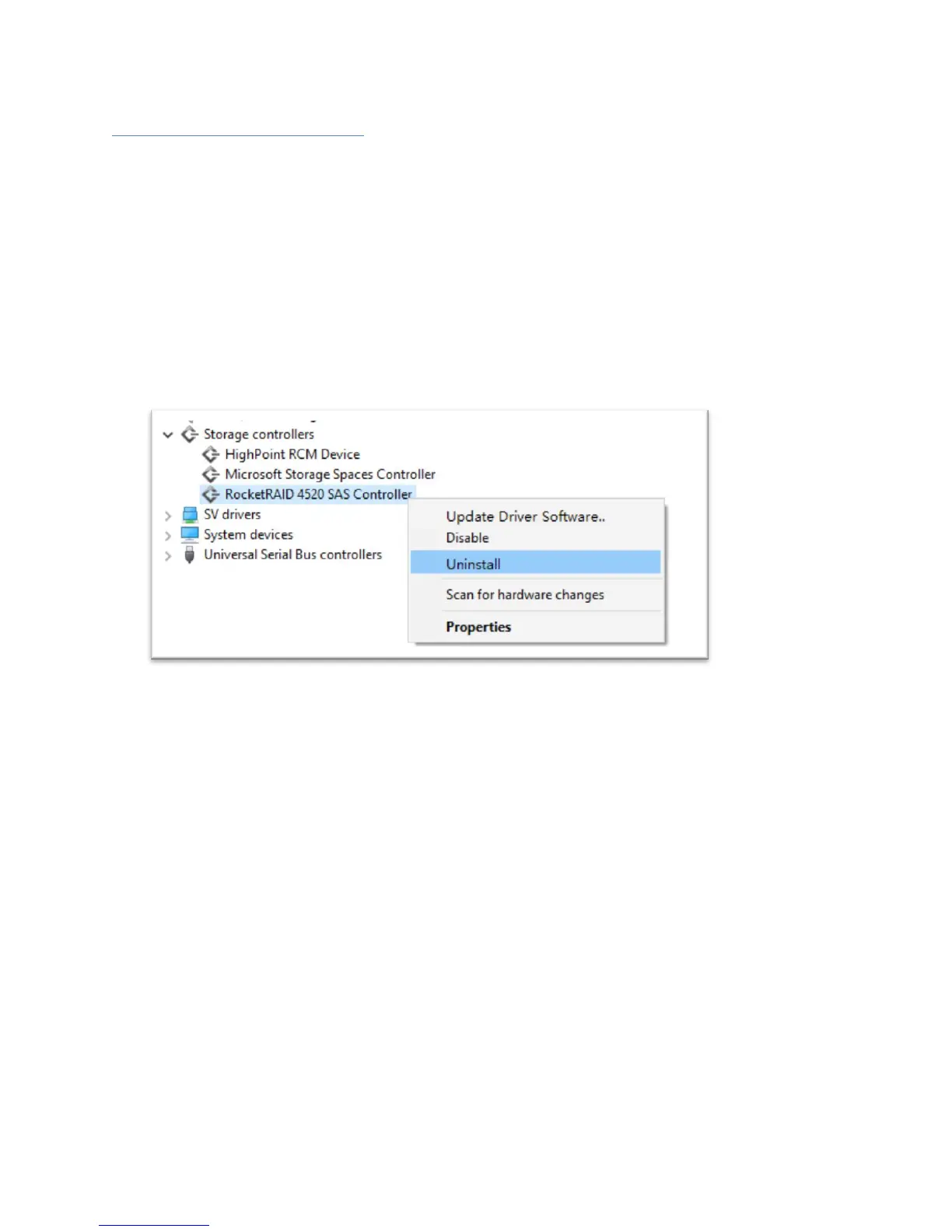
2. Click the Storage controllers tab
3. Right click RocketRAID 4520 SAS Controller
4. Click Uninstall
5. Reboot your PC to allow the changes to take effect



 To Next Page