43
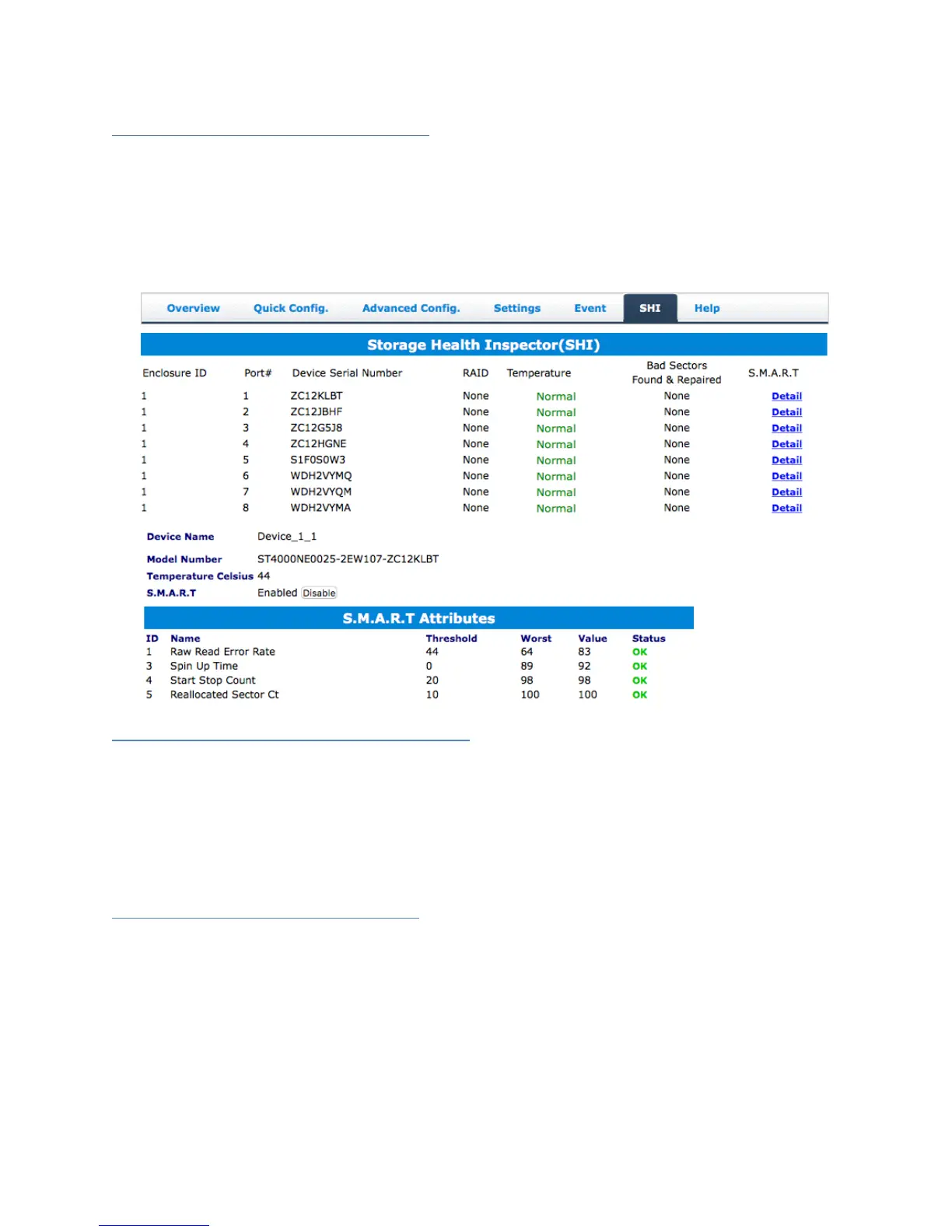
SHI (Storage Health Inspector)
S.M.A.R.T Attributes
Storage Health Inspector Scheduling
SHI outputs information collected using SMART (Self-Monitoring Analysis and
Reporting Technology) Hard Drive Technology. The data provided on this tab helps you
to anticipate any disk failures based on a variety of monitored hard disk properties.
How to Enable SMART Monitoring
To access SMART attributes of an individual disk:
1. Log in to the HRM
2. Click the SHI tab
3. Click Enable to enable SMART monitoring
Disabling SMART monitoring
You have the option the disable SMART monitoring on each individual disk.
To disable:
1. Click the SHI tab
2. Click Detail follow the desired disk
3. Click Disable
Note: Disabling SMART monitoring will disable all warnings related to SMART
attributes.



 To Next Page