17
How to Login to the HRM
You can reach the HRM log in page either by:
Double clicking on the HighPoint RocketStor RAID Manager icon created on your
desktop
Opening your preferred web browser and typing http://localhost:7404 in the
address bar.
Note: It can set the password under the Setting tab.
Remote Login
A user connected to a local network can remotely access the HRM using the IP address
of the host device.
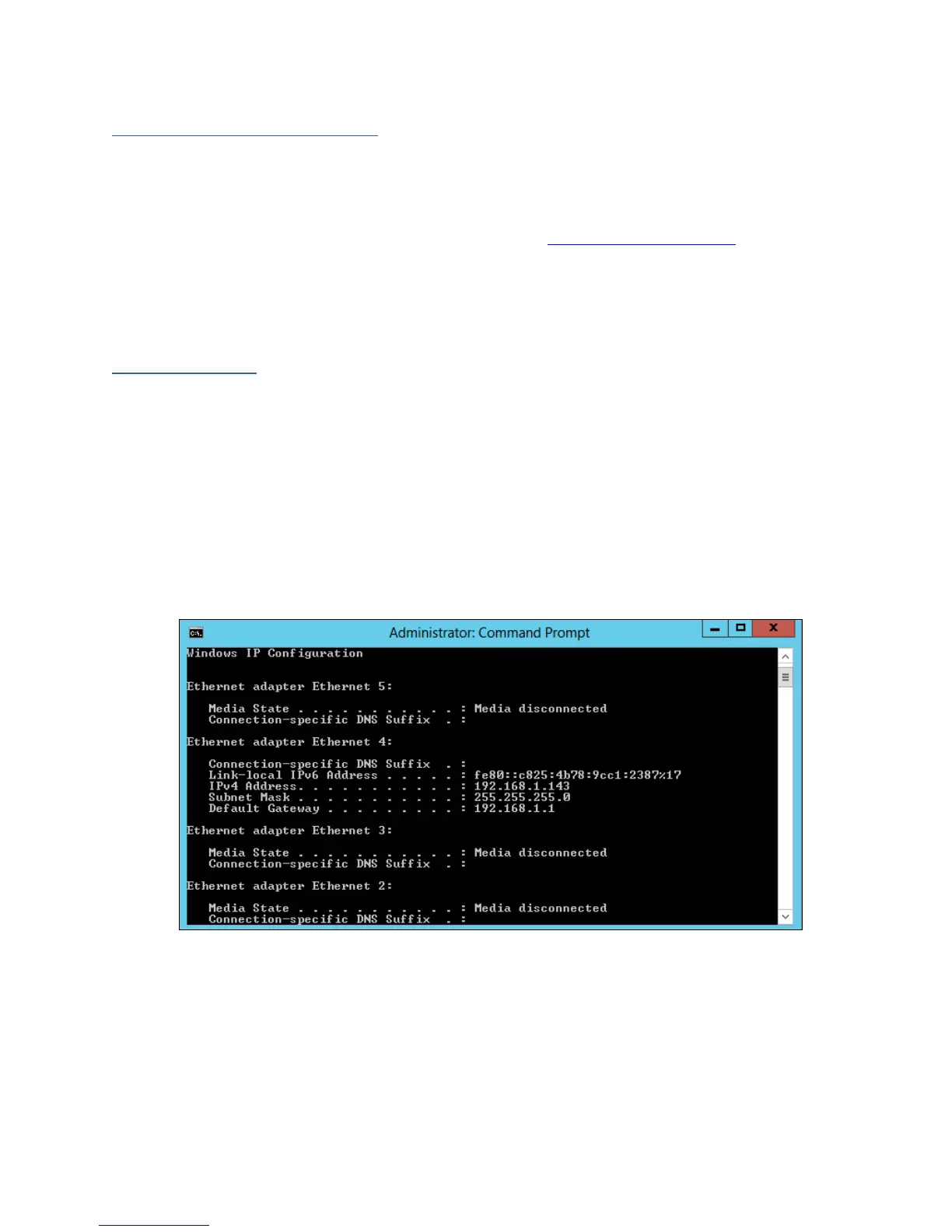
To obtain your IP address
1. Open a command prompt window on the host computer.
2. Type ipconfig
3. Look for the section that contains your network adapter information
4. Take Note the IP address
Figure 2. Example: The IPv4 address is under Ethernet adapter Ethernet 4 and is
192.168.1.143
Note: Make sure Restrict to localhost access is disabled in HRM Setting (Refer to The
HRM, Setting tab).
You can then remotely access the HRM using any other computer that is in your local
network by opening any web browser and typing http://{IP address of host
computer}:7404 (default port is 7404)



 To Next Page