AX PRO User Manual
62
4.3.6 Maintenance
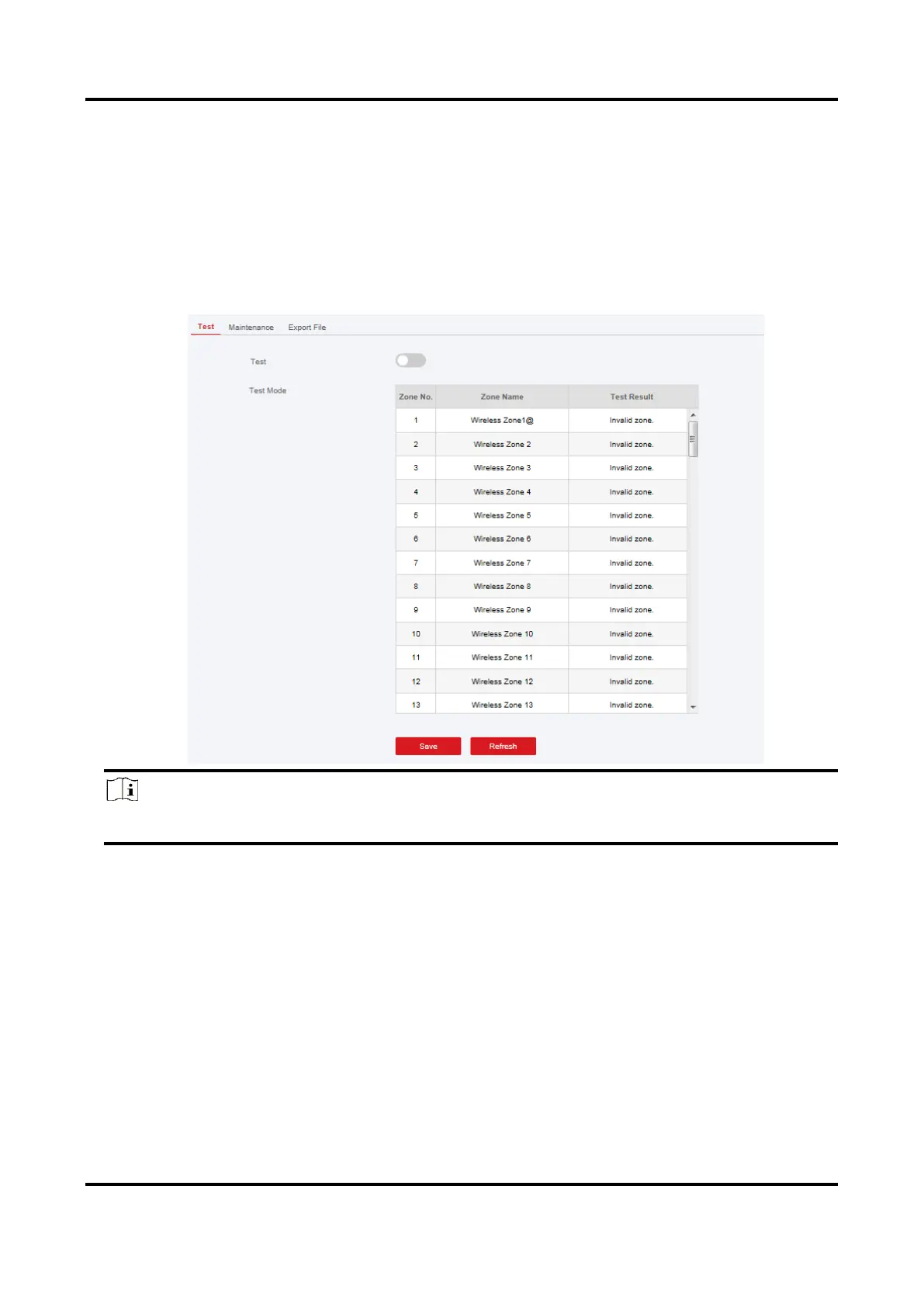
Test
The AX PRO supports walk test function.
Steps
1. Enter Project Management →Maintain →Test → to enable the function.
Note
Only when all the detectors are without fault, you can enter the mode TEST mode.
2. Check the Test check box to start walk test.
3. Click Save to complete the settings.
4. Trigger the detector in each zone.
5. Check the test result.

 To Next Page
 Loading...