Network Camera User Manual
113
You can configure the camera information for display in this interface.
Steps:
1. Enter the Camera interface: Configuration > Road Traffic > Camera.
2. Enter the Device No., Camera No. and Camera Info..
3. Click Save to activate the settings.
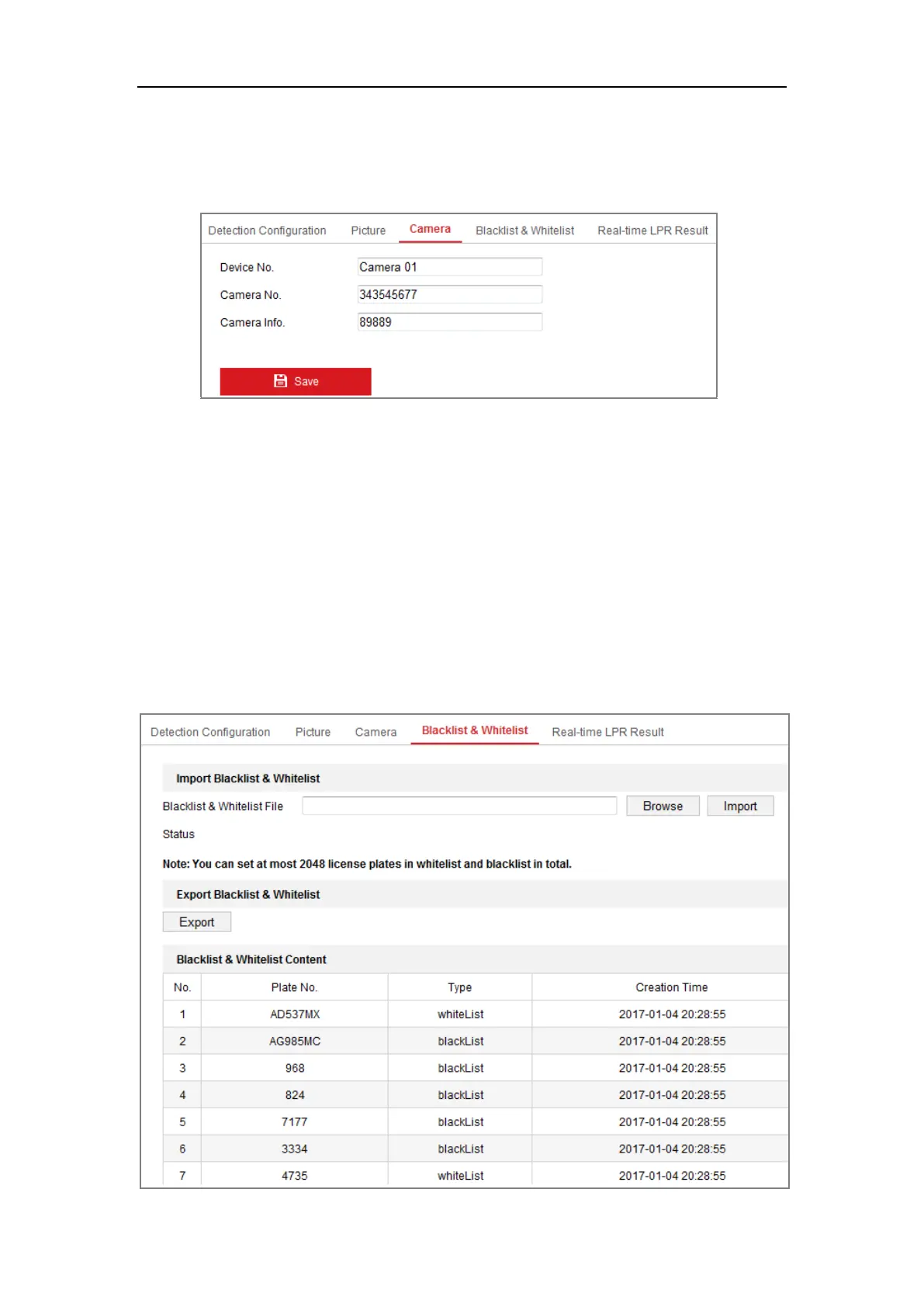
12.4 Configuring Blacklist and Whitelist
Purpose:
You can import and export the blacklist and whitelist as desired, and check the list
content in this interface.
Steps:


 To Next Page
 Loading...