User Manual of Network Camera
78
Chapter 9 Image Settings
Purpose:
Follow the instructions in this chapter to configure the image parameters, including
display settings, OSD settings, privacy mask, and picture overlay.
9.1 Configuring Display Settings
Purpose:
Configure the image adjustment, exposure settings, day/night switch, backlight
settings, white balance, image enhancement, video adjustment, and other parameters
in display settings.
Note: The display parameters vary according to the different camera models. Please
refer to the actual interface for details.
9.1.1 Day/Night Auto-Switch
Steps:
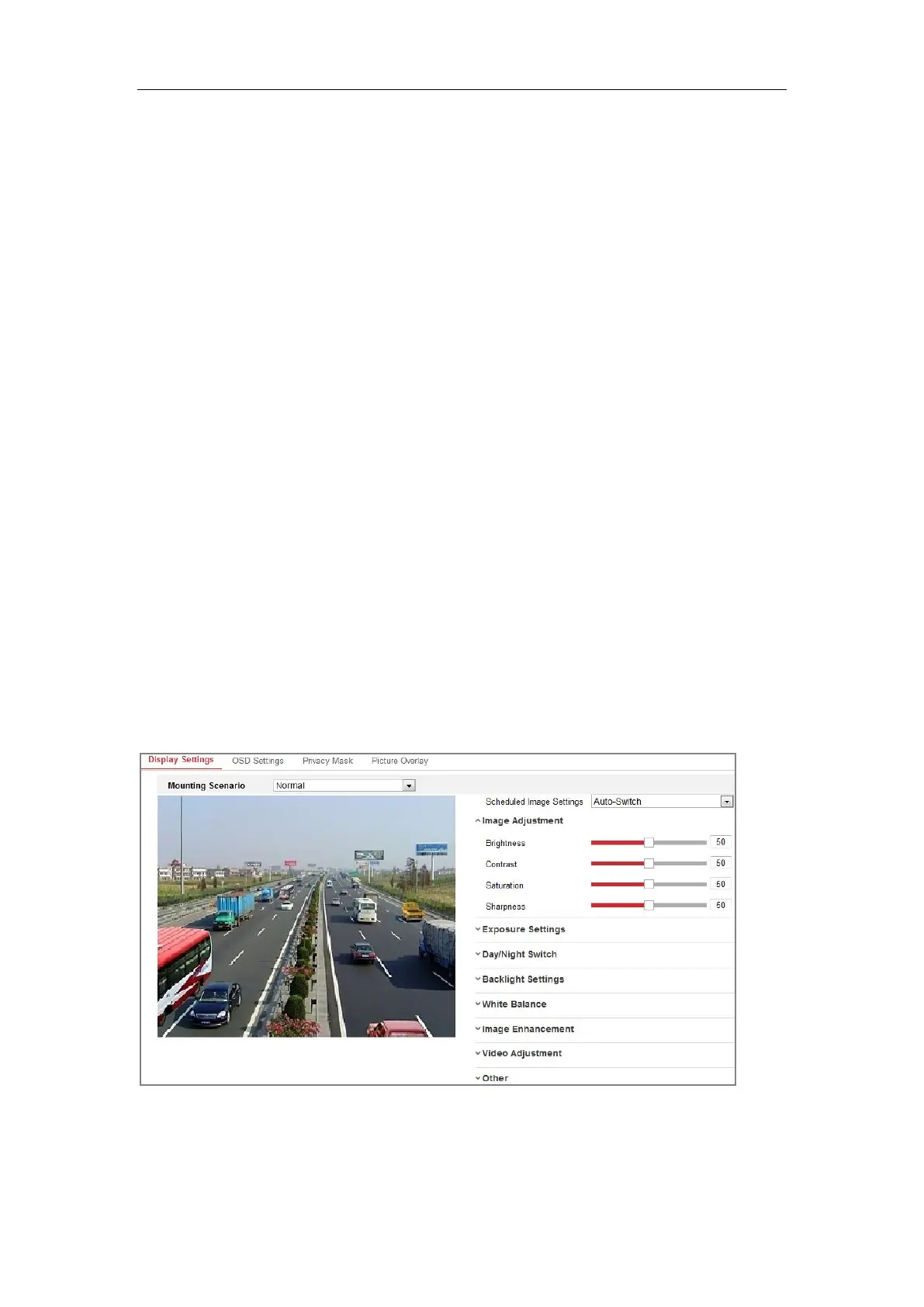
1. Enter the Display Settings interface, Configuration > Image > Display Settings.
Figure 9-1 Display Settings of Day/Night Auto-Switch
2. Select the Mounting Scenario for the camera. Normal and Road are selectable for
the mounting scenario. Each mounting scenario has a set of image parameters. Choose


 To Next Page
 Loading...