User Manual of Network Camera
116
Chapter 13 Playback
Purpose:
This section explains how to view the remotely recorded video files stored in the
network disks or SD cards.
Steps:
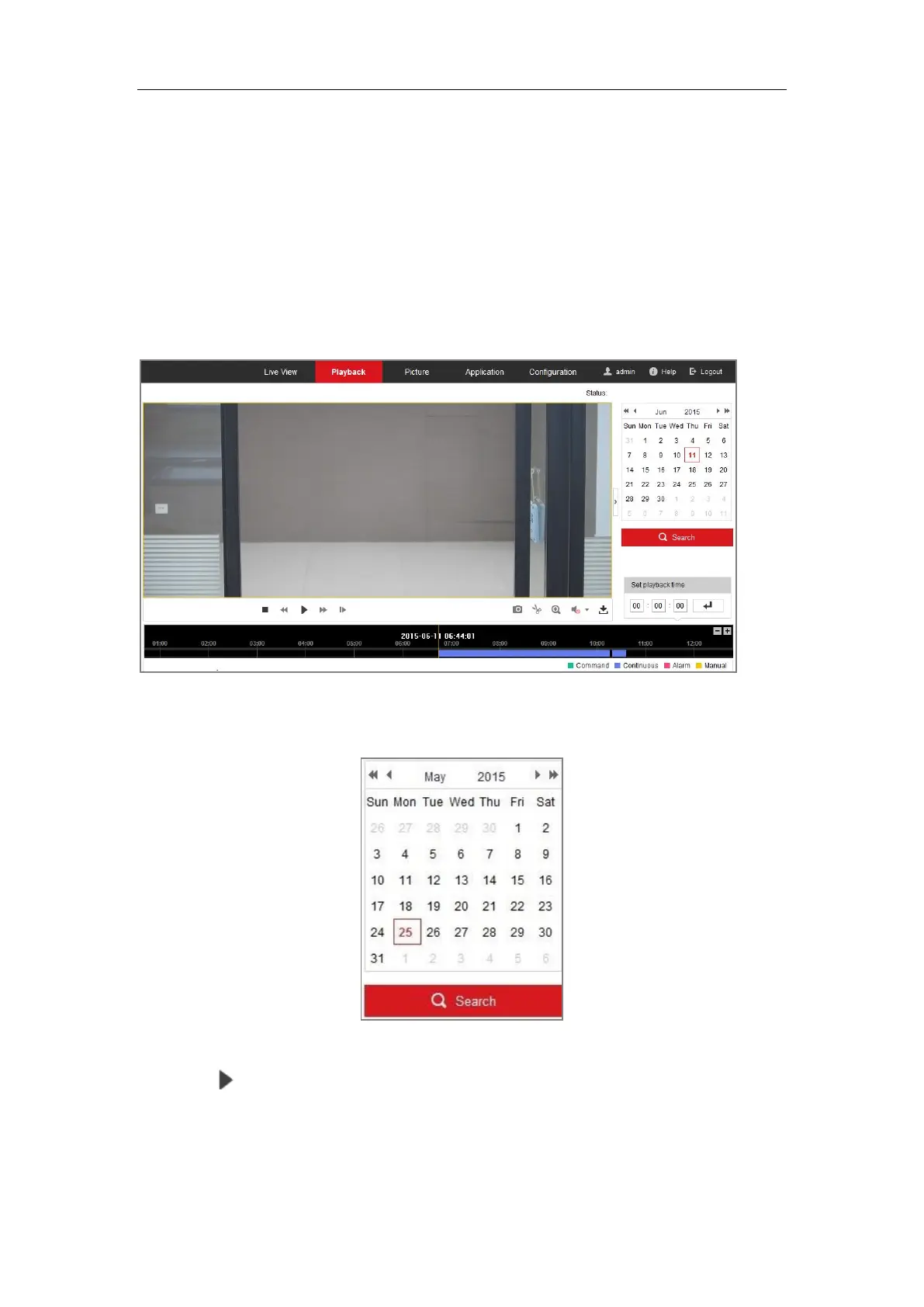
1. Click Playback on the menu bar to enter playback interface.
Figure 13-1 Playback Interface
2. Select the date and click Search.
Figure 13-2 Search Video
3. Click to play the video files found on this date.
The toolbar on the bottom of Playback interface can be used to control playing
process.


 To Next Page
 Loading...