Network Camera User Manual
41
2. Click Browse to select the saved configuration file and then click Import to
start importing configuration file.
Note: You need to reboot the camera after importing configuration file.
Upgrade: Upgrade the device to a certain version.
Steps:
1. Select firmware or firmware directory to locate the upgrade file.
Firmware: Locate the exact path of the upgrade file.
Firmware Directory: Only the directory the upgrade file belongs to is
required.
2. Click Browse to select the local upgrade file and then click Upgrade to start
remote upgrade.
Note: The upgrading process will take 1 to 10 minutes. Please don't disconnect
power of the camera during the process, and the camera reboots automatically
after upgrade.
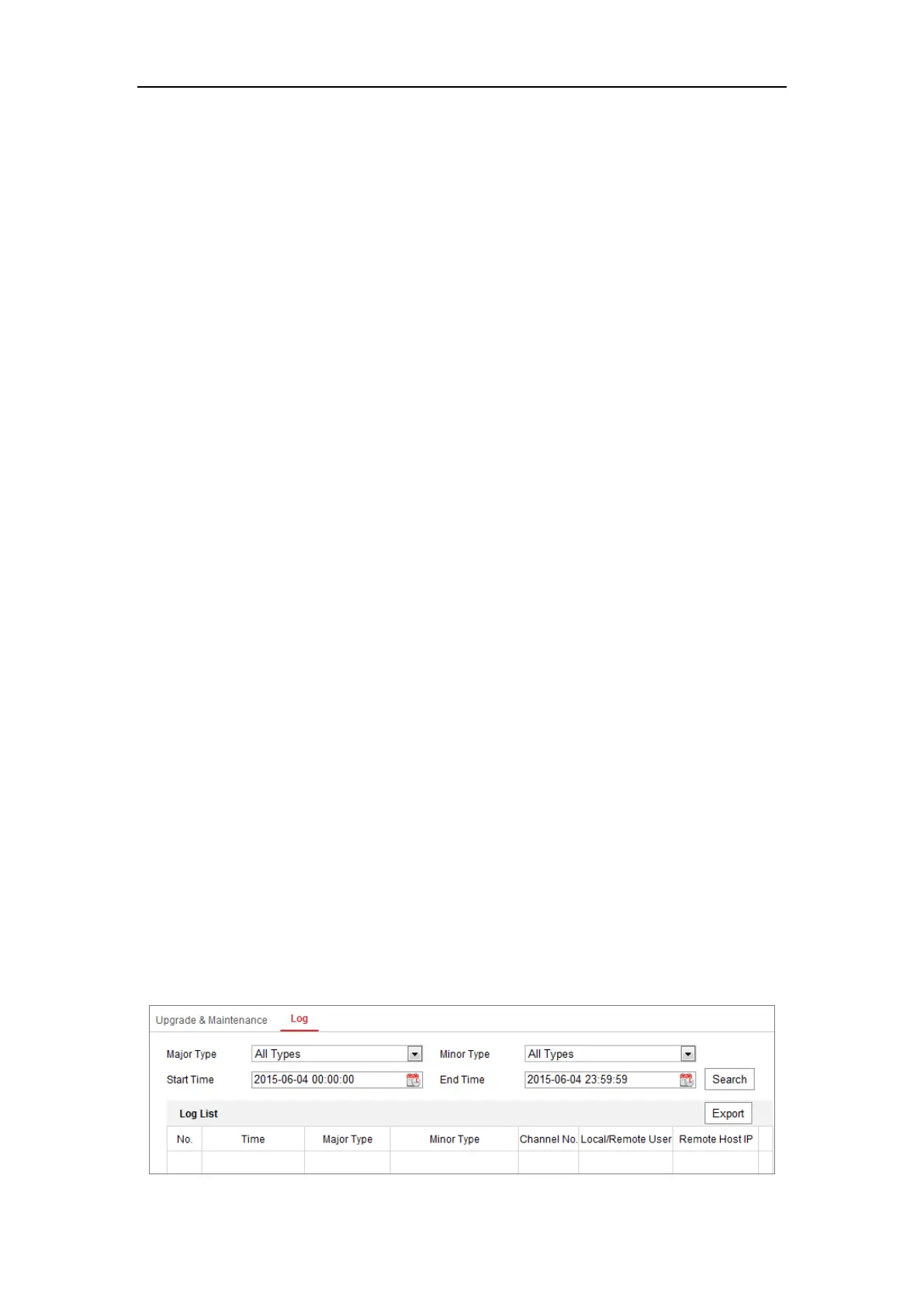
6.3.2 Log
Purpose:
The operation, alarm, exception and information of the camera can be stored in log
files. You can also export the log files on your demand.
Before you start:
Please configure network storage for the camera or insert a SD card in the camera.
Steps:
1. Enter log searching interface: Configuration > System > Maintenance > Log.


 To Next Page
 Loading...